
Spondulix - Minecraft Skins & Skin History
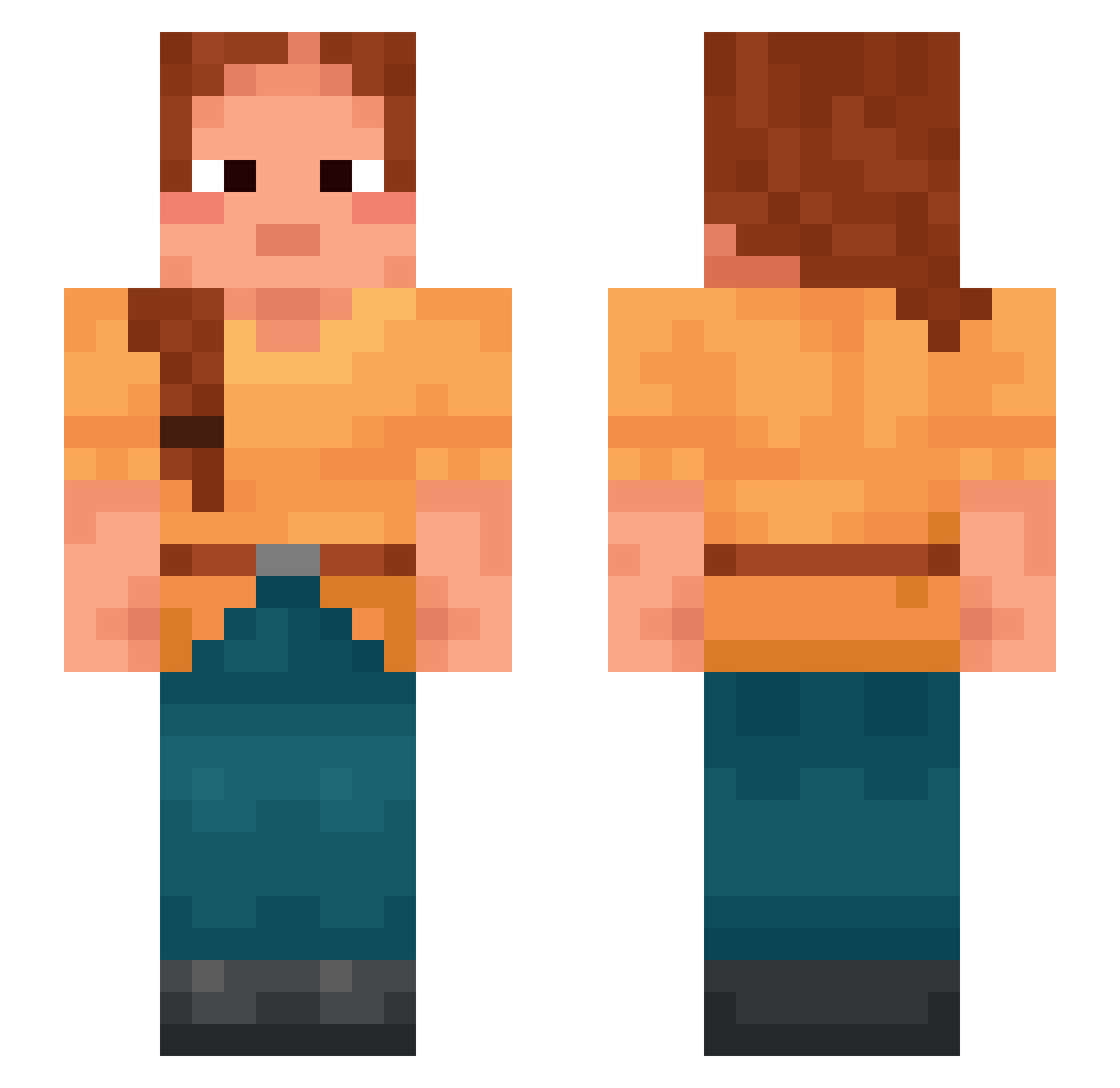
Current Minecraft skin of the player Spondulix, loaded from the official Mojang API. Rotate the 3D model with your mouse or finger, then download the skin as a PNG file and use it in Minecraft: Bedrock Edition or Java Edition for free. When Spondulix changes their skin, this page updates automatically and the old skin stays in the history below.
Other players with this skin (1186)
Spondulix was the 1092nd player we have seen with this skin, first spotted on 13.11.2026. The same skin was seen on these players. Open a nickname to see their current skin and skin history.
 beethr weared gesrjoIKKOSCOP N_Builder_Crazy seedmen Unrecommendable giovanepvp pickets acrocyst rylan386 Lithobius Crawfished Pontifice Cabeloo ItsAxoha pinki4life Trynt33 Bruyere phalanxes Outers nigxzergaysevx12 Eurypterid chaloupe pizzicato XHawksNest12 Basar20 hydroxides barble Migrans yjseo9 wistarias zincum RAMRODDY Prattles MajorZin FlambeS PigFace BoJlkBTpycax strikebreaker chondroid Der1kk Reschedules foden01 luka36 Grandparents LeviathanZIZ Nzthxn17 eclats auftakt H0MEC0MING elisaharris CutyGang unruliest notwithstanding Burnous Thanatosis AMLONG boom54 fireworkshop_xb3 tiagq69
More Braid Minecraft skins
How to install the Spondulix skin
- Press the Download button above to save the skin as a PNG file.
- Minecraft: Bedrock Edition (PE): open the Dressing Room from the main menu (or tap your character → Edit Character), go to Classic Skins → Owned, press the + (new skin) button, choose the downloaded PNG and pick the Slim (Alex) model. Works on PC and mobile; consoles cannot import custom skins.
- Minecraft: Java Edition: open the Minecraft Launcher, go to the Skins tab, click New Skin, load the PNG, pick the Slim (Alex) model and press Save & Use. You can also upload it at minecraft.net → Profile → Change Skin.
The skin does not show up after import - what should I do?
Restart Minecraft and open the Dressing Room again - imported skins sometimes appear only after a restart. Also make sure you selected the imported skin and picked the Slim (Alex) model.
Which model should I choose, Classic or Slim?
This skin is designed for the Slim (Alex) model. If you pick the wrong model, the arms of the skin will look stretched or squeezed.
Is the skin of Spondulix free to download?
Yes. Press Download, save the PNG file and use it in Minecraft: Bedrock Edition or Java Edition - no payment or registration needed. The skin also works on multiplayer servers and Realms.
More skins
Looking for more? Go back to all Minecraft skins and check the top skins of the week, month and all time, or find any player's skin by nickname.