
SpinalDegree233 - Minecraft Skins & Skin History
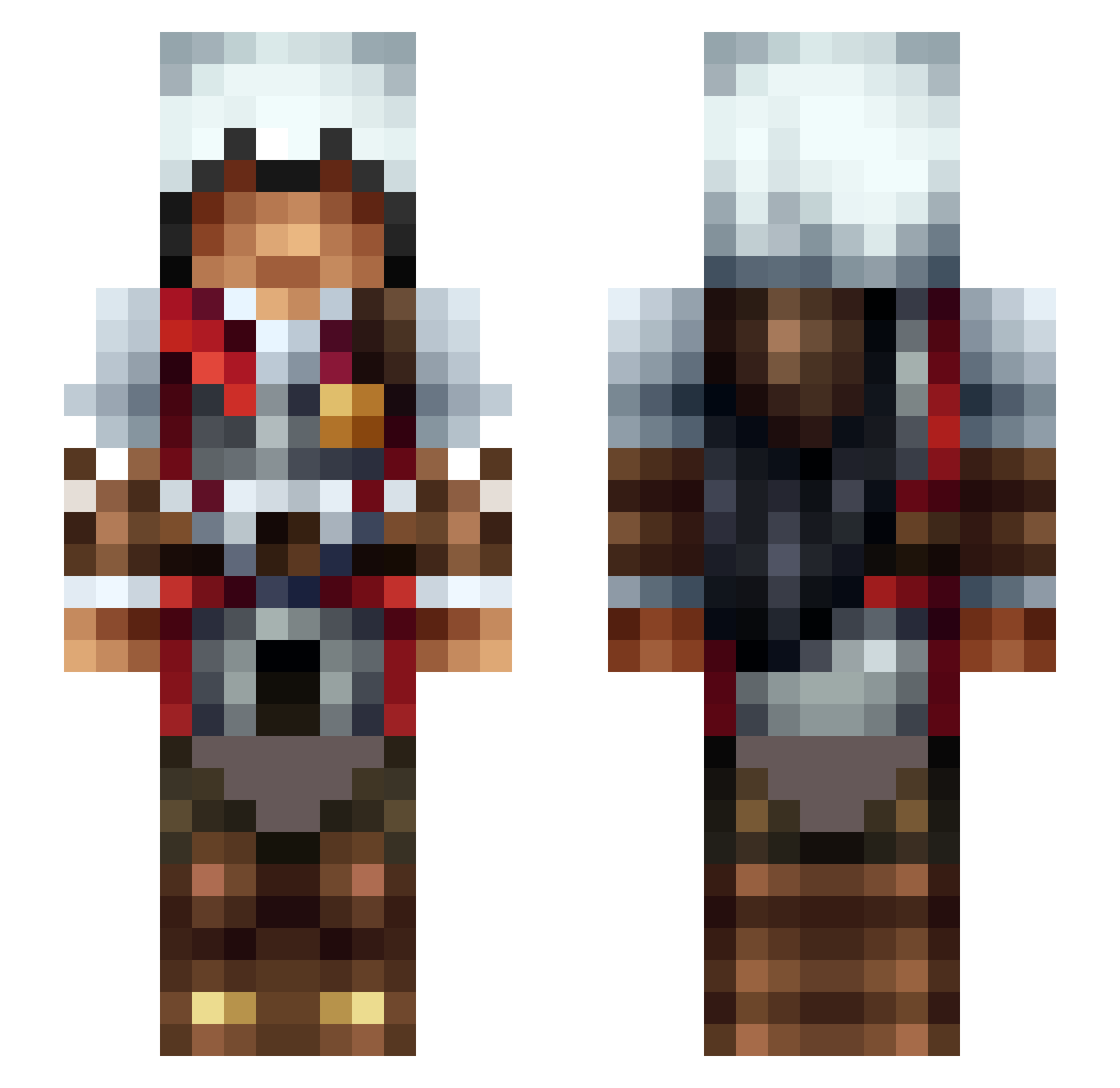
Current Minecraft skin of the player SpinalDegree233, loaded from the official Mojang API. Rotate the 3D model with your mouse or finger, then download the skin as a PNG file and use it in Minecraft: Bedrock Edition or Java Edition for free. When SpinalDegree233 changes their skin, this page updates automatically and the old skin stays in the history below.
Other players with this skin (474)
SpinalDegree233 was the 440th player we have seen with this skin, first spotted on 25.10.2026. The same skin was seen on these players. Open a nickname to see their current skin and skin history.
 hubsi2000 xd_BoBCats723 KeiSXM MauiMan13 Fantomas002cz AdolCatral Kimaeus fluffypants2020 Qamilvents PurppleNoggaCz ZOMB3KING TonkRQ MYTH1C41 Enes2235 n3stic Ghoststrike03 Traysura ExKalibur218 Nandcrafter DoganGuclu mk47mkj RedAK47 Elwen93 RuppisPoopis Silverback095 pavluh sam_mies AENN mzzonster szabo1010 ssickmentally _Slide_ 120Fps dougi25 Peretita200IQ TheGoyu rpgmax chidimma ElQuiro99 Disarming299 Ketama420 HOCHIR XisnotinX Sbyplays4567 Ruby77 iamice69 Veleno011 Relishy CJSAMUEL tunagece DrMenthol azok82 Bigf00tq sapooooooooo DiegoMathiias VyToxics Pietjebel50 ThePurpleBanana1 Dphariss Kodin_
More Altair Minecraft skins
How to install the SpinalDegree233 skin
- Press the Download button above to save the skin as a PNG file.
- Minecraft: Bedrock Edition (PE): open the Dressing Room from the main menu (or tap your character → Edit Character), go to Classic Skins → Owned, press the + (new skin) button, choose the downloaded PNG and pick the Slim (Alex) model. Works on PC and mobile; consoles cannot import custom skins.
- Minecraft: Java Edition: open the Minecraft Launcher, go to the Skins tab, click New Skin, load the PNG, pick the Slim (Alex) model and press Save & Use. You can also upload it at minecraft.net → Profile → Change Skin.
The skin does not show up after import - what should I do?
Restart Minecraft and open the Dressing Room again - imported skins sometimes appear only after a restart. Also make sure you selected the imported skin and picked the Slim (Alex) model.
Which model should I choose, Classic or Slim?
This skin is designed for the Slim (Alex) model. If you pick the wrong model, the arms of the skin will look stretched or squeezed.
Is the skin of SpinalDegree233 free to download?
Yes. Press Download, save the PNG file and use it in Minecraft: Bedrock Edition or Java Edition - no payment or registration needed. The skin also works on multiplayer servers and Realms.
More skins
Looking for more? Go back to all Minecraft skins and check the top skins of the week, month and all time, or find any player's skin by nickname.