
SpikerMan666 - Minecraft Skins & Skin History
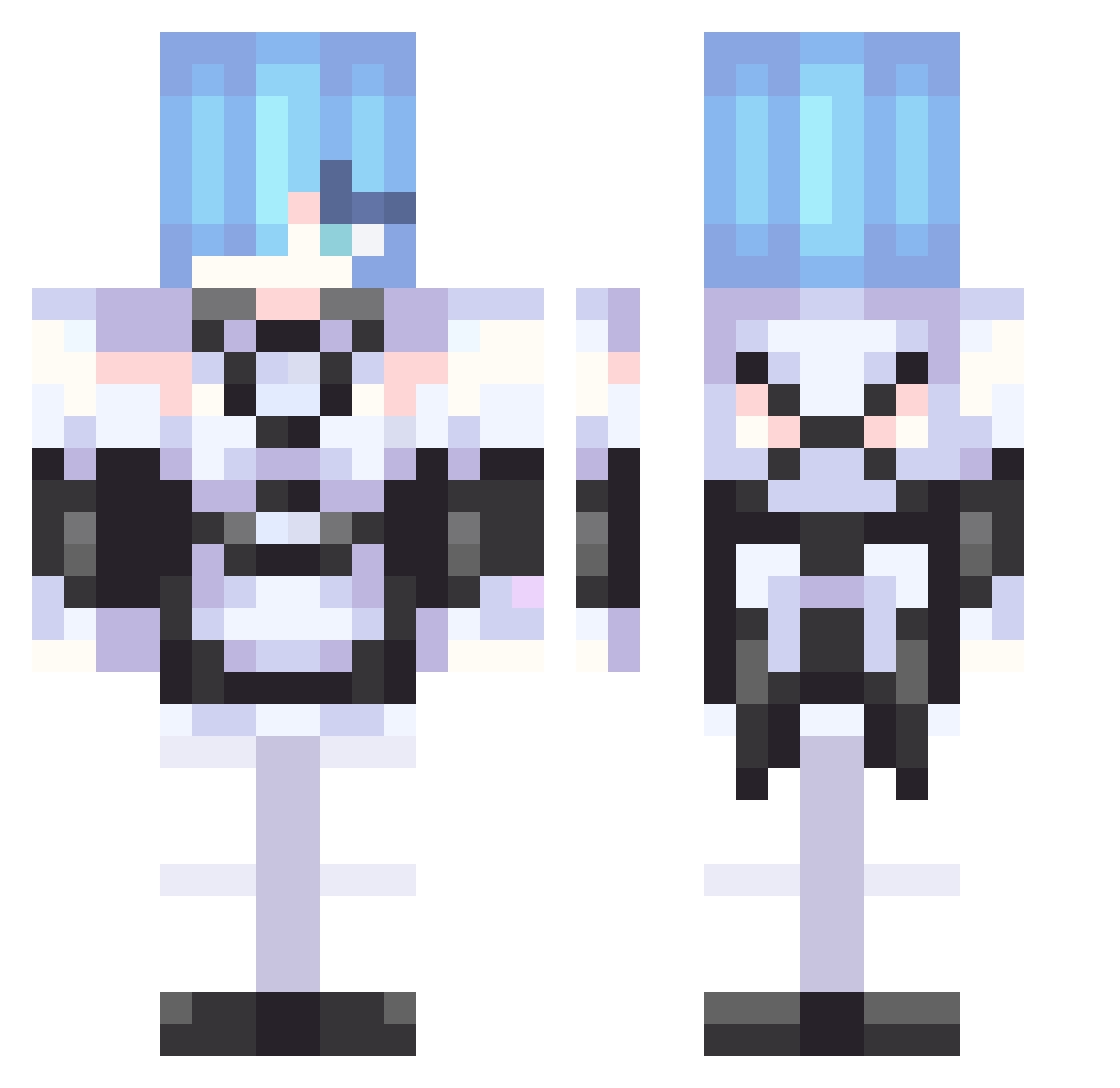
Current Minecraft skin of the player SpikerMan666, loaded from the official Mojang API. Rotate the 3D model with your mouse or finger, then download the skin as a PNG file and use it in Minecraft: Bedrock Edition or Java Edition for free. When SpikerMan666 changes their skin, this page updates automatically and the old skin stays in the history below.
Other players with this skin (306)
SpikerMan666 was the 78th player we have seen with this skin, first spotted on 17.08.2026. The same skin was seen on these players. Open a nickname to see their current skin and skin history.
 Nikneym_ MauerReis airiyori seanistaice1000 Remismine02 Meowcraft02 Wilberlol HwatM8 Rinuda takuoOo0 toxan12 Koharu_H IsseiBeastBoyGHG Caramel_Pudding4 BigPopa28 takushun1001 happyna397 applealan RVDX_ xuvh Crow_Yu peco1225 Wen960509 JSHIZELROCK101 8mizi acquysieudz simpleRem Rat00t Nixxel228 Zerafens Brownbaddie Eg0one N3RUzzz MaidoRem PatatesJojuk lee0316 sqtn Aplil LittleVoidling_ KemySarashina sebastian_909 Elite35PP KSI_Downs Kuuhaku1217 Flip228Flaps watertea101020 rean0721 Zuhbro nasuiro
 HuzyFn hatohatoco ramiwie hololive_snek sangyeong_ ken312
 holri OrlyBroXD MefhH__ DieBasis Revopix
More Rem Minecraft skins
How to install the SpikerMan666 skin
- Press the Download button above to save the skin as a PNG file.
- Minecraft: Bedrock Edition (PE): open the Dressing Room from the main menu (or tap your character → Edit Character), go to Classic Skins → Owned, press the + (new skin) button, choose the downloaded PNG and pick the Classic (Steve) model. Works on PC and mobile; consoles cannot import custom skins.
- Minecraft: Java Edition: open the Minecraft Launcher, go to the Skins tab, click New Skin, load the PNG, pick the Classic (Steve) model and press Save & Use. You can also upload it at minecraft.net → Profile → Change Skin.
The skin does not show up after import - what should I do?
Restart Minecraft and open the Dressing Room again - imported skins sometimes appear only after a restart. Also make sure you selected the imported skin and picked the Classic (Steve) model.
Which model should I choose, Classic or Slim?
This skin is designed for the Classic (Steve) model. If you pick the wrong model, the arms of the skin will look stretched or squeezed.
Is the skin of SpikerMan666 free to download?
Yes. Press Download, save the PNG file and use it in Minecraft: Bedrock Edition or Java Edition - no payment or registration needed. The skin also works on multiplayer servers and Realms.
More skins
Looking for more? Go back to all Minecraft skins and check the top skins of the week, month and all time, or find any player's skin by nickname.