
SpiderBale - Minecraft Skins & Skin History
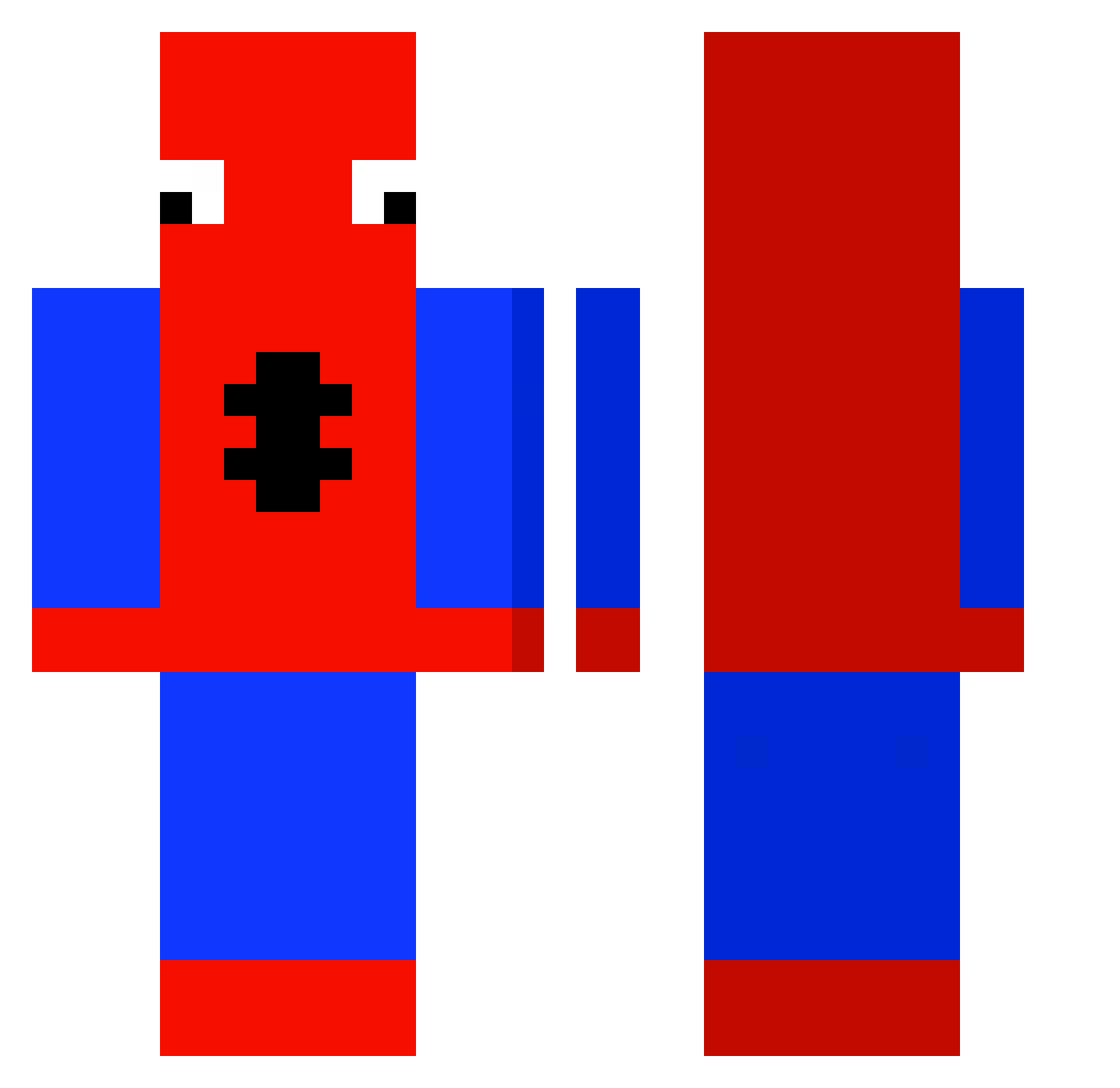
Current Minecraft skin of the player SpiderBale, loaded from the official Mojang API. Rotate the 3D model with your mouse or finger, then download the skin as a PNG file and use it in Minecraft: Bedrock Edition or Java Edition for free. When SpiderBale changes their skin, this page updates automatically and the old skin stays in the history below.
Other players with this skin (429)
SpiderBale was the 115th player we have seen with this skin, first spotted on 22.08.2026. The same skin was seen on these players. Open a nickname to see their current skin and skin history.
 krispynug S1nuu ABCDEFGHIJK128 MinerPete mrqssPIRIGOSO Calix6 Dogkankocc bimpleton AudiAntti DeadWolf_30 Mishaa0102 frenkel_de_sam Rynkusz MedicalKanter SBbootyTenders Kapii_ GlizzyGobler6452 crisao20 tjwnsgur73 bavs94 Berner01 Olafeek DinoSweat3r dada_lefou James_Papa BestOfUSA potayrww Navarro99 kimjiyou1 Icesmurf FNOVENOM FowlerGerman MulberryPlace22 PetiteStorm8222 mythgraven97 20h04 paoloface321 InkBreak SnazzyShaz liklinebox1 Fortnite_Gremlin PijanyPilot ManoTomioka Sorotubby 69Oliwkabrazil MrKilua renaur Axori_0 vpad Cyugioh EpicChibiCrystal TheBrodezFranko Lardex_420 funnyflossy Mr_Chambers itskinnyp galivuddd Smurfen31 xElwen mikk0145_
More Spider-Man Minecraft skins
How to install the SpiderBale skin
- Press the Download button above to save the skin as a PNG file.
- Minecraft: Bedrock Edition (PE): open the Dressing Room from the main menu (or tap your character → Edit Character), go to Classic Skins → Owned, press the + (new skin) button, choose the downloaded PNG and pick the Classic (Steve) model. Works on PC and mobile; consoles cannot import custom skins.
- Minecraft: Java Edition: open the Minecraft Launcher, go to the Skins tab, click New Skin, load the PNG, pick the Classic (Steve) model and press Save & Use. You can also upload it at minecraft.net → Profile → Change Skin.
The skin does not show up after import - what should I do?
Restart Minecraft and open the Dressing Room again - imported skins sometimes appear only after a restart. Also make sure you selected the imported skin and picked the Classic (Steve) model.
Which model should I choose, Classic or Slim?
This skin is designed for the Classic (Steve) model. If you pick the wrong model, the arms of the skin will look stretched or squeezed.
Is the skin of SpiderBale free to download?
Yes. Press Download, save the PNG file and use it in Minecraft: Bedrock Edition or Java Edition - no payment or registration needed. The skin also works on multiplayer servers and Realms.
More skins
Looking for more? Go back to all Minecraft skins and check the top skins of the week, month and all time, or find any player's skin by nickname.