
Spicyhemanshu - Minecraft Skins & Skin History
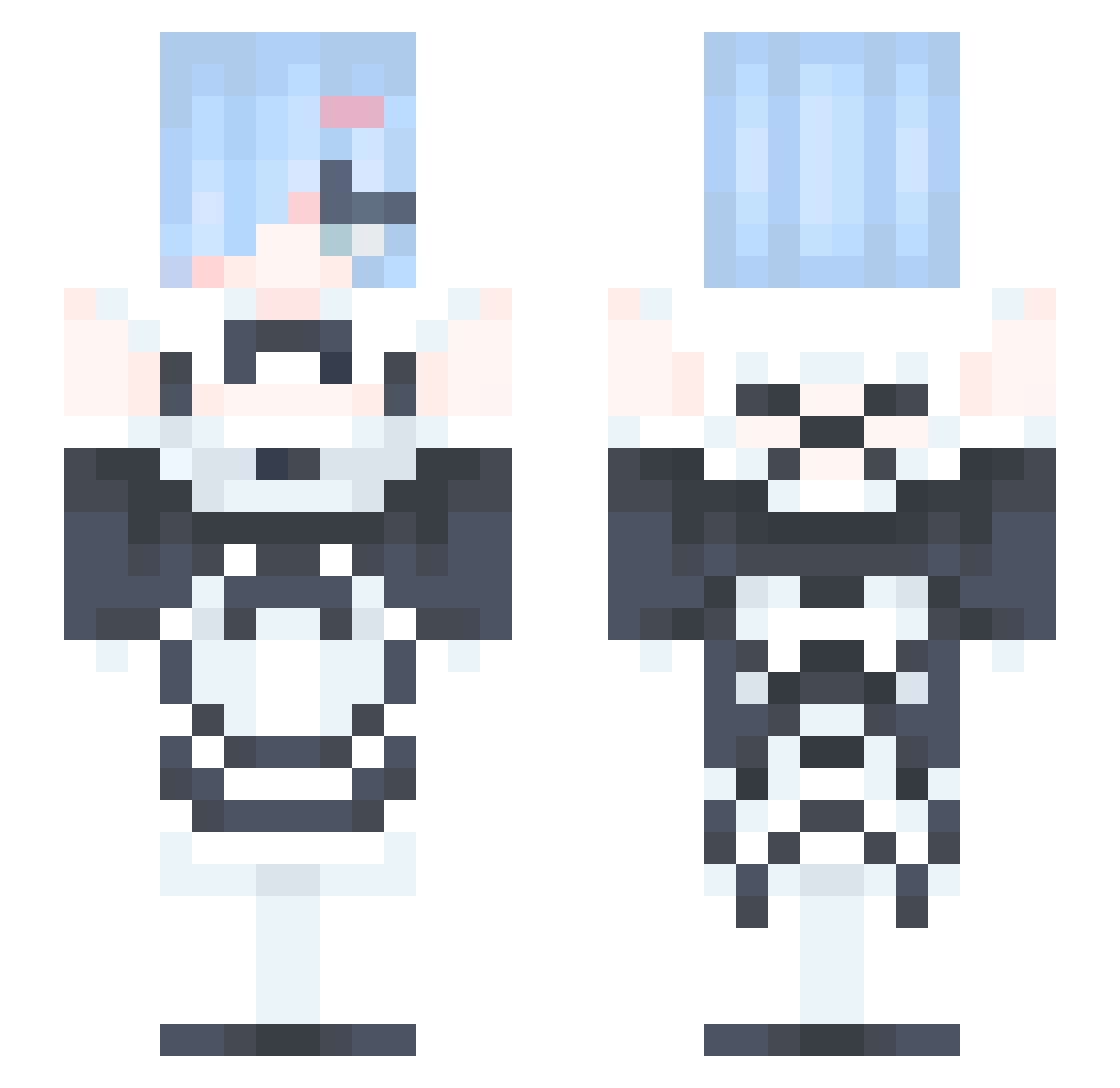
Current Minecraft skin of the player Spicyhemanshu, loaded from the official Mojang API. Rotate the 3D model with your mouse or finger, then download the skin as a PNG file and use it in Minecraft: Bedrock Edition or Java Edition for free. When Spicyhemanshu changes their skin, this page updates automatically and the old skin stays in the history below.
Other players with this skin (329)
Spicyhemanshu was the 132nd player we have seen with this skin, first spotted on 01.09.2026. The same skin was seen on these players. Open a nickname to see their current skin and skin history.
 u0c__n2
 yayuppy Sangooo Lillian0910 LouieOAO harutar0u CaptainOmega76 Jakep_4980 iZebbie seno23 Quemix Bob38888269 eeshnoon steelhun LoudWinter RemBestWaifu Mizuki1221 Agente832 terryouo0212 wonyoyo TomTom030303 O_HS_Huge_sky Freezkai REMlv ughyudi woaiyuanxu Korrsofia shendea1 GlitterGrace11 molipoli3456 TranscendedWeeb NanGong_Yu Just_yoe Trysser Evildollee cvbfg Danikruck113 SenpaiYuni th3mist3rx56 Luisz_MG SenpaiYunii Rafaeloking T7LRR VerumScire dodd2012 qingzhe18 RNebula_ show07 JEONGWOON XiJinPingPingYi swallow772 aAndore Lu697 THEQueenCeleste Mrkk15 Re0Hero Poofybear2000 kark9329 aevar99 LeeHyunBin1234
More Rem Minecraft skins
How to install the Spicyhemanshu skin
- Press the Download button above to save the skin as a PNG file.
- Minecraft: Bedrock Edition (PE): open the Dressing Room from the main menu (or tap your character → Edit Character), go to Classic Skins → Owned, press the + (new skin) button, choose the downloaded PNG and pick the Slim (Alex) model. Works on PC and mobile; consoles cannot import custom skins.
- Minecraft: Java Edition: open the Minecraft Launcher, go to the Skins tab, click New Skin, load the PNG, pick the Slim (Alex) model and press Save & Use. You can also upload it at minecraft.net → Profile → Change Skin.
The skin does not show up after import - what should I do?
Restart Minecraft and open the Dressing Room again - imported skins sometimes appear only after a restart. Also make sure you selected the imported skin and picked the Slim (Alex) model.
Which model should I choose, Classic or Slim?
This skin is designed for the Slim (Alex) model. If you pick the wrong model, the arms of the skin will look stretched or squeezed.
Is the skin of Spicyhemanshu free to download?
Yes. Press Download, save the PNG file and use it in Minecraft: Bedrock Edition or Java Edition - no payment or registration needed. The skin also works on multiplayer servers and Realms.
More skins
Looking for more? Go back to all Minecraft skins and check the top skins of the week, month and all time, or find any player's skin by nickname.