
Speeftown - Minecraft Skins & Skin History
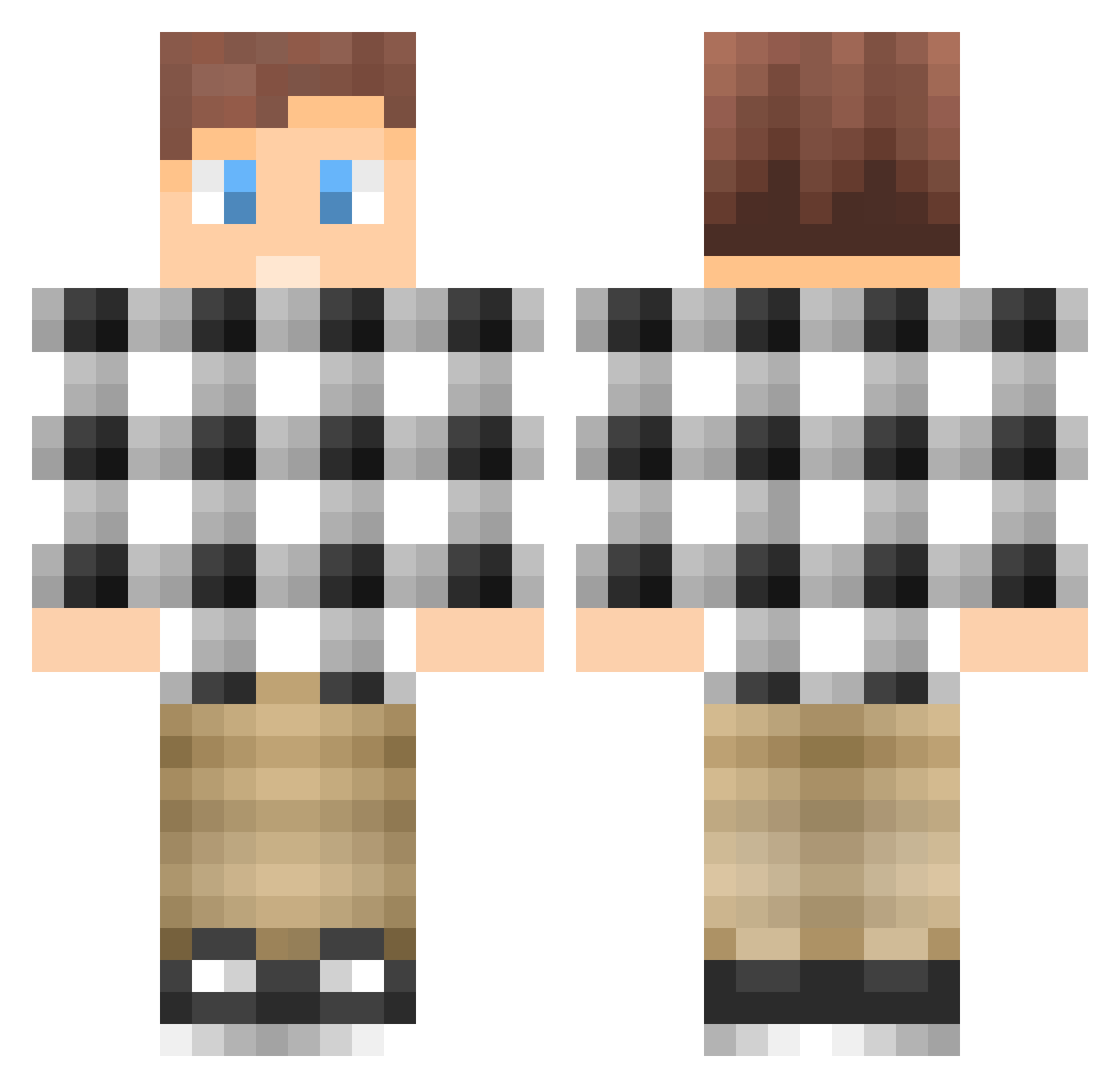
Current Minecraft skin of the player Speeftown, loaded from the official Mojang API. Rotate the 3D model with your mouse or finger, then download the skin as a PNG file and use it in Minecraft: Bedrock Edition or Java Edition for free. When Speeftown changes their skin, this page updates automatically and the old skin stays in the history below.
Other players with this skin (295)
Speeftown was the 208th player we have seen with this skin, first spotted on 18.10.2026. The same skin was seen on these players. Open a nickname to see their current skin and skin history.
 hockeycreeper99 RuneNL briggz5d ccl_private HeWhoKnows Loekivl25 Veritas177 MrNoxer tomascuchna1010 Dividuude Warrior_420 Mazini14 Hammer_cz Roy9999 innuite xXusagamerXx xPiGPvP_ SaintlyCow Forty9erSouljah deadbox04 lobsterman72 BootyPoppa Haflo ThisisntSam gameTV1 xwolfx123 BMR14 reecet2002 megawauls pieman374 Briemm Unstoppable1316 0pGrandma AxeMan127 ersie1801 TRANCESTEP Axelsvan Henriksen2004 OmgitsBl4ze D3VON ByGeTx Wyatt___ Dabomba_ Manuelpal16 ferriswillem itkin NinjaFanatic15 DutchKingJob IMDoug iToby2506 goobersquad99 hickop_ LordeRino madlywarriors Amkafrica vuyile19 blue_sun37 Zimbocraft GommoMop EasyJohnsen
How to install the Speeftown skin
- Press the Download button above to save the skin as a PNG file.
- Minecraft: Bedrock Edition (PE): open the Dressing Room from the main menu (or tap your character → Edit Character), go to Classic Skins → Owned, press the + (new skin) button, choose the downloaded PNG and pick the Classic (Steve) model. Works on PC and mobile; consoles cannot import custom skins.
- Minecraft: Java Edition: open the Minecraft Launcher, go to the Skins tab, click New Skin, load the PNG, pick the Classic (Steve) model and press Save & Use. You can also upload it at minecraft.net → Profile → Change Skin.
The skin does not show up after import - what should I do?
Restart Minecraft and open the Dressing Room again - imported skins sometimes appear only after a restart. Also make sure you selected the imported skin and picked the Classic (Steve) model.
Which model should I choose, Classic or Slim?
This skin is designed for the Classic (Steve) model. If you pick the wrong model, the arms of the skin will look stretched or squeezed.
Is the skin of Speeftown free to download?
Yes. Press Download, save the PNG file and use it in Minecraft: Bedrock Edition or Java Edition - no payment or registration needed. The skin also works on multiplayer servers and Realms.
More skins
Looking for more? Go back to all Minecraft skins and check the top skins of the week, month and all time, or find any player's skin by nickname.