
Spawpp - Minecraft Skins & Skin History
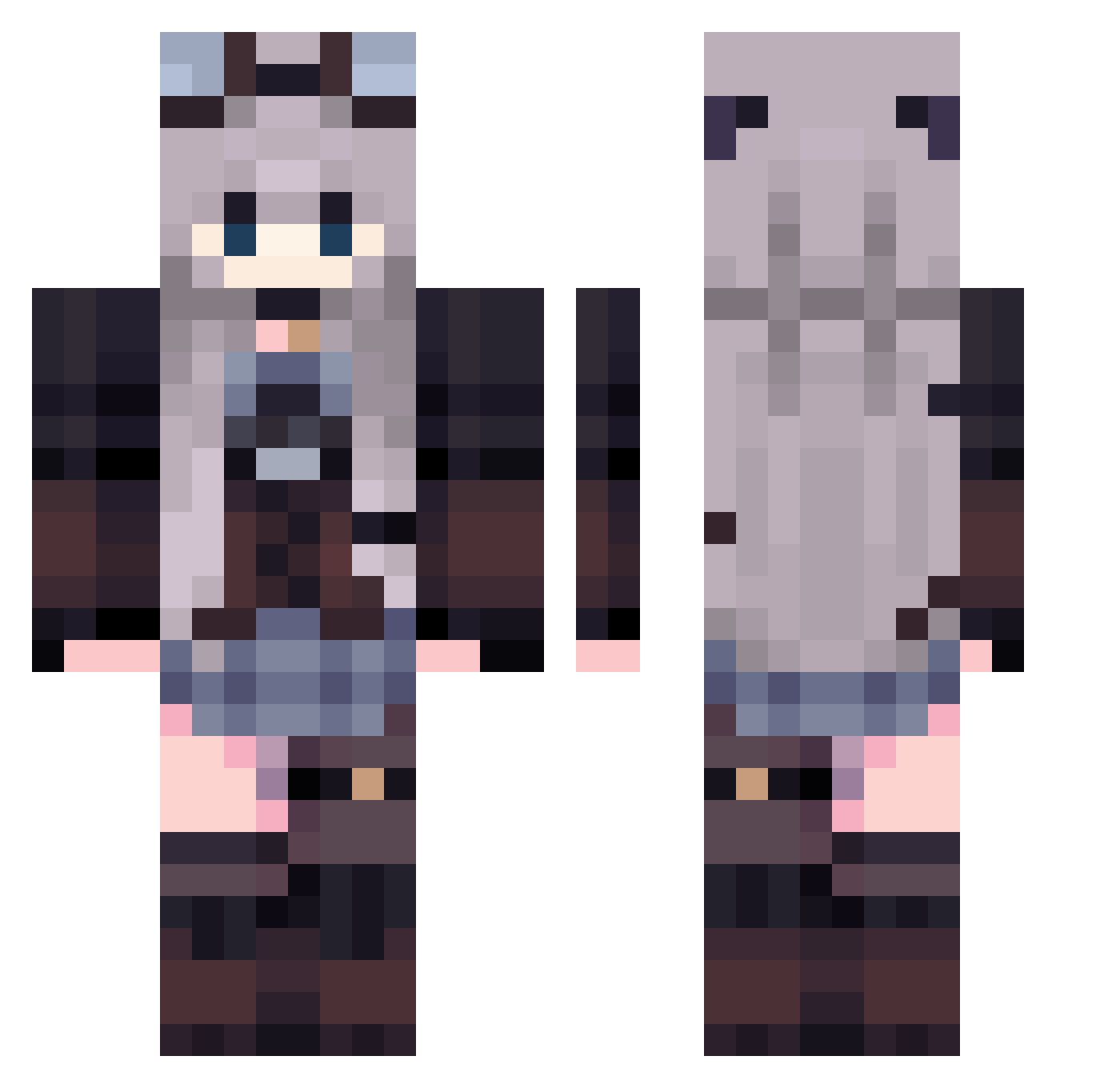
Current Minecraft skin of the player Spawpp, loaded from the official Mojang API. Rotate the 3D model with your mouse or finger, then download the skin as a PNG file and use it in Minecraft: Bedrock Edition or Java Edition for free. When Spawpp changes their skin, this page updates automatically and the old skin stays in the history below.
Other players with this skin (510)
Spawpp was the 463rd player we have seen with this skin, first spotted on 11.11.2026. The same skin was seen on these players. Open a nickname to see their current skin and skin history.
 Daskimo ceciliapp cMasochism timgxia mariondsr He1ium6 adisusss Bigazinha MarieGog Siozia tinitaaaa LegionarPl Kaiachii00 NekoShe Vanao3o RedRiceJP Zephyr_Skystorm SSS6256 meechachi aleeeessiaaaaaaa Nick0019 espadin3456 girlfailcoded jjj0723 Stifun_ LazyLilith22 ruuia Rach_rrr eunio_ IvanCosmic tyomuu _lyndriel_ Mr_Lotus1590 KuripaBoom iuliars6 Jujutiee Empyrea33 Sonnesita luuvi RAMUNE398 xux114 Silence8777 ElAsda 4LeafChloever mmk_mmk CutestCupcake Pwfos kjareeves chieriny Sisilea_24 Werii CreammSodaaa Mereltje28 Hararara6 Aaliyah2077 ssoovvaa AbbeyJones AresVoid AsheGr Ymxb247
More Steampunk Minecraft skins
How to install the Spawpp skin
- Press the Download button above to save the skin as a PNG file.
- Minecraft: Bedrock Edition (PE): open the Dressing Room from the main menu (or tap your character → Edit Character), go to Classic Skins → Owned, press the + (new skin) button, choose the downloaded PNG and pick the Classic (Steve) model. Works on PC and mobile; consoles cannot import custom skins.
- Minecraft: Java Edition: open the Minecraft Launcher, go to the Skins tab, click New Skin, load the PNG, pick the Classic (Steve) model and press Save & Use. You can also upload it at minecraft.net → Profile → Change Skin.
The skin does not show up after import - what should I do?
Restart Minecraft and open the Dressing Room again - imported skins sometimes appear only after a restart. Also make sure you selected the imported skin and picked the Classic (Steve) model.
Which model should I choose, Classic or Slim?
This skin is designed for the Classic (Steve) model. If you pick the wrong model, the arms of the skin will look stretched or squeezed.
Is the skin of Spawpp free to download?
Yes. Press Download, save the PNG file and use it in Minecraft: Bedrock Edition or Java Edition - no payment or registration needed. The skin also works on multiplayer servers and Realms.
More skins
Looking for more? Go back to all Minecraft skins and check the top skins of the week, month and all time, or find any player's skin by nickname.