
SpartanJester91 - Minecraft Skins & Skin History
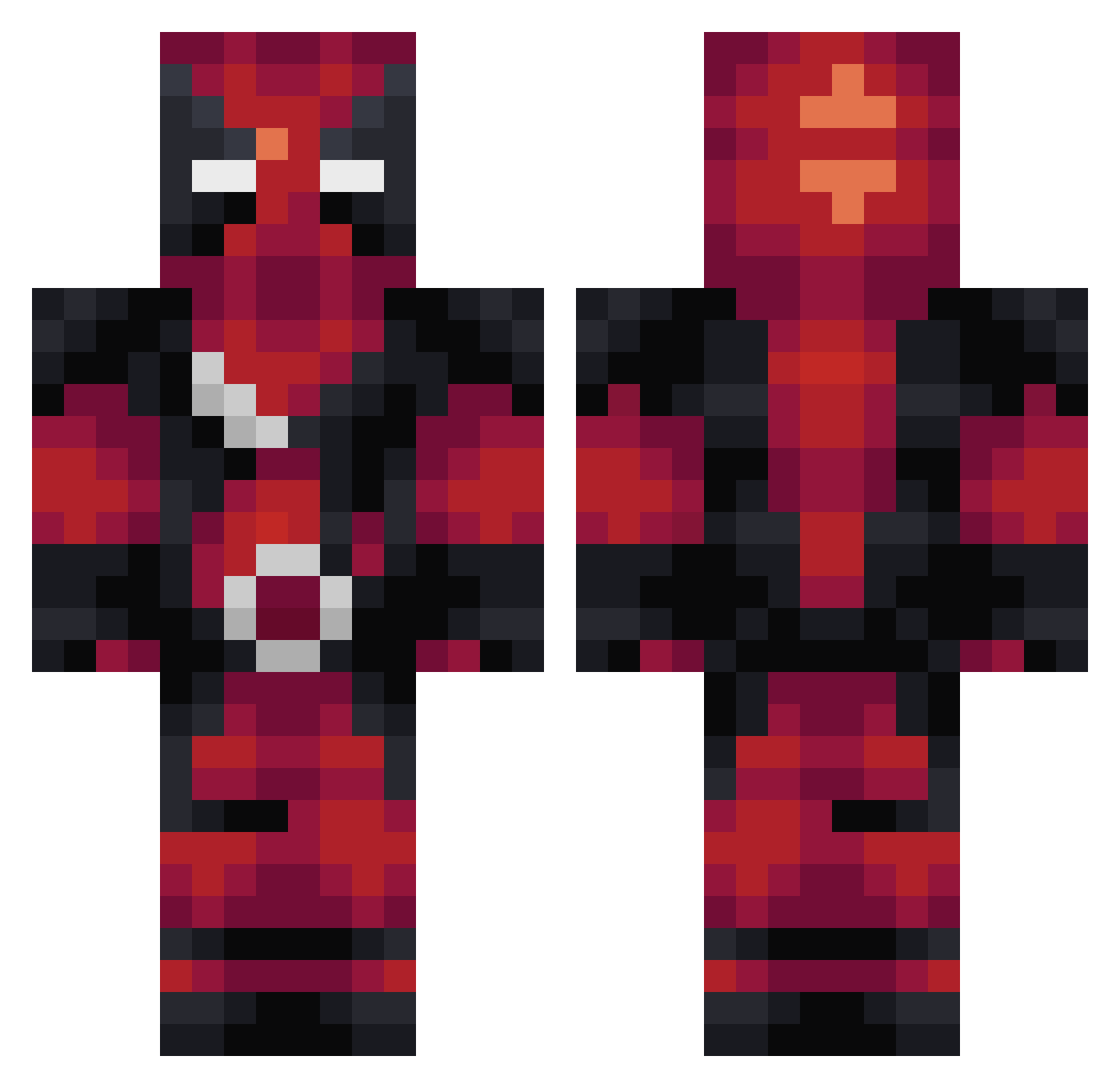
Current Minecraft skin of the player SpartanJester91, loaded from the official Mojang API. Rotate the 3D model with your mouse or finger, then download the skin as a PNG file and use it in Minecraft: Bedrock Edition or Java Edition for free. When SpartanJester91 changes their skin, this page updates automatically and the old skin stays in the history below.
Other players with this skin (274)
SpartanJester91 was the 225th player we have seen with this skin, first spotted on 18.10.2026. The same skin was seen on these players. Open a nickname to see their current skin and skin history.
 hoosiers87 Trytex04 Rubberbunny The_Drakon mdbredahl Cosimo99 wouilla GabrielKing LoliPro davodos assailant Anders24051 Tyrant_Ness D3adpool XPlayYT9 Qeaten eliascraft30 TahlO24 RealFailer JoaoMHeusi xyx226 Kapleren AstralWalkero_0 karate_fiend nrktkt chickencreep2002 thebradleyxace ToukoL 321medaddy Scorpio1869 SSBernardo Nerd__Baby TasTy_Be analogwarrior Sarot Boozling DannySmackaHo theta17 elliot_auden superogel13 funkecho01 MrFlingleyPing jo3yjo3y techster2887 Orc ZeroOda racingspider _XC_ Konchimi YusaiYT kill_like_a_boss SergeantJono FinnishThunder HereticPhantom CrabShacks MauseX KBeatty32 forewa88 Grimmer32 Merric2639
More Deadpool Minecraft skins
How to install the SpartanJester91 skin
- Press the Download button above to save the skin as a PNG file.
- Minecraft: Bedrock Edition (PE): open the Dressing Room from the main menu (or tap your character → Edit Character), go to Classic Skins → Owned, press the + (new skin) button, choose the downloaded PNG and pick the Classic (Steve) model. Works on PC and mobile; consoles cannot import custom skins.
- Minecraft: Java Edition: open the Minecraft Launcher, go to the Skins tab, click New Skin, load the PNG, pick the Classic (Steve) model and press Save & Use. You can also upload it at minecraft.net → Profile → Change Skin.
The skin does not show up after import - what should I do?
Restart Minecraft and open the Dressing Room again - imported skins sometimes appear only after a restart. Also make sure you selected the imported skin and picked the Classic (Steve) model.
Which model should I choose, Classic or Slim?
This skin is designed for the Classic (Steve) model. If you pick the wrong model, the arms of the skin will look stretched or squeezed.
Is the skin of SpartanJester91 free to download?
Yes. Press Download, save the PNG file and use it in Minecraft: Bedrock Edition or Java Edition - no payment or registration needed. The skin also works on multiplayer servers and Realms.
More skins
Looking for more? Go back to all Minecraft skins and check the top skins of the week, month and all time, or find any player's skin by nickname.