
Spapace - Minecraft Skins & Skin History
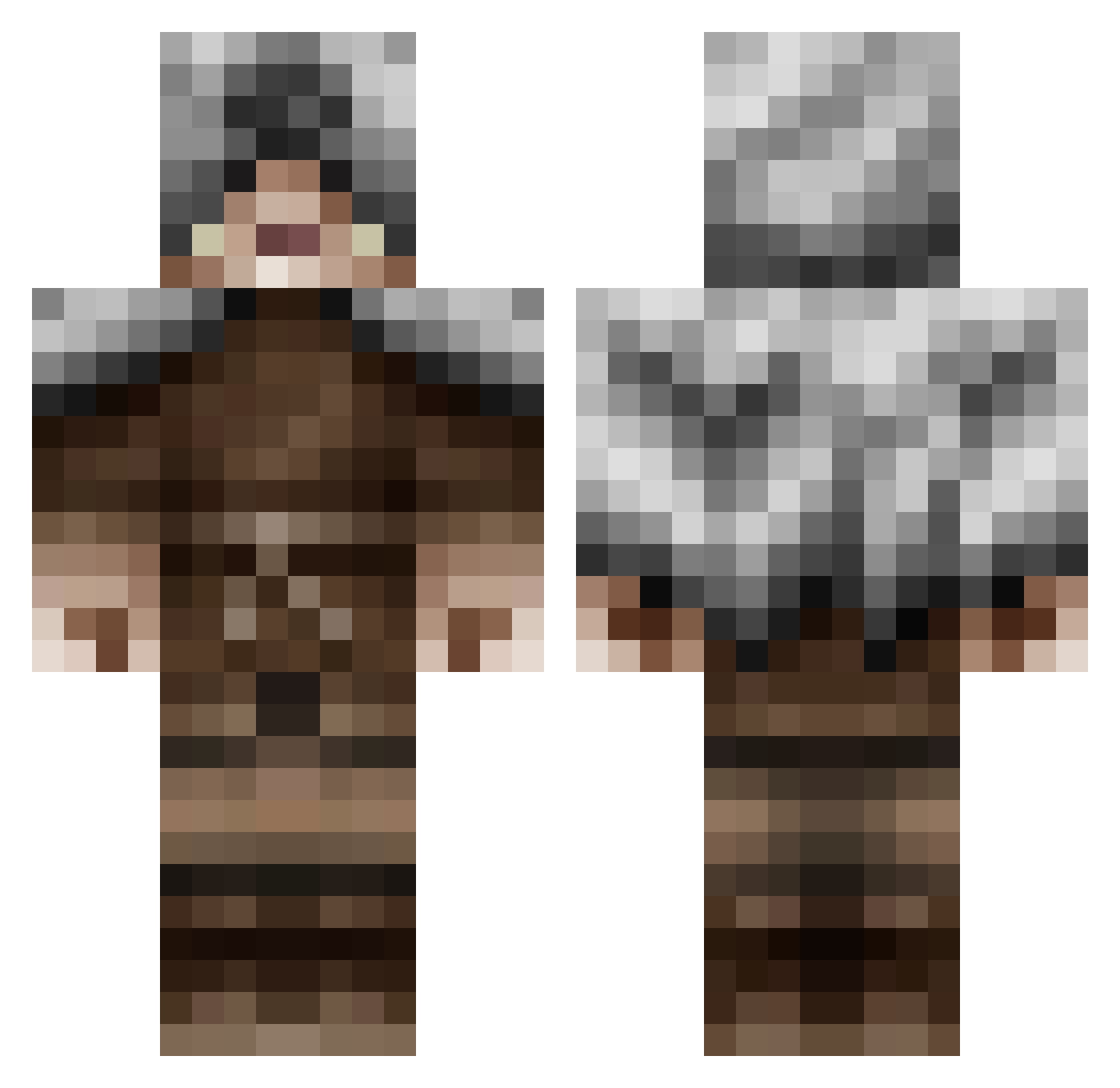
Current Minecraft skin of the player Spapace, loaded from the official Mojang API. Rotate the 3D model with your mouse or finger, then download the skin as a PNG file and use it in Minecraft: Bedrock Edition or Java Edition for free. When Spapace changes their skin, this page updates automatically and the old skin stays in the history below.
Other players with this skin (601)
Spapace was the 535th player we have seen with this skin, first spotted on 10.11.2026. The same skin was seen on these players. Open a nickname to see their current skin and skin history.
 ByronicJay j8m TheChosenPotato NAPALMnNITRO MrWoolf98 CraigWares flocool200 Moonlight_shit Natuch allstart Buzzsaw02 Martiff chinder45 superjoea loomder rossnjackie LukeJMack JammerMan2002 pie_master2211 rabidhunterd Sleeper305 SOHW C6H12N2O6 Shock_Dragon_5 poweroffice Newdge Xeoda Ericlek Doggo2K LKTheAverage _Drics_ xWinterWarriorx eurodak leroy93 The_Jamm guigui540 nickVnack bluey455 Eiboco xSavageArms PCNibblitPC mia_attard Joey123Hi PizzaBattJR Mr_Thrower MrBenjiDeluX SpinachPower CesilZero bartman11 Lizerins Mechanisto woahChonky StrangeVapor megan_smith12 Dawzyh OG_Sanyek Regas_Killer Fortunesfavored Jegscraft Wolf_pack_hunter
More Rogue Minecraft skins
How to install the Spapace skin
- Press the Download button above to save the skin as a PNG file.
- Minecraft: Bedrock Edition (PE): open the Dressing Room from the main menu (or tap your character → Edit Character), go to Classic Skins → Owned, press the + (new skin) button, choose the downloaded PNG and pick the Classic (Steve) model. Works on PC and mobile; consoles cannot import custom skins.
- Minecraft: Java Edition: open the Minecraft Launcher, go to the Skins tab, click New Skin, load the PNG, pick the Classic (Steve) model and press Save & Use. You can also upload it at minecraft.net → Profile → Change Skin.
The skin does not show up after import - what should I do?
Restart Minecraft and open the Dressing Room again - imported skins sometimes appear only after a restart. Also make sure you selected the imported skin and picked the Classic (Steve) model.
Which model should I choose, Classic or Slim?
This skin is designed for the Classic (Steve) model. If you pick the wrong model, the arms of the skin will look stretched or squeezed.
Is the skin of Spapace free to download?
Yes. Press Download, save the PNG file and use it in Minecraft: Bedrock Edition or Java Edition - no payment or registration needed. The skin also works on multiplayer servers and Realms.
More skins
Looking for more? Go back to all Minecraft skins and check the top skins of the week, month and all time, or find any player's skin by nickname.