
Spackers2002 - Minecraft Skins & Skin History
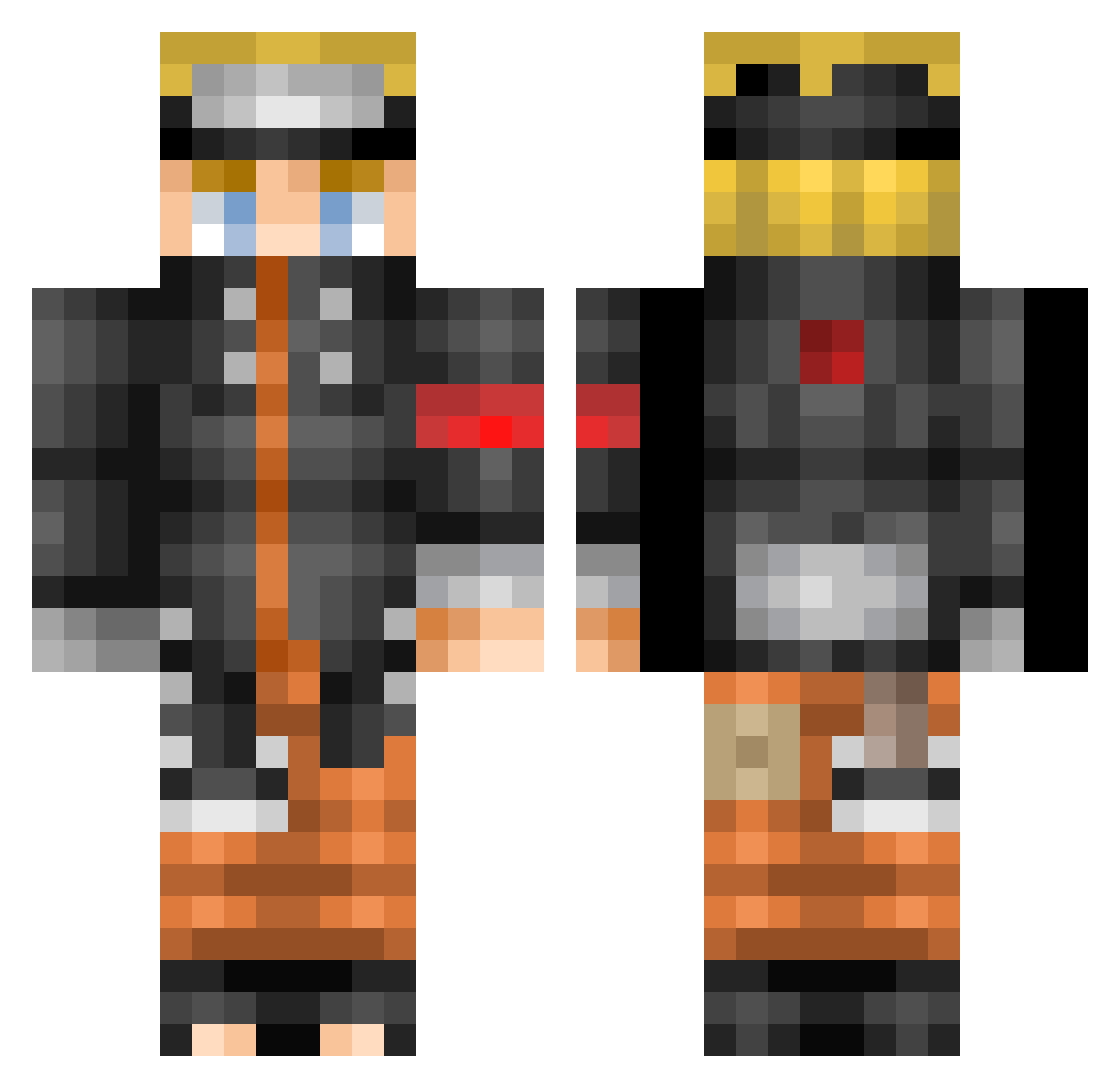
Current Minecraft skin of the player Spackers2002, loaded from the official Mojang API. Rotate the 3D model with your mouse or finger, then download the skin as a PNG file and use it in Minecraft: Bedrock Edition or Java Edition for free. When Spackers2002 changes their skin, this page updates automatically and the old skin stays in the history below.
Other players with this skin (434)
Spackers2002 was the 290th player we have seen with this skin, first spotted on 24.09.2026. The same skin was seen on these players. Open a nickname to see their current skin and skin history.
 DavidGonzalez ZylFox Adamstark007 LuisTehKing komandri14 Bigal8764 Evantl17 jrish26 Rackel619 sneakLas24 iNoNamee Vistor01 R5LIN lsh_8155 llArthTPll CrtnAdr Blowdead CtrlKK Elektriker69 senpaithedj Beast017 Nemkor Jaifer09 WUGIGI Busstopcoffee GownSama rogal1504 Awanty YussDan B_E_T boltunf IlyAmine_ dyoja96 jjuny25 den_play J_Kanne master_alon MrReyzo Zaxxy_ RagnaarLodbroks Roninx38 dongbin0_0 Leoslebon terrink DIEGO_BREEZE Trap_bae69 webpower RayMolina MlodyG NordGaming1337 Gajhil R3verseCJ michelly1 ANoNiMUSSss Les_Built_Boys Jao__ZO Bistouflexxx Bilal454 leoleeggwp Elenapi
More Naruto Uzumaki Minecraft skins
See all 407 Naruto Uzumaki skins
How to install the Spackers2002 skin
- Press the Download button above to save the skin as a PNG file.
- Minecraft: Bedrock Edition (PE): open the Dressing Room from the main menu (or tap your character → Edit Character), go to Classic Skins → Owned, press the + (new skin) button, choose the downloaded PNG and pick the Classic (Steve) model. Works on PC and mobile; consoles cannot import custom skins.
- Minecraft: Java Edition: open the Minecraft Launcher, go to the Skins tab, click New Skin, load the PNG, pick the Classic (Steve) model and press Save & Use. You can also upload it at minecraft.net → Profile → Change Skin.
The skin does not show up after import - what should I do?
Restart Minecraft and open the Dressing Room again - imported skins sometimes appear only after a restart. Also make sure you selected the imported skin and picked the Classic (Steve) model.
Which model should I choose, Classic or Slim?
This skin is designed for the Classic (Steve) model. If you pick the wrong model, the arms of the skin will look stretched or squeezed.
Is the skin of Spackers2002 free to download?
Yes. Press Download, save the PNG file and use it in Minecraft: Bedrock Edition or Java Edition - no payment or registration needed. The skin also works on multiplayer servers and Realms.
More skins
Looking for more? Go back to all Minecraft skins and check the top skins of the week, month and all time, or find any player's skin by nickname.