
SpaceGoat93 - Minecraft Skins & Skin History
Current Minecraft skin of the player SpaceGoat93, loaded from the official Mojang API. Rotate the 3D model with your mouse or finger, then download the skin as a PNG file and use it in Minecraft: Bedrock Edition or Java Edition for free. When SpaceGoat93 changes their skin, this page updates automatically and the old skin stays in the history below.
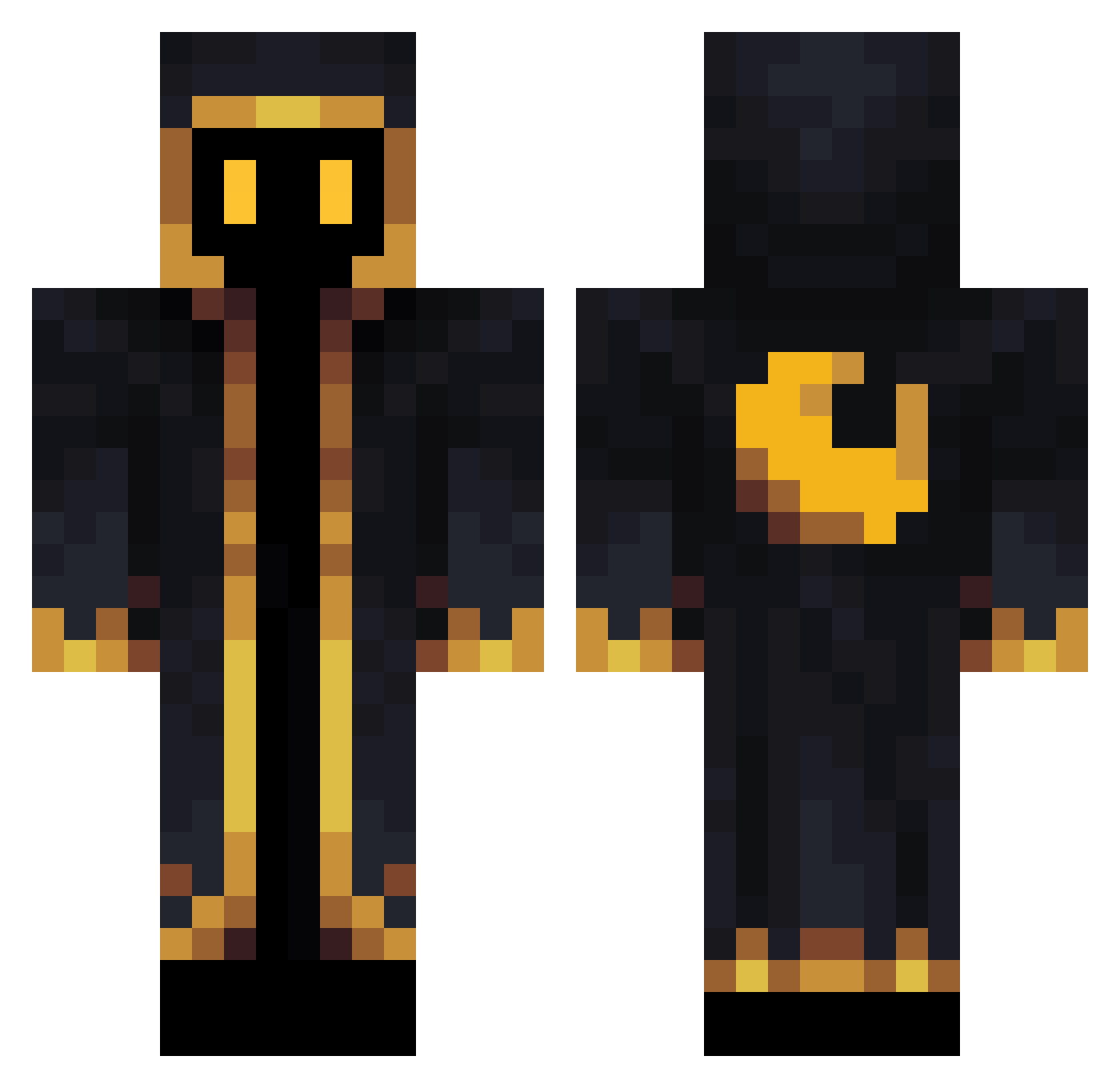
Other players with this skin (564)
SpaceGoat93 was the 503rd player we have seen with this skin, first spotted on 21.10.2026. The same skin was seen on these players. Open a nickname to see their current skin and skin history.
 legendshura TheTolkiRabbit GoldenPlayer56 chiu961130 benny6972 kusseklaus Axosz Regarox Ryyos Sayy_pl V01D_ radumarian Intelligent_Cake Mand0Commando Not_IbI HallowHearth JustT24 SnazzyMoony nuanito120 sammyssnake Twistedsy LordDelmont Wiseu SonMamba oktalsolid Seache001 turquoiseonsea Bruuldor Dark_Majyk Dycking jakelashmore _dowon_ feather_mj _PECIO_ legolatcher xDerTorben Burakkusagi CloneZee johnsnotrich HypeMan28 6410000 Mirage_o7 sator_i hfib holodaze Ekxz Pollywogggle xm2r GVMINE1 Kimmingyu1010 Embers5100 Connor_03 Istvanin316 Zxnot Arisou Zhalek L0rdfarquaad7 peanut7713 Flexarium Hungry4Muffin
More Crescent Moon Minecraft skins
See all 274 Crescent Moon skins
How to install the SpaceGoat93 skin
- Press the Download button above to save the skin as a PNG file.
- Minecraft: Bedrock Edition (PE): open the Dressing Room from the main menu (or tap your character → Edit Character), go to Classic Skins → Owned, press the + (new skin) button, choose the downloaded PNG and pick the Classic (Steve) model. Works on PC and mobile; consoles cannot import custom skins.
- Minecraft: Java Edition: open the Minecraft Launcher, go to the Skins tab, click New Skin, load the PNG, pick the Classic (Steve) model and press Save & Use. You can also upload it at minecraft.net → Profile → Change Skin.
The skin does not show up after import - what should I do?
Restart Minecraft and open the Dressing Room again - imported skins sometimes appear only after a restart. Also make sure you selected the imported skin and picked the Classic (Steve) model.
Which model should I choose, Classic or Slim?
This skin is designed for the Classic (Steve) model. If you pick the wrong model, the arms of the skin will look stretched or squeezed.
Is the skin of SpaceGoat93 free to download?
Yes. Press Download, save the PNG file and use it in Minecraft: Bedrock Edition or Java Edition - no payment or registration needed. The skin also works on multiplayer servers and Realms.
More skins
Looking for more? Go back to all Minecraft skins and check the top skins of the week, month and all time, or find any player's skin by nickname.