
Soul_godof21 - Minecraft Skins & Skin History
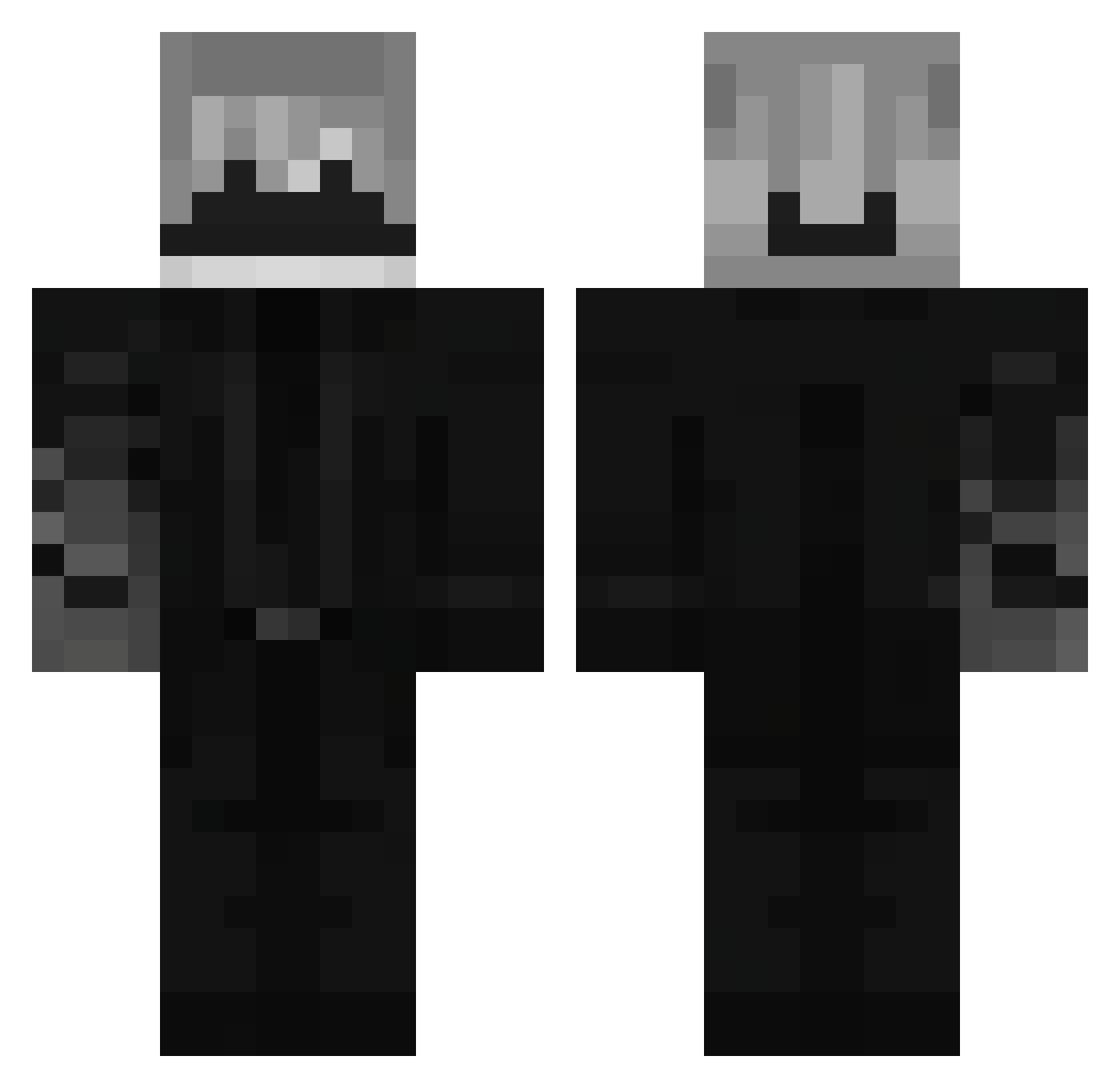
Current Minecraft skin of the player Soul_godof21, loaded from the official Mojang API. Rotate the 3D model with your mouse or finger, then download the skin as a PNG file and use it in Minecraft: Bedrock Edition or Java Edition for free. When Soul_godof21 changes their skin, this page updates automatically and the old skin stays in the history below.
Other players with this skin (71)
Soul_godof21 was the 35th player we have seen with this skin, first spotted on 01.09.2026. The same skin was seen on these players. Open a nickname to see their current skin and skin history.
 adrx30
 BurgerKingMcKFC straja777 ediboom blackcoal2010 Zanders01
 MuriloBW_ Normal2310 Almiria V3danshX InVicTus358 Gds_Hunter ExcaliburSpryzon Axerock011 Nyx_Onyxx
 Zitronensorbet Zevroxxx IsaiasIg Galateo_x Alonsos22 SpaceJam2828 Maxfly001 joaozerayt Pr3cis0n q1Ove
 NyxLeon mateusloud Tygi2486 Dydos777
 Pyro_Flame1 Itz_FalIen Quesadilla0016 Bibo2119 LuckusTheLep leleop_ _Gu7cio_ vertexso El_b10h0 zackx23 xtrexin_ SwordShadow55 _Achie Akavr_ Hyaakki
 killatf _0xide_ hetarox darkk56 ArcaGvn abnorma LameZenitsu 14900HX Unz75 Abu_Ail16 Ha_ble Krimbo15 caiox133 Federacion_Code1
 frs_Solar LTTBSOU
More Suit In Black Minecraft skins
See all 91 Suit In Black skins
How to install the Soul_godof21 skin
- Press the Download button above to save the skin as a PNG file.
- Minecraft: Bedrock Edition (PE): open the Dressing Room from the main menu (or tap your character → Edit Character), go to Classic Skins → Owned, press the + (new skin) button, choose the downloaded PNG and pick the Classic (Steve) model. Works on PC and mobile; consoles cannot import custom skins.
- Minecraft: Java Edition: open the Minecraft Launcher, go to the Skins tab, click New Skin, load the PNG, pick the Classic (Steve) model and press Save & Use. You can also upload it at minecraft.net → Profile → Change Skin.
The skin does not show up after import - what should I do?
Restart Minecraft and open the Dressing Room again - imported skins sometimes appear only after a restart. Also make sure you selected the imported skin and picked the Classic (Steve) model.
Which model should I choose, Classic or Slim?
This skin is designed for the Classic (Steve) model. If you pick the wrong model, the arms of the skin will look stretched or squeezed.
Is the skin of Soul_godof21 free to download?
Yes. Press Download, save the PNG file and use it in Minecraft: Bedrock Edition or Java Edition - no payment or registration needed. The skin also works on multiplayer servers and Realms.
More skins
Looking for more? Go back to all Minecraft skins and check the top skins of the week, month and all time, or find any player's skin by nickname.