
Sosaybad - Minecraft Skins & Skin History
Current Minecraft skin of the player Sosaybad, loaded from the official Mojang API. Rotate the 3D model with your mouse or finger, then download the skin as a PNG file and use it in Minecraft: Bedrock Edition or Java Edition for free. When Sosaybad changes their skin, this page updates automatically and the old skin stays in the history below.
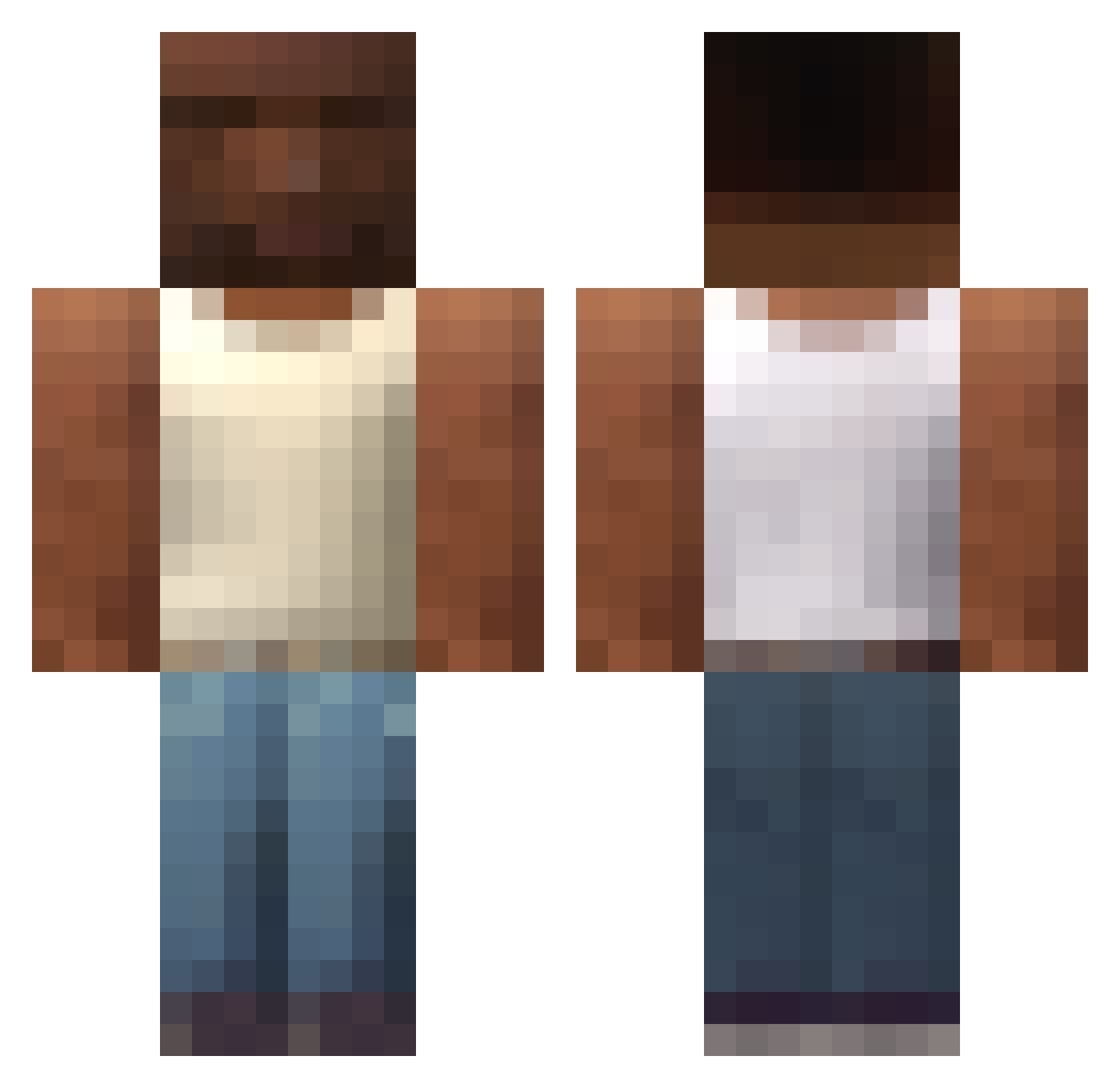
Other players with this skin (537)
Sosaybad was the 366th player we have seen with this skin, first spotted on 25.09.2026. The same skin was seen on these players. Open a nickname to see their current skin and skin history.
 Der_Ventix 91CJ becereMedic123 gamakamil Leonixxy tata130214 baciziplatan23 KRULISIE13 Jedlla Elkaos1 Rezernnn MoeHinder PrinceBGC rxly27 TrippinHeavy SkibidiBananin12 ChudimusMaximus faith135 Krit00 mikaelusy Brembo93 Gonzu133 SrMango0 Setowars Sxppe69 domino_dom DHenryz99 artem423 hankoflac wolcs August00134 Bhaalm GrosDoigPied 31CiMayMUnnn Toixe renato_silva Mirstein szakal192pl DedImp wafflekingdom EminMacit Atakanoski ABU3ABD3 CatBom Xsylus ohnui carlemilj Homtomyu ChetosDeQueso Seysz LixM0on zzveke Stesix gjHN Marangonibravuu Nashorn_10 Steub ID4N73 SAD_33 Harlexzehippo11
More San Andreas Minecraft skins
How to install the Sosaybad skin
- Press the Download button above to save the skin as a PNG file.
- Minecraft: Bedrock Edition (PE): open the Dressing Room from the main menu (or tap your character → Edit Character), go to Classic Skins → Owned, press the + (new skin) button, choose the downloaded PNG and pick the Classic (Steve) model. Works on PC and mobile; consoles cannot import custom skins.
- Minecraft: Java Edition: open the Minecraft Launcher, go to the Skins tab, click New Skin, load the PNG, pick the Classic (Steve) model and press Save & Use. You can also upload it at minecraft.net → Profile → Change Skin.
The skin does not show up after import - what should I do?
Restart Minecraft and open the Dressing Room again - imported skins sometimes appear only after a restart. Also make sure you selected the imported skin and picked the Classic (Steve) model.
Which model should I choose, Classic or Slim?
This skin is designed for the Classic (Steve) model. If you pick the wrong model, the arms of the skin will look stretched or squeezed.
Is the skin of Sosaybad free to download?
Yes. Press Download, save the PNG file and use it in Minecraft: Bedrock Edition or Java Edition - no payment or registration needed. The skin also works on multiplayer servers and Realms.
More skins
Looking for more? Go back to all Minecraft skins and check the top skins of the week, month and all time, or find any player's skin by nickname.