
Soranohara - Minecraft Skins & Skin History
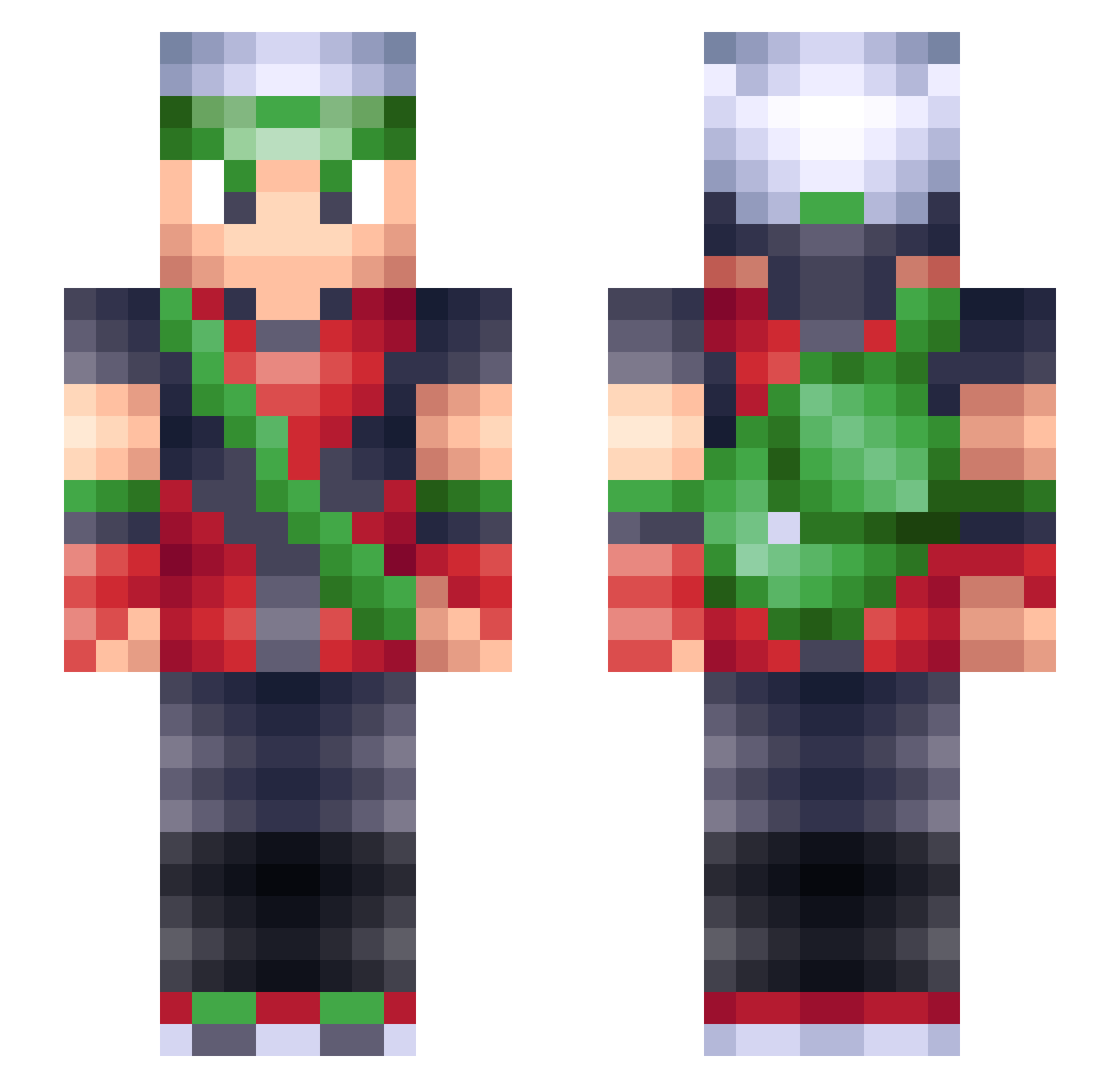
Current Minecraft skin of the player Soranohara, loaded from the official Mojang API. Rotate the 3D model with your mouse or finger, then download the skin as a PNG file and use it in Minecraft: Bedrock Edition or Java Edition for free. When Soranohara changes their skin, this page updates automatically and the old skin stays in the history below.
Other players with this skin (279)
Soranohara was the 268th player we have seen with this skin, first spotted on 08.11.2026. The same skin was seen on these players. Open a nickname to see their current skin and skin history.
 Rilsan jlewsquared phantomyze LiquidL255 _Fourest_ javahart ZanCudo19 Samuel_1802 kamicha edge4214 Xyellow_hair MityMowth Discosoulchild PooPiE721 SkyPAC02 StudmanG KirbyCravens Carcen riptidexo TheEdBoi Formula_ Sudrii okarin2020 jake0311 DustyCryptid KIRA025 T0ddy95 CrazyOleRed oPlatypusv LibertyTwins Kuai1 Frequence_E Rasterbary IKyle_EvansI AvatarOneill King_Sneaky Trystan411 Eiji1 Hyperbo1a zZGr4yZz Javiornitier ELVEGANO23 HackNSnack TheAlphaWorm Jippocrippo mudkipaway PhilMcrevis69 Dorktwins Swann0 ArchieSin KTSJ Pkstrider fragalloverme Super_Castor RequiemMilk ZyXELL ZVReaper CaptJackalope99 Pokemondayo DaZinc
More Brendan Minecraft skins
How to install the Soranohara skin
- Press the Download button above to save the skin as a PNG file.
- Minecraft: Bedrock Edition (PE): open the Dressing Room from the main menu (or tap your character → Edit Character), go to Classic Skins → Owned, press the + (new skin) button, choose the downloaded PNG and pick the Slim (Alex) model. Works on PC and mobile; consoles cannot import custom skins.
- Minecraft: Java Edition: open the Minecraft Launcher, go to the Skins tab, click New Skin, load the PNG, pick the Slim (Alex) model and press Save & Use. You can also upload it at minecraft.net → Profile → Change Skin.
The skin does not show up after import - what should I do?
Restart Minecraft and open the Dressing Room again - imported skins sometimes appear only after a restart. Also make sure you selected the imported skin and picked the Slim (Alex) model.
Which model should I choose, Classic or Slim?
This skin is designed for the Slim (Alex) model. If you pick the wrong model, the arms of the skin will look stretched or squeezed.
Is the skin of Soranohara free to download?
Yes. Press Download, save the PNG file and use it in Minecraft: Bedrock Edition or Java Edition - no payment or registration needed. The skin also works on multiplayer servers and Realms.
More skins
Looking for more? Go back to all Minecraft skins and check the top skins of the week, month and all time, or find any player's skin by nickname.