
Sonjy352 - Minecraft Skins & Skin History
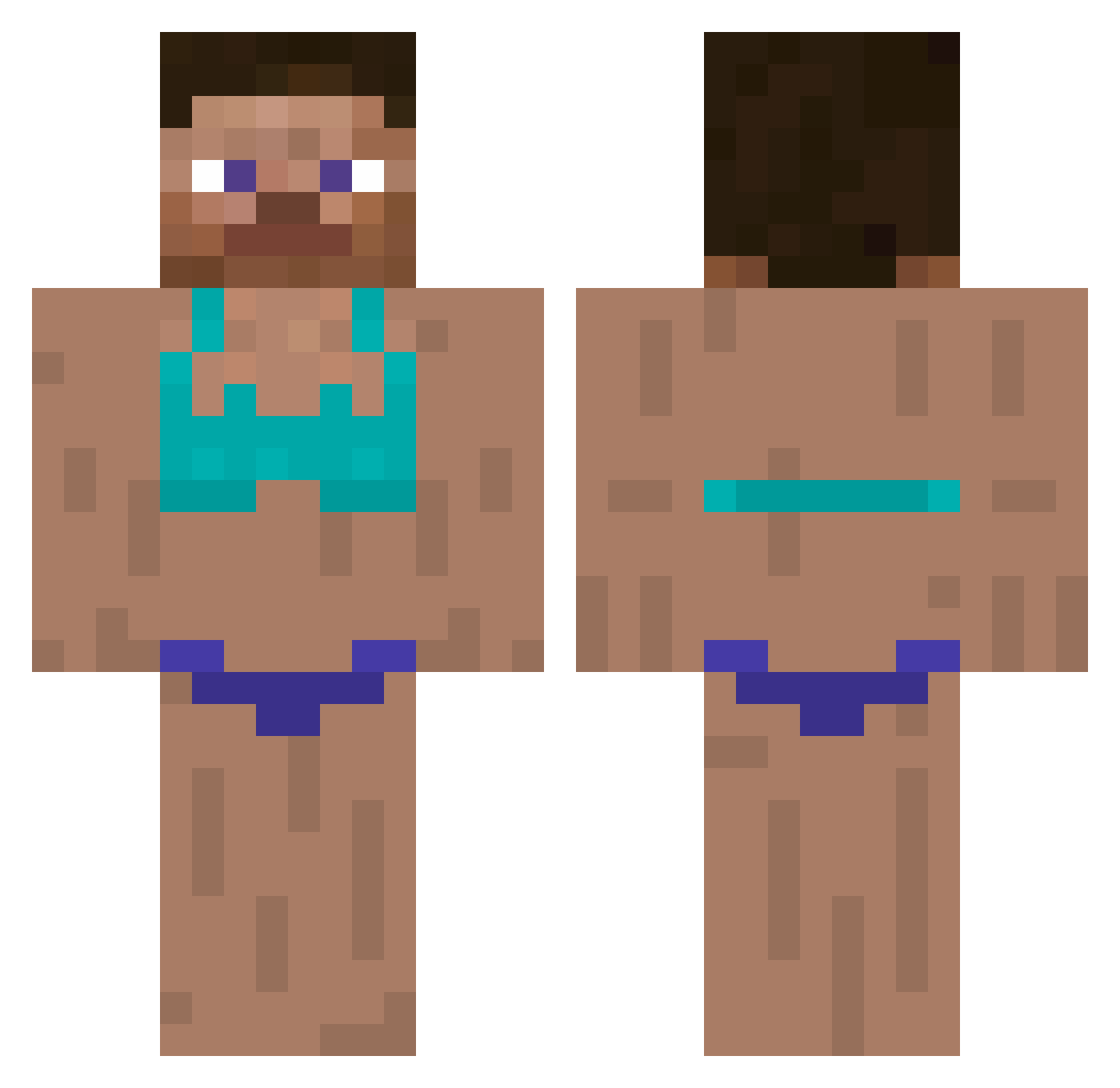
Current Minecraft skin of the player Sonjy352, loaded from the official Mojang API. Rotate the 3D model with your mouse or finger, then download the skin as a PNG file and use it in Minecraft: Bedrock Edition or Java Edition for free. When Sonjy352 changes their skin, this page updates automatically and the old skin stays in the history below.
Other players with this skin (294)
Sonjy352 was the 73rd player we have seen with this skin, first spotted on 18.08.2026. The same skin was seen on these players. Open a nickname to see their current skin and skin history.
 PeterLuisGLM fwost PlaysDies agatka6754 UncleKayne _hxrryy_ ttvC17H21NO4 xChief420 jean_cul_toi Kazual265 Jiton CarsonH32 ktnless pantoutka228 Magnetize_ dirgha BadDreamss mwsw10191121 FunnyZwin_ Cynamon Chooperchy TheBananaTaco Robert__Sweet rowennic Human8616 Checker4Life Azalea_flxw3r ABOBAA765567 Sonwyd Sgub_the_Inub 8lo8lo8lowme kolomiti PrestigeToken Timzinho joseungu330 yugao2176 Mrman0000 Maxccident No_Chul basilectn kochemsser Costitinha Hacker89 ColdSt8 balsack27 ChickenSoup41 BabySamurai321 Keylow777 Sebb13345 Poliak ggnekito_fkpGu ELONMUSK11 lSilverRSl GeekNerd1 itsmehenning Knowmaxim SlayZar69 4emeath Wunam WildWoof
More Swimsuit Minecraft skins
How to install the Sonjy352 skin
- Press the Download button above to save the skin as a PNG file.
- Minecraft: Bedrock Edition (PE): open the Dressing Room from the main menu (or tap your character → Edit Character), go to Classic Skins → Owned, press the + (new skin) button, choose the downloaded PNG and pick the Classic (Steve) model. Works on PC and mobile; consoles cannot import custom skins.
- Minecraft: Java Edition: open the Minecraft Launcher, go to the Skins tab, click New Skin, load the PNG, pick the Classic (Steve) model and press Save & Use. You can also upload it at minecraft.net → Profile → Change Skin.
The skin does not show up after import - what should I do?
Restart Minecraft and open the Dressing Room again - imported skins sometimes appear only after a restart. Also make sure you selected the imported skin and picked the Classic (Steve) model.
Which model should I choose, Classic or Slim?
This skin is designed for the Classic (Steve) model. If you pick the wrong model, the arms of the skin will look stretched or squeezed.
Is the skin of Sonjy352 free to download?
Yes. Press Download, save the PNG file and use it in Minecraft: Bedrock Edition or Java Edition - no payment or registration needed. The skin also works on multiplayer servers and Realms.
More skins
Looking for more? Go back to all Minecraft skins and check the top skins of the week, month and all time, or find any player's skin by nickname.