
Somethin_awesome - Minecraft Skins & Skin History
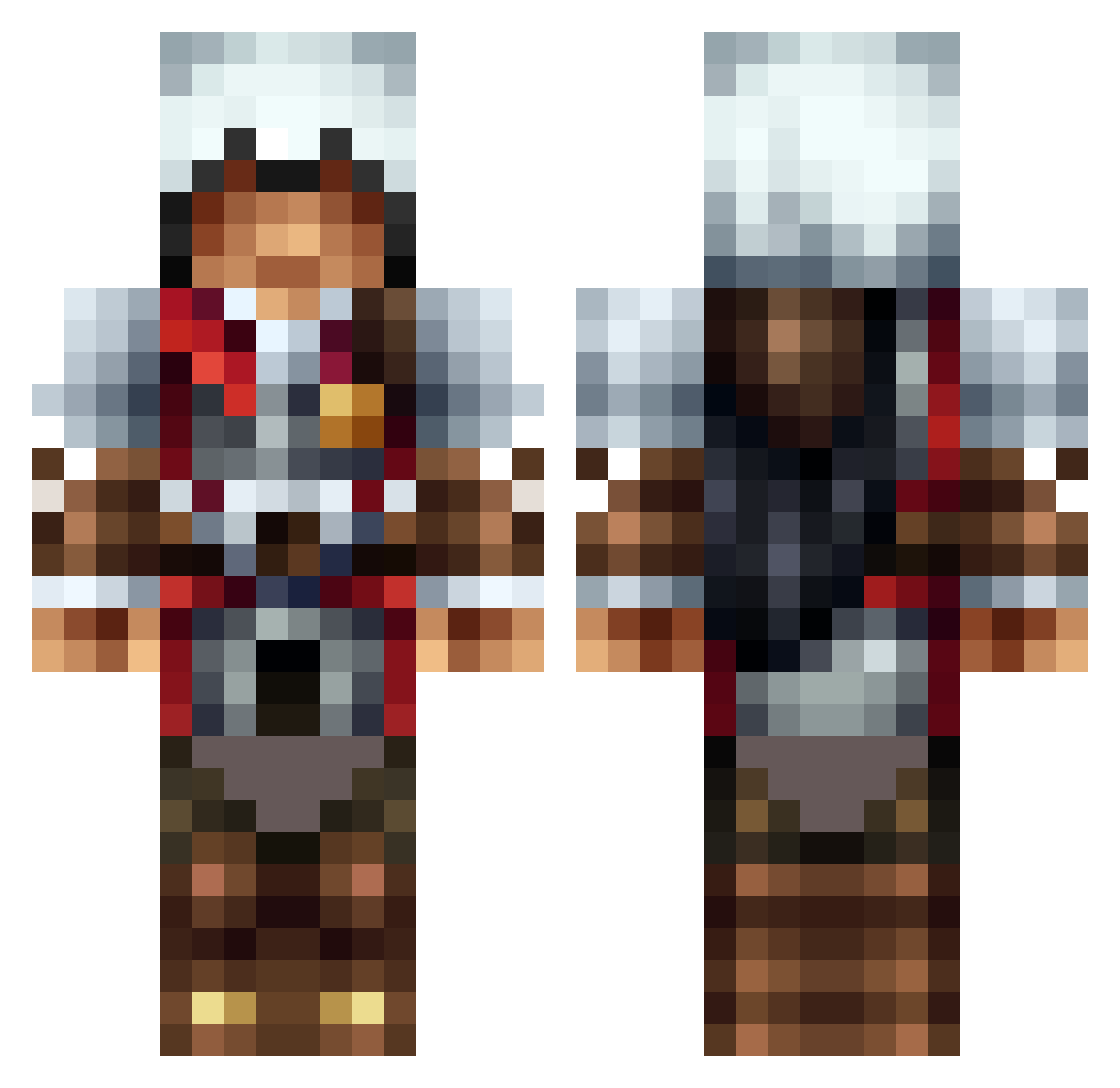
Current Minecraft skin of the player Somethin_awesome, loaded from the official Mojang API. Rotate the 3D model with your mouse or finger, then download the skin as a PNG file and use it in Minecraft: Bedrock Edition or Java Edition for free. When Somethin_awesome changes their skin, this page updates automatically and the old skin stays in the history below.
Other players with this skin (1311)
Somethin_awesome was the 1172nd player we have seen with this skin, first spotted on 23.10.2026. The same skin was seen on these players. Open a nickname to see their current skin and skin history.
 MasterRambo92 lolzcreep Azhatt rinaurus12 LucasLuchtloper Steed700 VindictiveViper 54YoYo tomtom2452 Soiphun beckybraad ziglet chillipeppa6 mmcheese tjman44 galactic5418 ReeceSmith58 Harro777 Sfunoo fono123 stocksy16 NeoSeeeker ForceSoStronk DirtSnake95 sebas966 TeeJayEee jetsfanjmj TheIRONWither Oliminator2005 Shotgun9119 Laffoufe Lazurius MrWhippy5678 Furious_Bullet Mailork_1 frankandstine66 koolguybro SMan1111 hausbauhaus Metal_Remains donkey9090 mr_legostein Ironmangale EulerRuler yarbear darkslayer1990 theman456321 splatter1010 jman269 RamboAiden _KingBurtini_ misterxhank StewieOnFire coolpeople1616 DarkAssassinX soccerguy66 Camwick12 misfitaaaaaaaa Vortex112002 RogueFox154
More Altair Minecraft skins
How to install the Somethin_awesome skin
- Press the Download button above to save the skin as a PNG file.
- Minecraft: Bedrock Edition (PE): open the Dressing Room from the main menu (or tap your character → Edit Character), go to Classic Skins → Owned, press the + (new skin) button, choose the downloaded PNG and pick the Classic (Steve) model. Works on PC and mobile; consoles cannot import custom skins.
- Minecraft: Java Edition: open the Minecraft Launcher, go to the Skins tab, click New Skin, load the PNG, pick the Classic (Steve) model and press Save & Use. You can also upload it at minecraft.net → Profile → Change Skin.
The skin does not show up after import - what should I do?
Restart Minecraft and open the Dressing Room again - imported skins sometimes appear only after a restart. Also make sure you selected the imported skin and picked the Classic (Steve) model.
Which model should I choose, Classic or Slim?
This skin is designed for the Classic (Steve) model. If you pick the wrong model, the arms of the skin will look stretched or squeezed.
Is the skin of Somethin_awesome free to download?
Yes. Press Download, save the PNG file and use it in Minecraft: Bedrock Edition or Java Edition - no payment or registration needed. The skin also works on multiplayer servers and Realms.
More skins
Looking for more? Go back to all Minecraft skins and check the top skins of the week, month and all time, or find any player's skin by nickname.