
Sofi__ta - Minecraft Skins & Skin History
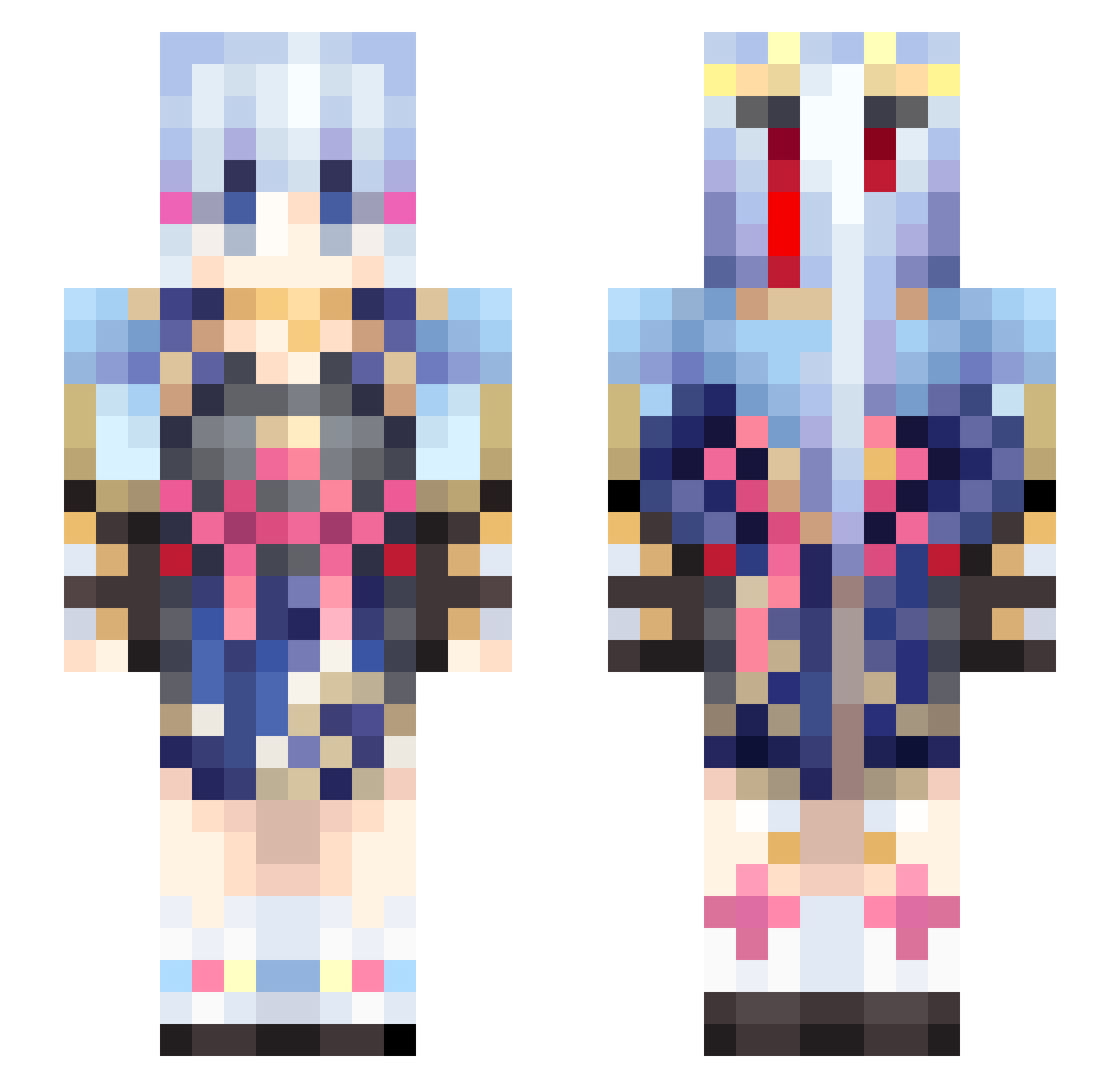
Current Minecraft skin of the player Sofi__ta, loaded from the official Mojang API. Rotate the 3D model with your mouse or finger, then download the skin as a PNG file and use it in Minecraft: Bedrock Edition or Java Edition for free. When Sofi__ta changes their skin, this page updates automatically and the old skin stays in the history below.
Other players with this skin (460)
Sofi__ta was the 112th player we have seen with this skin, first spotted on 18.08.2026. The same skin was seen on these players. Open a nickname to see their current skin and skin history.
 Kurosaki0412 karta0655127 Icfox15 leiyuzx Eurithya KamisatoAyaka521 OreOreSAGI katastrophee_a mira1729 KR_KNS cybershadow_doom ZKPSP Lenha24 Qiubaiyu furu_bakadesu T3tra12 RaggaMuffin paida_chao Bypass_Watchdog WagakkiBand S1mpleWu Bdbunny01 Ayaka1314 chenguang22 KevinXu_2002 takumi051816 SSRpro wtgs_97 Grassr amber_39365032 KamisatoAyaka928 Cor6724 Kris1127 SpiralBell29677 Ayaka_SUKI Catcreator8787 jakeWu 0o_Ayaka_o0 purenature2 BosonTao ZHYX3423 match1206 sanjing_1 Felix2915 shenlilinghua417 Modachi_0617 okami0256 ak7891 Options5850 liellla ShuYun1 kaku1204 Tripmine413 NanamiShin Qiewe
 Kai01270 ayutan Rose121224 0kaflikt Iao_Chang
More Kimono Minecraft skins
How to install the Sofi__ta skin
- Press the Download button above to save the skin as a PNG file.
- Minecraft: Bedrock Edition (PE): open the Dressing Room from the main menu (or tap your character → Edit Character), go to Classic Skins → Owned, press the + (new skin) button, choose the downloaded PNG and pick the Slim (Alex) model. Works on PC and mobile; consoles cannot import custom skins.
- Minecraft: Java Edition: open the Minecraft Launcher, go to the Skins tab, click New Skin, load the PNG, pick the Slim (Alex) model and press Save & Use. You can also upload it at minecraft.net → Profile → Change Skin.
The skin does not show up after import - what should I do?
Restart Minecraft and open the Dressing Room again - imported skins sometimes appear only after a restart. Also make sure you selected the imported skin and picked the Slim (Alex) model.
Which model should I choose, Classic or Slim?
This skin is designed for the Slim (Alex) model. If you pick the wrong model, the arms of the skin will look stretched or squeezed.
Is the skin of Sofi__ta free to download?
Yes. Press Download, save the PNG file and use it in Minecraft: Bedrock Edition or Java Edition - no payment or registration needed. The skin also works on multiplayer servers and Realms.
More skins
Looking for more? Go back to all Minecraft skins and check the top skins of the week, month and all time, or find any player's skin by nickname.