
Soeker - Minecraft Skins & Skin History
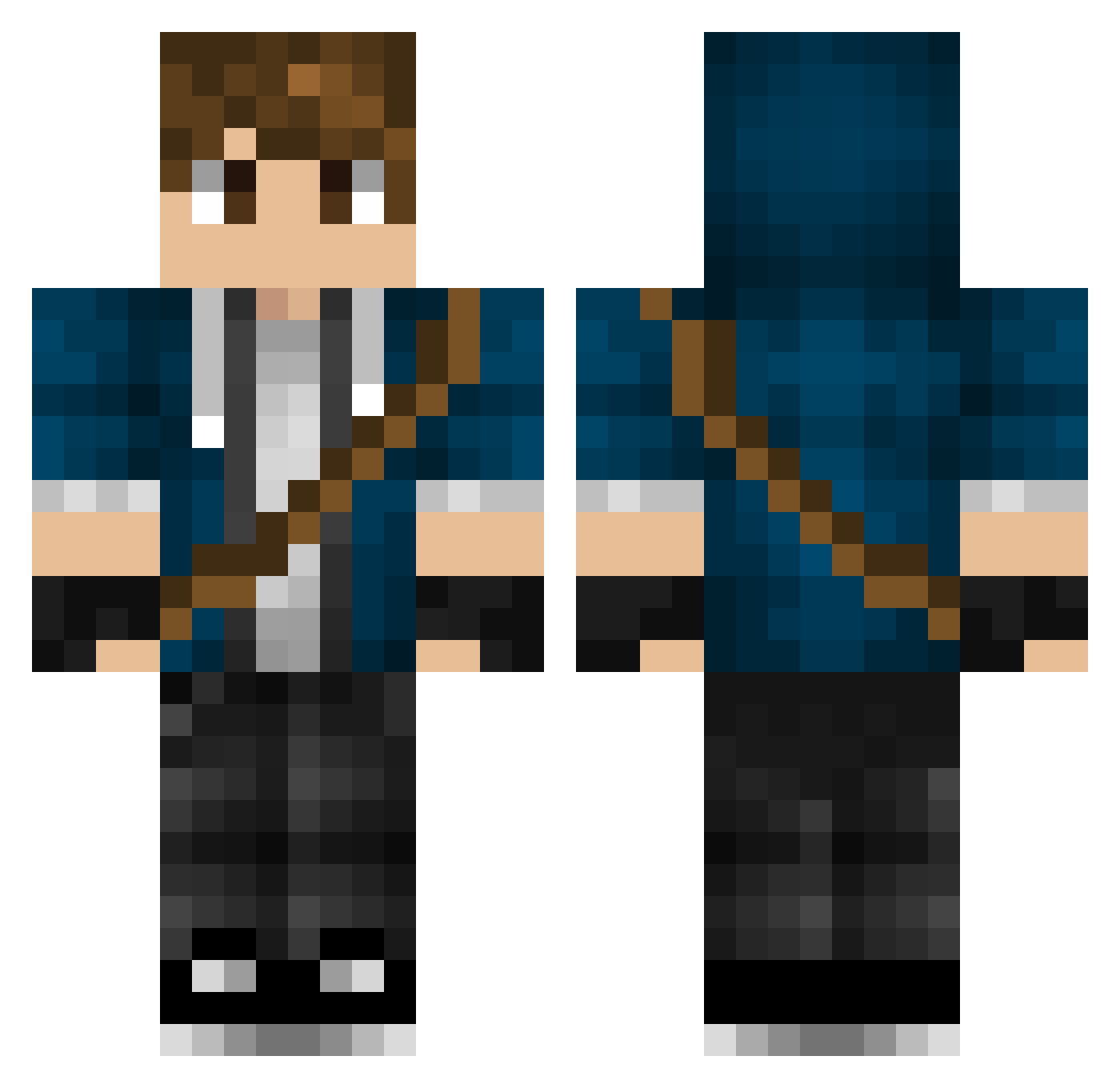
Current Minecraft skin of the player Soeker, loaded from the official Mojang API. Rotate the 3D model with your mouse or finger, then download the skin as a PNG file and use it in Minecraft: Bedrock Edition or Java Edition for free. When Soeker changes their skin, this page updates automatically and the old skin stays in the history below.
Other players with this skin (378)
Soeker was the 342nd player we have seen with this skin, first spotted on 07.11.2026. The same skin was seen on these players. Open a nickname to see their current skin and skin history.
 emilhansen11 frankyzee2 SiroVanh geneticdiablo bman11987 alexipenburg A_GamingPotato Sadixe X_Y_ tman8161 0611200 SN0WLY solodrop_jr Mzx182 ImortaL_Streams GoldenBoss2016 Lumiii GearWolfGW dmrz1 punchpal SebPgaming HnildoSVK Awoke2879 Veggi91 Dystomega Buckirish69 Viathon_Bismarck lforleeeeeeex17 Farstrider007 Vurqol Inpetus Classikal_Kitti furiousgamer2345 MahLangi MaxAMilz Chavalenco Kingdouser Vincen2o KickenTheKing shadowcar31 hell_raiser134 OzzieOzzy Fluxtin101 fazbeargamingguy bobtusk heybmo jones0101 _neverdie_ Grizzly_0ne Scorpion__ JackPaoletti GunsOverGlory madmatt_999 LOYALTY155 ZimZum57 o6GHOST9o XDroHeroX Stormcrow_ cosfen kaufy79
More Messenger Bag Minecraft skins
See all 617 Messenger Bag skins
How to install the Soeker skin
- Press the Download button above to save the skin as a PNG file.
- Minecraft: Bedrock Edition (PE): open the Dressing Room from the main menu (or tap your character → Edit Character), go to Classic Skins → Owned, press the + (new skin) button, choose the downloaded PNG and pick the Classic (Steve) model. Works on PC and mobile; consoles cannot import custom skins.
- Minecraft: Java Edition: open the Minecraft Launcher, go to the Skins tab, click New Skin, load the PNG, pick the Classic (Steve) model and press Save & Use. You can also upload it at minecraft.net → Profile → Change Skin.
The skin does not show up after import - what should I do?
Restart Minecraft and open the Dressing Room again - imported skins sometimes appear only after a restart. Also make sure you selected the imported skin and picked the Classic (Steve) model.
Which model should I choose, Classic or Slim?
This skin is designed for the Classic (Steve) model. If you pick the wrong model, the arms of the skin will look stretched or squeezed.
Is the skin of Soeker free to download?
Yes. Press Download, save the PNG file and use it in Minecraft: Bedrock Edition or Java Edition - no payment or registration needed. The skin also works on multiplayer servers and Realms.
More skins
Looking for more? Go back to all Minecraft skins and check the top skins of the week, month and all time, or find any player's skin by nickname.