
SoberZach - Minecraft Skins & Skin History
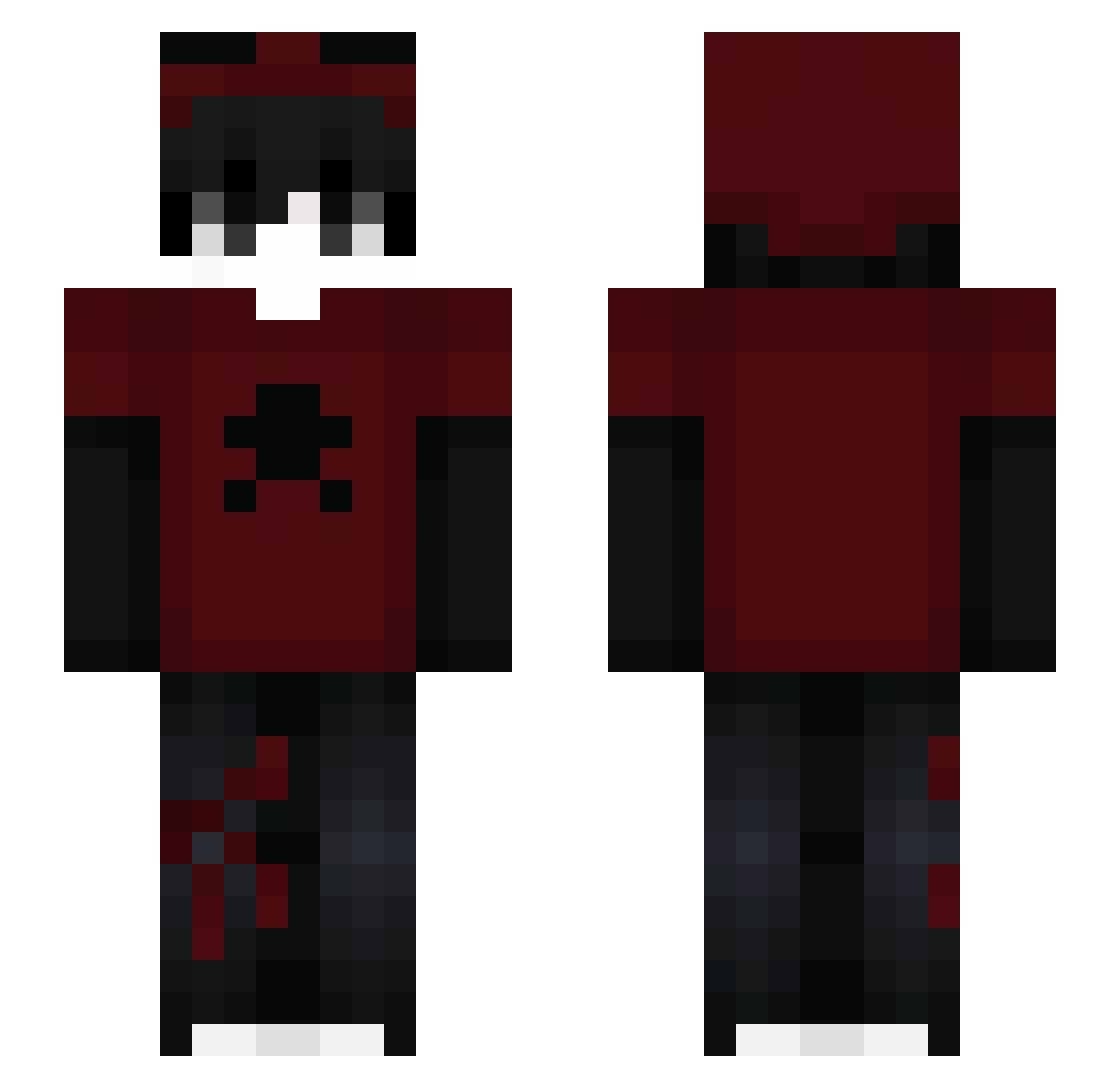
Current Minecraft skin of the player SoberZach, loaded from the official Mojang API. Rotate the 3D model with your mouse or finger, then download the skin as a PNG file and use it in Minecraft: Bedrock Edition or Java Edition for free. When SoberZach changes their skin, this page updates automatically and the old skin stays in the history below.
Other players with this skin (154)
SoberZach was the 40th player we have seen with this skin, first spotted on 11.08.2026. The same skin was seen on these players. Open a nickname to see their current skin and skin history.
 7xpc_ Doover2000 TheTrails_
 dafe2swag
 sbluz minorattenti6ve crii1 Freeyz007 Claim_S rafxfn Anas_BL GauzyKitty02958 U_T0RY Sori_11 ITSchava89
 KsiAz4_PriNcPoLo Bxnto_ WMWKK Samussj0 Platzinum RDZINEZ
 MediPL1 ZektoYT dominiss2233 miloe__ Heroic_STG MatricM Kunainoname Nexthar dog_FRA mejias2010 5ywi RAZON_WT xantek_v8 sprixa
 IAMAPEXLOL Neiterr iitsPandaa _cypus_ SuperiorGhoul KemalFr swaxsjeb Irvinglxx _Winzxy Hazzzs KIKINShadeae4 game_snagu Zexiz_ Mauji00
 Skrzydlaty123 majoreeeee Bito__ _zyxou_ iBlizGoatx66 pplucena03 U10_
 wolfie4579 cyannrzz
 k4piPL Bebe_Gerber5
More Skull Minecraft skins
How to install the SoberZach skin
- Press the Download button above to save the skin as a PNG file.
- Minecraft: Bedrock Edition (PE): open the Dressing Room from the main menu (or tap your character → Edit Character), go to Classic Skins → Owned, press the + (new skin) button, choose the downloaded PNG and pick the Slim (Alex) model. Works on PC and mobile; consoles cannot import custom skins.
- Minecraft: Java Edition: open the Minecraft Launcher, go to the Skins tab, click New Skin, load the PNG, pick the Slim (Alex) model and press Save & Use. You can also upload it at minecraft.net → Profile → Change Skin.
The skin does not show up after import - what should I do?
Restart Minecraft and open the Dressing Room again - imported skins sometimes appear only after a restart. Also make sure you selected the imported skin and picked the Slim (Alex) model.
Which model should I choose, Classic or Slim?
This skin is designed for the Slim (Alex) model. If you pick the wrong model, the arms of the skin will look stretched or squeezed.
Is the skin of SoberZach free to download?
Yes. Press Download, save the PNG file and use it in Minecraft: Bedrock Edition or Java Edition - no payment or registration needed. The skin also works on multiplayer servers and Realms.
More skins
Looking for more? Go back to all Minecraft skins and check the top skins of the week, month and all time, or find any player's skin by nickname.