
Snuifwolf - Minecraft Skins & Skin History
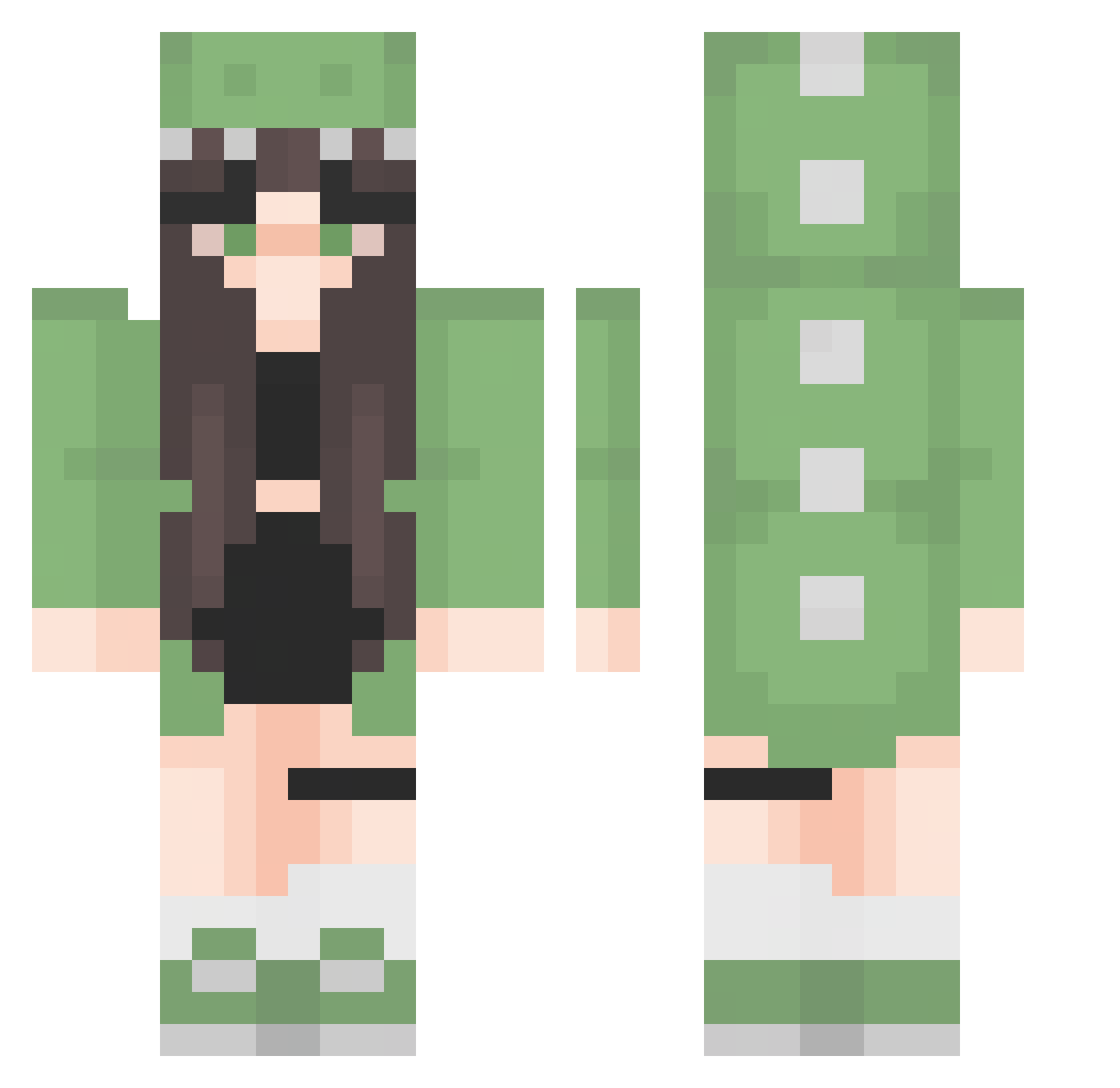
Current Minecraft skin of the player Snuifwolf, loaded from the official Mojang API. Rotate the 3D model with your mouse or finger, then download the skin as a PNG file and use it in Minecraft: Bedrock Edition or Java Edition for free. When Snuifwolf changes their skin, this page updates automatically and the old skin stays in the history below.
Other players with this skin (276)
Snuifwolf was the 248th player we have seen with this skin, first spotted on 16.10.2026. The same skin was seen on these players. Open a nickname to see their current skin and skin history.
 ariitoo RexBestias Myriarchy Ccourts04 sisae0619 Sivan_Frog12 baogiatranq ueami Mango1242 tripit4ka28 soeun_130 AshTropico clayzero HandsomeBobby6 marwette Kunda0318 xPRUJEKx Wanda_Z bruh4476 PunQuita yvettita harpserrific loubzkhoubz saiipurin duszek21 aalice_333 Lychmeese shezhixian CattaUniverse JG7301 amandamalanotte babysprouts llunamy beedancer1 mullnano3 Fygazz xbobasaur Vale04k Yuri_St0ne Annn573 Zmetch21 Mattia6304 Jane_510 EmmaTomkins NAVI200T Aza_a_r Adussaa LittleKay0 Nyck_297 ALLicety Mint_XP SummerSX _Nice2CU_ hanonnon76 Junkfoodbuddy NelisTheBeauty imsmall fullofhope21 nao_hyo ggangddo
More Dinosaur Onesie Minecraft skins
See all 602 Dinosaur Onesie skins
How to install the Snuifwolf skin
- Press the Download button above to save the skin as a PNG file.
- Minecraft: Bedrock Edition (PE): open the Dressing Room from the main menu (or tap your character → Edit Character), go to Classic Skins → Owned, press the + (new skin) button, choose the downloaded PNG and pick the Classic (Steve) model. Works on PC and mobile; consoles cannot import custom skins.
- Minecraft: Java Edition: open the Minecraft Launcher, go to the Skins tab, click New Skin, load the PNG, pick the Classic (Steve) model and press Save & Use. You can also upload it at minecraft.net → Profile → Change Skin.
The skin does not show up after import - what should I do?
Restart Minecraft and open the Dressing Room again - imported skins sometimes appear only after a restart. Also make sure you selected the imported skin and picked the Classic (Steve) model.
Which model should I choose, Classic or Slim?
This skin is designed for the Classic (Steve) model. If you pick the wrong model, the arms of the skin will look stretched or squeezed.
Is the skin of Snuifwolf free to download?
Yes. Press Download, save the PNG file and use it in Minecraft: Bedrock Edition or Java Edition - no payment or registration needed. The skin also works on multiplayer servers and Realms.
More skins
Looking for more? Go back to all Minecraft skins and check the top skins of the week, month and all time, or find any player's skin by nickname.