
SneakyAlpacas - Minecraft Skins & Skin History
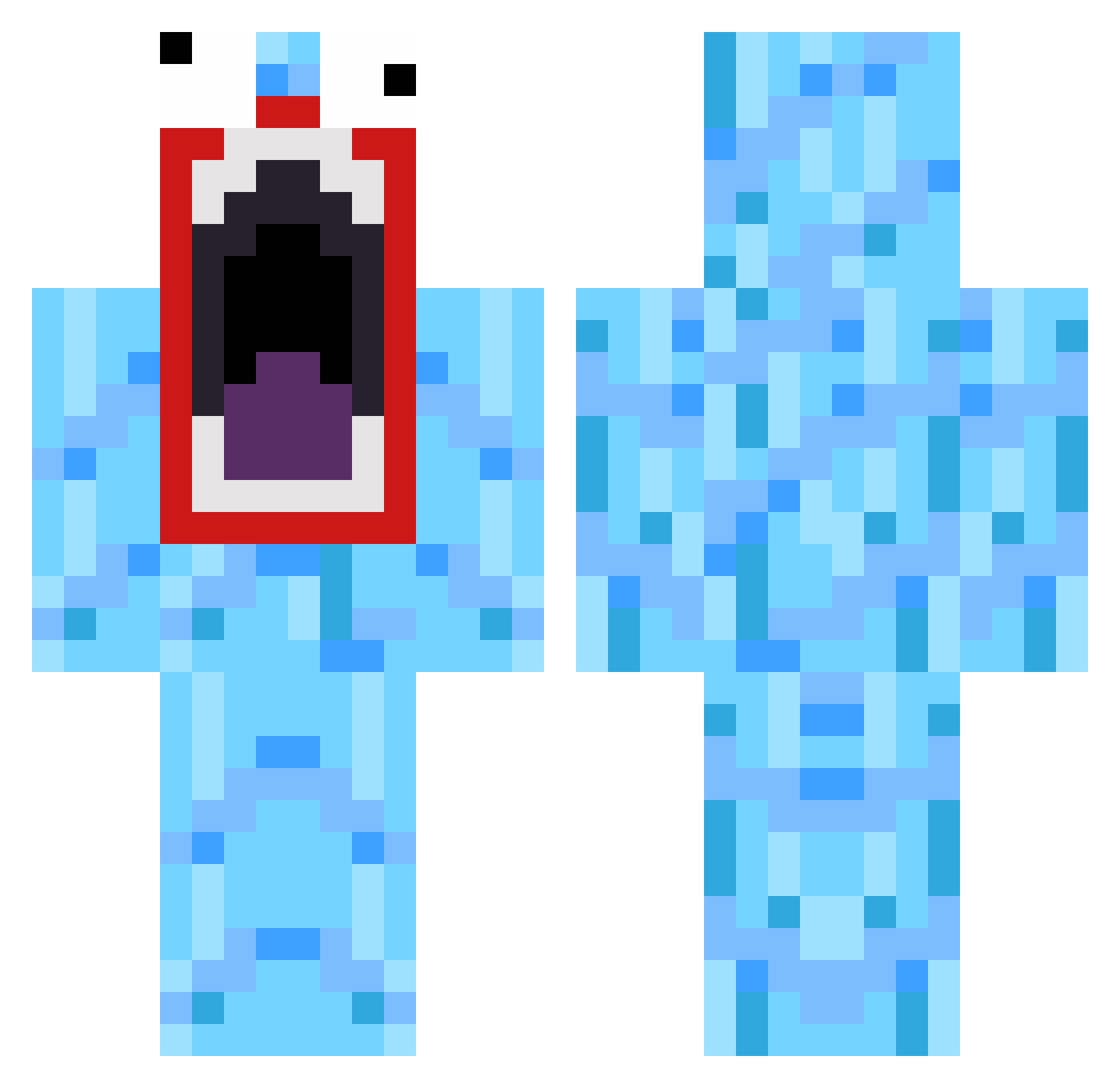
Current Minecraft skin of the player SneakyAlpacas, loaded from the official Mojang API. Rotate the 3D model with your mouse or finger, then download the skin as a PNG file and use it in Minecraft: Bedrock Edition or Java Edition for free. When SneakyAlpacas changes their skin, this page updates automatically and the old skin stays in the history below.
Other players with this skin (136)
SneakyAlpacas was the 92nd player we have seen with this skin, first spotted on 07.10.2026. The same skin was seen on these players. Open a nickname to see their current skin and skin history.
 loud_ weber_b10 Meiners HollyJanee Knugone philip2403 kasukasu8810 THEBOSS65 JeSuisTourtous floppiii Straightup2lazy DustSurvivor imbackm8 mario_777 t35de PJMax123 yanned omegon8 paulju Booneez Eyre101 coolergamer112 Kkiko FosterisAwesome CoolCole2 KashforKush RoCkStaR517 aleksander2202 Massive_Murphy skullmusher dam419 BigCoots FunkyFungus Sqeepo31 Luisanator KolossalxTodger vildx2 Zirdel Bollard Pajariyo WalkOnWater24 henriktorvund95 PartyKing4 Jimi_b0y TrialORDEAL Rubiemeir Lolinsky Sloril fuzzypancake22 C_D0G bubba1223 Justoutish PechoMc El_Ukulele NorXTream puts32 LilNover Brokkoli93 fnaticbenNy Freshka
More Funny Minecraft skins
How to install the SneakyAlpacas skin
- Press the Download button above to save the skin as a PNG file.
- Minecraft: Bedrock Edition (PE): open the Dressing Room from the main menu (or tap your character → Edit Character), go to Classic Skins → Owned, press the + (new skin) button, choose the downloaded PNG and pick the Classic (Steve) model. Works on PC and mobile; consoles cannot import custom skins.
- Minecraft: Java Edition: open the Minecraft Launcher, go to the Skins tab, click New Skin, load the PNG, pick the Classic (Steve) model and press Save & Use. You can also upload it at minecraft.net → Profile → Change Skin.
The skin does not show up after import - what should I do?
Restart Minecraft and open the Dressing Room again - imported skins sometimes appear only after a restart. Also make sure you selected the imported skin and picked the Classic (Steve) model.
Which model should I choose, Classic or Slim?
This skin is designed for the Classic (Steve) model. If you pick the wrong model, the arms of the skin will look stretched or squeezed.
Is the skin of SneakyAlpacas free to download?
Yes. Press Download, save the PNG file and use it in Minecraft: Bedrock Edition or Java Edition - no payment or registration needed. The skin also works on multiplayer servers and Realms.
More skins
Looking for more? Go back to all Minecraft skins and check the top skins of the week, month and all time, or find any player's skin by nickname.