
Snapman7339 - Minecraft Skins & Skin History
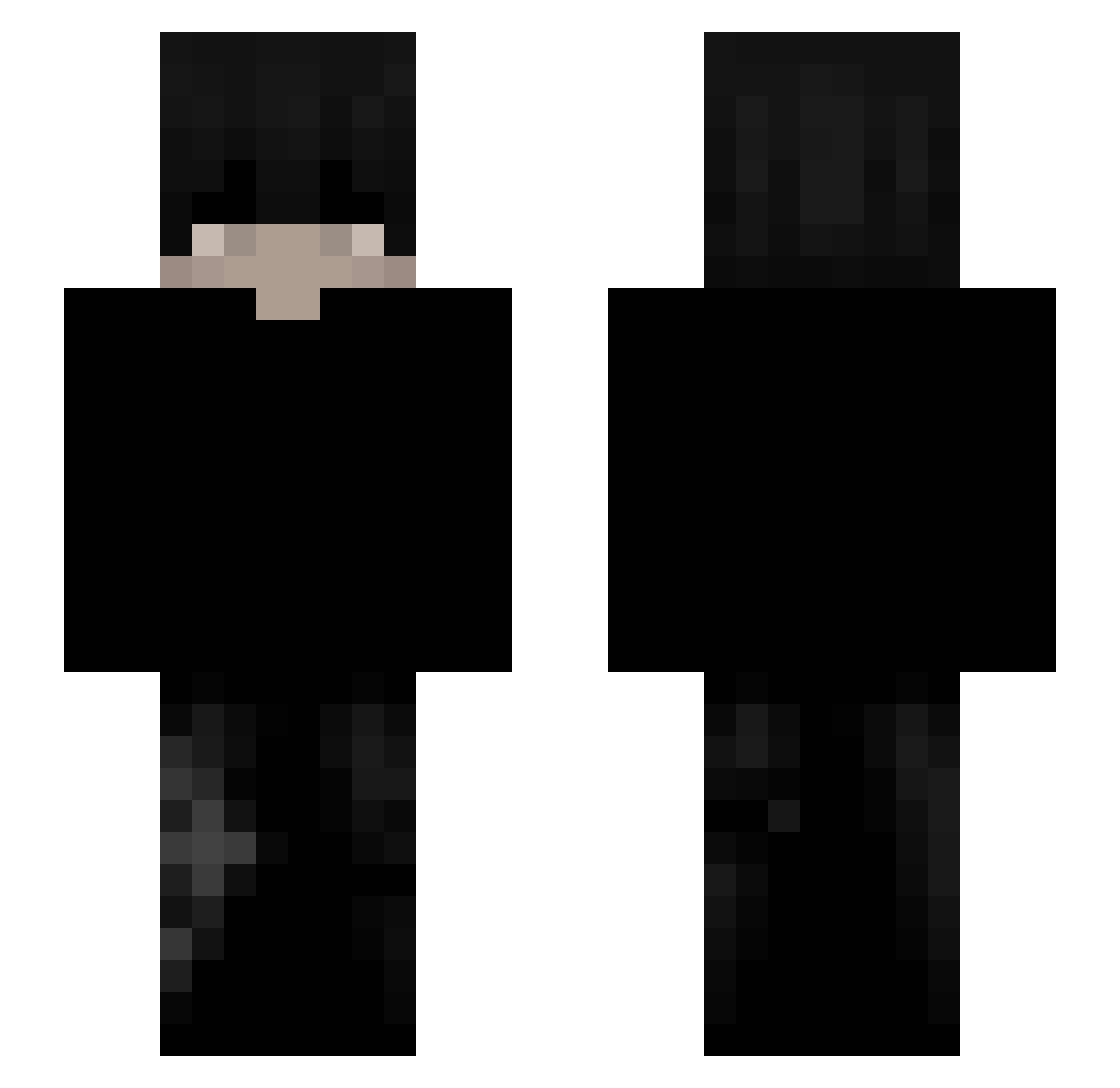
Current Minecraft skin of the player Snapman7339, loaded from the official Mojang API. Rotate the 3D model with your mouse or finger, then download the skin as a PNG file and use it in Minecraft: Bedrock Edition or Java Edition for free. When Snapman7339 changes their skin, this page updates automatically and the old skin stays in the history below.
Other players with this skin (114)
Snapman7339 was the 14th player we have seen with this skin, first spotted on 29.07.2026. The same skin was seen on these players. Open a nickname to see their current skin and skin history.
 Pzykinho IMMUN3 aowsh1e ArthurC_G
 renzoidezz kaczor2010 sn1pe_ez Pit1129 cyclepz
 panda_596 NEX7_
 EXDLuki szymus_ L0w0ngBladem67_
 nukiie KyroKun touchq
 zDxinder_
 Michal190uwu jandel001 SzymQ12345 IYANN_x know271 mrvilho idk801 k4t00 Markchiksin GAMERYTbeast frostyzinm ghostyont0p
 hitrixx Murrake
 SEyloHD
 afskevin lexotop1
 Shyroo_ Zaik13 iZeZo__ kaviar2697 ncute akcanaptinaq Struly DIXAVA777
 LeoTheBigBird guldfiskv2 SuperShark376 __XHunterX__ PrajwalForge
 Berryonheight vgouliel iTheLean AkumiX1 TraeGotSkillz
 Piribon tabletxdOntop Tchizi cjtheone nknalha RareAir Nrouky
How to install the Snapman7339 skin
- Press the Download button above to save the skin as a PNG file.
- Minecraft: Bedrock Edition (PE): open the Dressing Room from the main menu (or tap your character → Edit Character), go to Classic Skins → Owned, press the + (new skin) button, choose the downloaded PNG and pick the Slim (Alex) model. Works on PC and mobile; consoles cannot import custom skins.
- Minecraft: Java Edition: open the Minecraft Launcher, go to the Skins tab, click New Skin, load the PNG, pick the Slim (Alex) model and press Save & Use. You can also upload it at minecraft.net → Profile → Change Skin.
The skin does not show up after import - what should I do?
Restart Minecraft and open the Dressing Room again - imported skins sometimes appear only after a restart. Also make sure you selected the imported skin and picked the Slim (Alex) model.
Which model should I choose, Classic or Slim?
This skin is designed for the Slim (Alex) model. If you pick the wrong model, the arms of the skin will look stretched or squeezed.
Is the skin of Snapman7339 free to download?
Yes. Press Download, save the PNG file and use it in Minecraft: Bedrock Edition or Java Edition - no payment or registration needed. The skin also works on multiplayer servers and Realms.
More skins
Looking for more? Go back to all Minecraft skins and check the top skins of the week, month and all time, or find any player's skin by nickname.