
SnakeBR1 - Minecraft Skins & Skin History
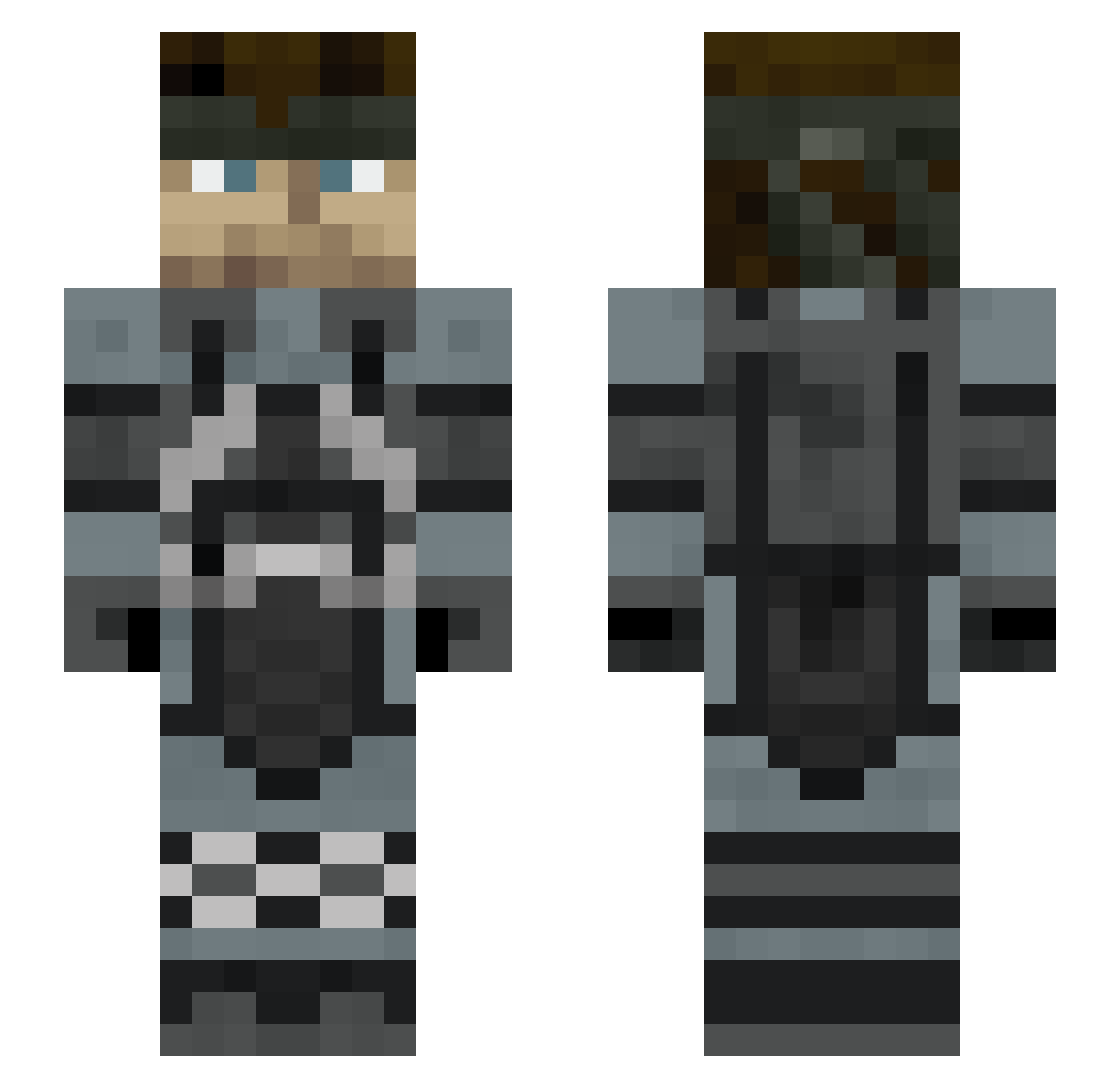
Current Minecraft skin of the player SnakeBR1, loaded from the official Mojang API. Rotate the 3D model with your mouse or finger, then download the skin as a PNG file and use it in Minecraft: Bedrock Edition or Java Edition for free. When SnakeBR1 changes their skin, this page updates automatically and the old skin stays in the history below.
Other players with this skin (375)
SnakeBR1 was the 312th player we have seen with this skin, first spotted on 02.11.2026. The same skin was seen on these players. Open a nickname to see their current skin and skin history.
 Yoderoo p_dinosaur Daisoo2 EmirhanTuran nuewtral L1st3r81 Ensocren SaltyySniper DoubleGoer DOLPH1NATOR Saladinom4 RockSolidSnake ShakaPonk Elsnaketv 5908215 JarlOfTexas Agile_Haste spongeloaf Thegreywolf105 Sytaro Joelizard3000 MetalGuire JOHNHUB HOKUSON SolidShidder Shalashaska36 world_279 MeisterHoernchen highboyx lolpaco1 ropz07 LightOfBaldr_ aosan2023 El_Patron974_ mafflem Blutomato deasertman Severedninja BTommy07 Kickitfresh JuanMitJuan MYxNINJAxLIZARD bisentres snoopy09801 C4Raven Urizzle jujuc4nalha MagicSlinky csuros Mayoto Roaring_Leaf GuizoxD123 Bernulf PewPewGeni hserenity Mamasbeach Filin22225 Jace347 Smack_Shack Gabonci0
More Stealth Minecraft skins
How to install the SnakeBR1 skin
- Press the Download button above to save the skin as a PNG file.
- Minecraft: Bedrock Edition (PE): open the Dressing Room from the main menu (or tap your character → Edit Character), go to Classic Skins → Owned, press the + (new skin) button, choose the downloaded PNG and pick the Slim (Alex) model. Works on PC and mobile; consoles cannot import custom skins.
- Minecraft: Java Edition: open the Minecraft Launcher, go to the Skins tab, click New Skin, load the PNG, pick the Slim (Alex) model and press Save & Use. You can also upload it at minecraft.net → Profile → Change Skin.
The skin does not show up after import - what should I do?
Restart Minecraft and open the Dressing Room again - imported skins sometimes appear only after a restart. Also make sure you selected the imported skin and picked the Slim (Alex) model.
Which model should I choose, Classic or Slim?
This skin is designed for the Slim (Alex) model. If you pick the wrong model, the arms of the skin will look stretched or squeezed.
Is the skin of SnakeBR1 free to download?
Yes. Press Download, save the PNG file and use it in Minecraft: Bedrock Edition or Java Edition - no payment or registration needed. The skin also works on multiplayer servers and Realms.
More skins
Looking for more? Go back to all Minecraft skins and check the top skins of the week, month and all time, or find any player's skin by nickname.