
SnSunNy - Minecraft Skins & Skin History
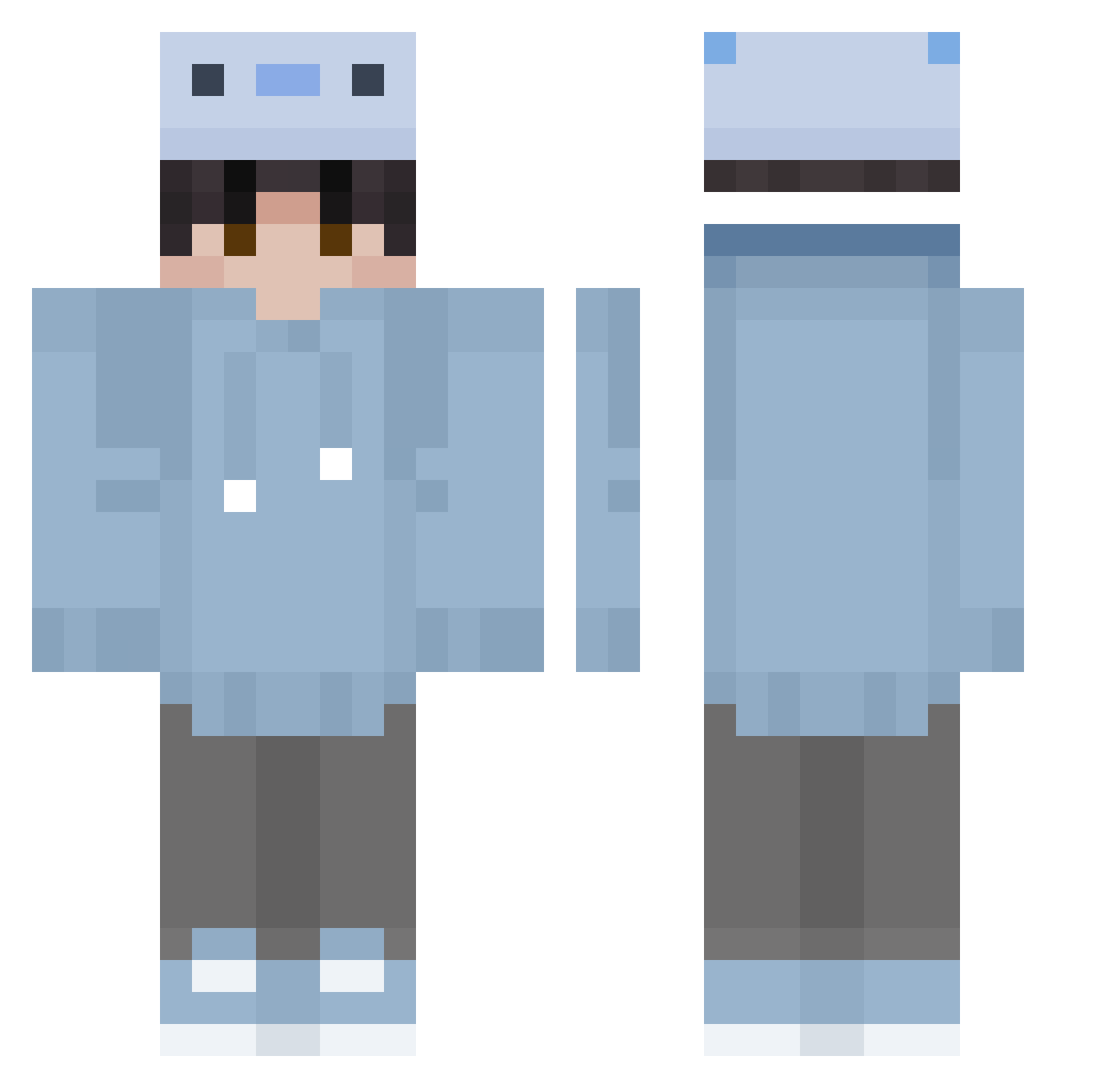
Current Minecraft skin of the player SnSunNy, loaded from the official Mojang API. Rotate the 3D model with your mouse or finger, then download the skin as a PNG file and use it in Minecraft: Bedrock Edition or Java Edition for free. When SnSunNy changes their skin, this page updates automatically and the old skin stays in the history below.
Other players with this skin (354)
SnSunNy was the 79th player we have seen with this skin, first spotted on 24.08.2026. The same skin was seen on these players. Open a nickname to see their current skin and skin history.
 Mewlyiscool Greg4481 Josuyg23 TINSPIRECXIICAS MohatuGM Steve_57869 BuddyBoo202 Mariamusen BlackVarus_ Aristarkh000 Qitang_ olekpark uymnsv 23b9n8 100OIO chiho0920 Ponczek2013 Controll3r24 Proadi123 ignBoa OLUS2229 ShoneBear412330 l_Syun_l Setu3503 Blacun drmxfff GKLK Allan12095
 XDFishyy Pichu13127 uwusamusko1 kakashi067 Vediusw Nyder21 Bodie_06 AidenPlant fmtyu S_akuraO_o IconFreak themir800 chefcito10743 ArryNari_1331 Calv988 xiaoan0015 uynfmd rodsknocking HYUNDAI_54 Davizinn0fc mag_m2 LeviArckeman kero_mc0 11620926 HiwTeenX Enes0000 Echo4622 gucverengamer VIPABDOO orihsenak AkpBOUNCER malthelund
How to install the SnSunNy skin
- Press the Download button above to save the skin as a PNG file.
- Minecraft: Bedrock Edition (PE): open the Dressing Room from the main menu (or tap your character → Edit Character), go to Classic Skins → Owned, press the + (new skin) button, choose the downloaded PNG and pick the Classic (Steve) model. Works on PC and mobile; consoles cannot import custom skins.
- Minecraft: Java Edition: open the Minecraft Launcher, go to the Skins tab, click New Skin, load the PNG, pick the Classic (Steve) model and press Save & Use. You can also upload it at minecraft.net → Profile → Change Skin.
The skin does not show up after import - what should I do?
Restart Minecraft and open the Dressing Room again - imported skins sometimes appear only after a restart. Also make sure you selected the imported skin and picked the Classic (Steve) model.
Which model should I choose, Classic or Slim?
This skin is designed for the Classic (Steve) model. If you pick the wrong model, the arms of the skin will look stretched or squeezed.
Is the skin of SnSunNy free to download?
Yes. Press Download, save the PNG file and use it in Minecraft: Bedrock Edition or Java Edition - no payment or registration needed. The skin also works on multiplayer servers and Realms.
More skins
Looking for more? Go back to all Minecraft skins and check the top skins of the week, month and all time, or find any player's skin by nickname.