
Smz_j - Minecraft Skins & Skin History
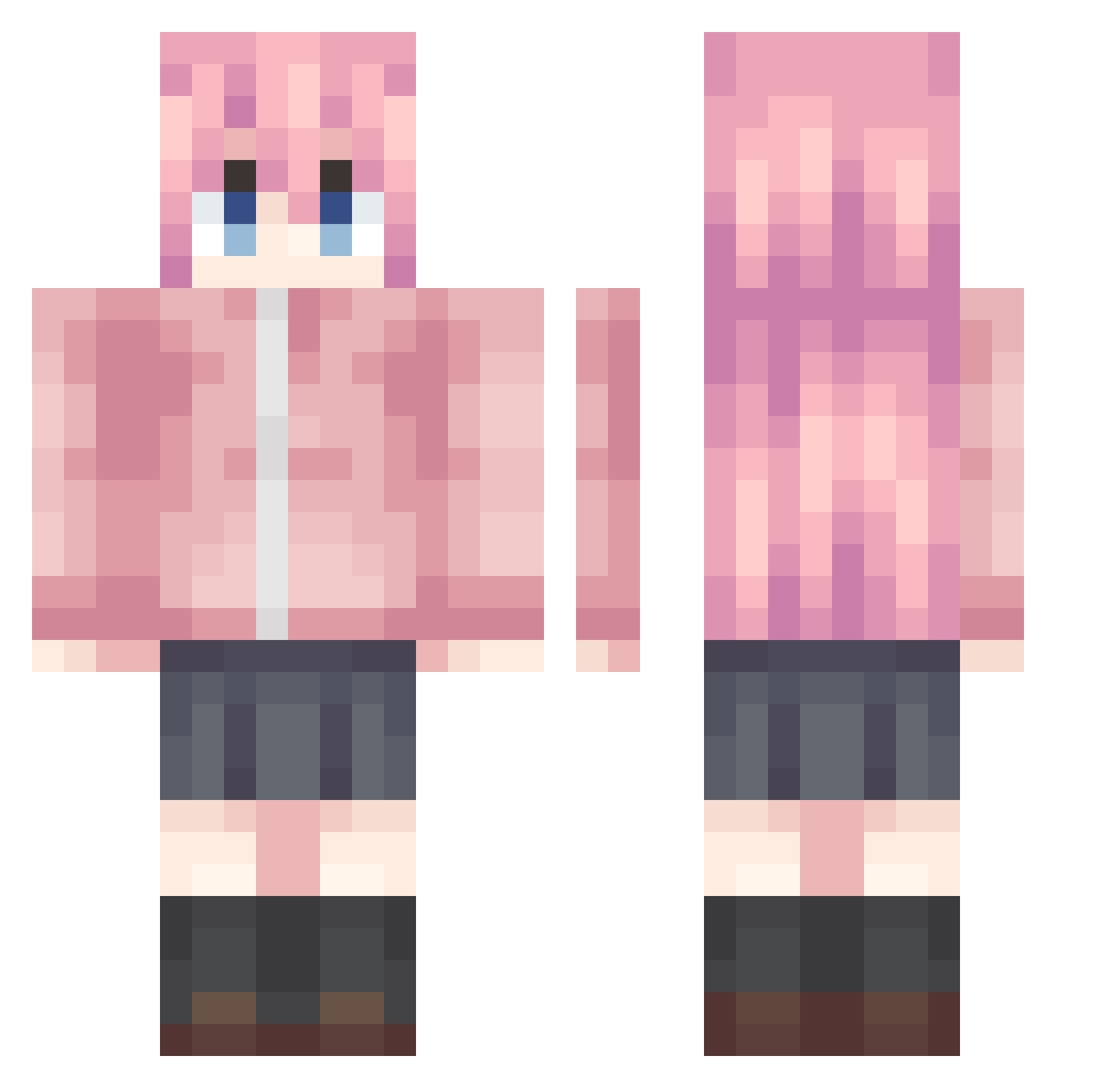
Current Minecraft skin of the player Smz_j, loaded from the official Mojang API. Rotate the 3D model with your mouse or finger, then download the skin as a PNG file and use it in Minecraft: Bedrock Edition or Java Edition for free. When Smz_j changes their skin, this page updates automatically and the old skin stays in the history below.
Other players with this skin (992)
Smz_j was the 694th player we have seen with this skin, first spotted on 06.10.2026. The same skin was seen on these players. Open a nickname to see their current skin and skin history.
 Batin0701 M1RE1312 JGX623 GFYSP Y1ngsama johtty LordAnimusphere HarperSeven Marlborous YaYa_Patchouli BKltSeven Nagisa___1 Al1biMySe Mht_awa XD_Sage makukui mannyST canelllia Quinndetta sakanable Mc_LCt Dr_Bit64 Nanchen_yz JLEZ2 ShimakazeR Beatlesss OuMyGod BaiShan222 Selquist613 JohnSmith12138 Ediskrad hjh2025 Fumino__ liangAlex Kita194 Red168 Loser9331 Linic77 popovvv MajorCatsualties Q_RT Hoshino_Sakuya ZHENBUCUO1234 OLD_NUMBER rj9001 hahaha__114514 Abysmcold MiyafujiYoshika_ Micw1201 Galaxy2333333 linxiangk menhenra_1 Izatio bang0709 Caroline1231 IHatEowl ho_5Onim_06_11 9xiao_feng23 Nek02333 RefR41Nly
More Bocchi Minecraft skins
How to install the Smz_j skin
- Press the Download button above to save the skin as a PNG file.
- Minecraft: Bedrock Edition (PE): open the Dressing Room from the main menu (or tap your character → Edit Character), go to Classic Skins → Owned, press the + (new skin) button, choose the downloaded PNG and pick the Classic (Steve) model. Works on PC and mobile; consoles cannot import custom skins.
- Minecraft: Java Edition: open the Minecraft Launcher, go to the Skins tab, click New Skin, load the PNG, pick the Classic (Steve) model and press Save & Use. You can also upload it at minecraft.net → Profile → Change Skin.
The skin does not show up after import - what should I do?
Restart Minecraft and open the Dressing Room again - imported skins sometimes appear only after a restart. Also make sure you selected the imported skin and picked the Classic (Steve) model.
Which model should I choose, Classic or Slim?
This skin is designed for the Classic (Steve) model. If you pick the wrong model, the arms of the skin will look stretched or squeezed.
Is the skin of Smz_j free to download?
Yes. Press Download, save the PNG file and use it in Minecraft: Bedrock Edition or Java Edition - no payment or registration needed. The skin also works on multiplayer servers and Realms.
More skins
Looking for more? Go back to all Minecraft skins and check the top skins of the week, month and all time, or find any player's skin by nickname.