
SmokzinTw - Minecraft Skins & Skin History
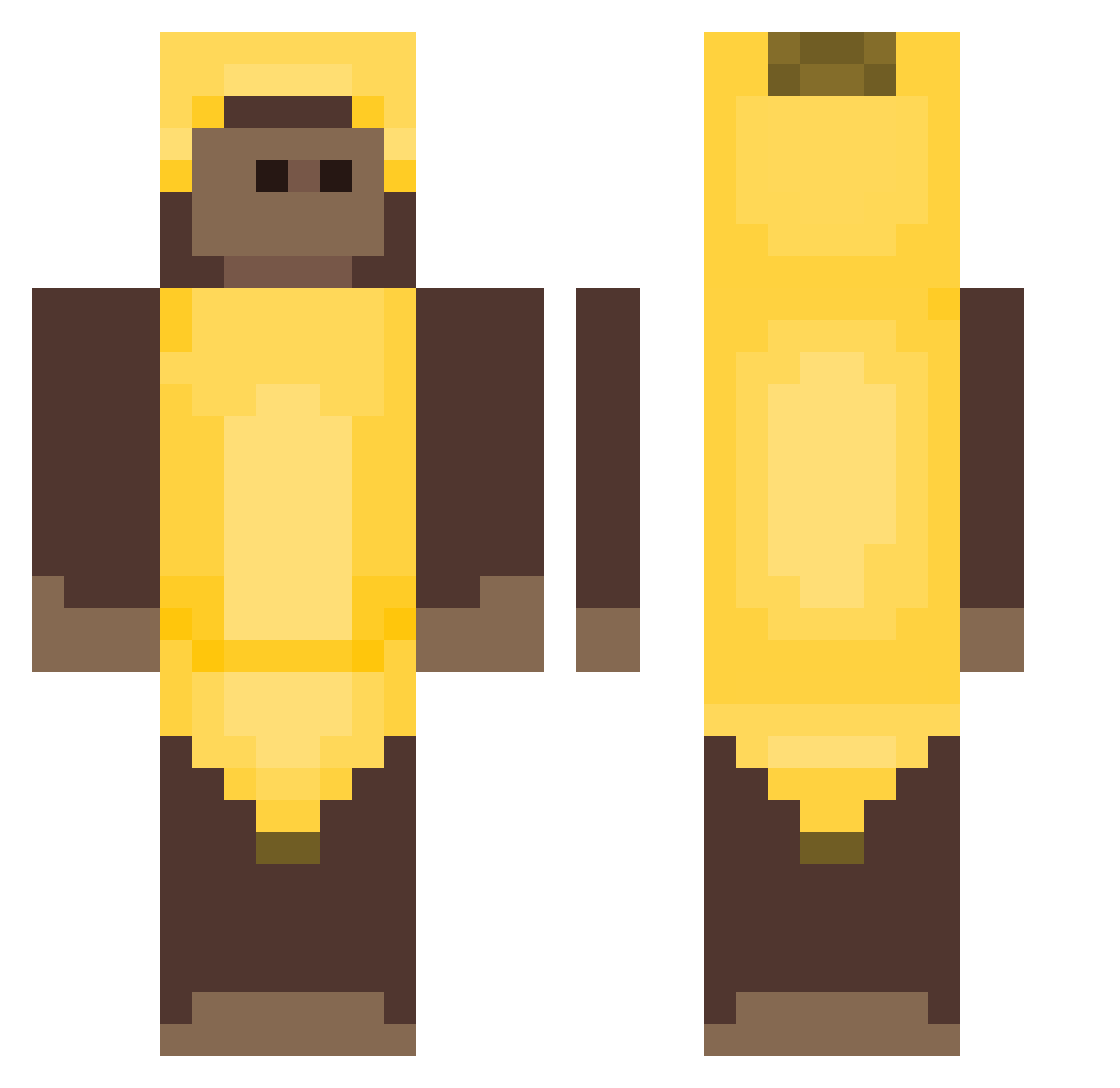
Current Minecraft skin of the player SmokzinTw, loaded from the official Mojang API. Rotate the 3D model with your mouse or finger, then download the skin as a PNG file and use it in Minecraft: Bedrock Edition or Java Edition for free. When SmokzinTw changes their skin, this page updates automatically and the old skin stays in the history below.
Other players with this skin (445)
SmokzinTw was the 142nd player we have seen with this skin, first spotted on 02.09.2026. The same skin was seen on these players. Open a nickname to see their current skin and skin history.
 mmanel BahiaX7 Betsy12 Ko11F1sh Imarandomboi cwms MOXGY Jasmine_01 APTAR123 MrShooter042272 2gxdforu PigeonGe_ jurekpuodny1337 jodran72 beatzbydrei BearLover3 elfee771 Packager Monkrah Egono322 Flobadopra Grasaf Biaanca0 ELSiCap Tabsthekilla palamine73 Banana2237 monkeyypoop Khirn Demonj0 MIGOSM marxkiller Electro2102 BananaBandit05 wooozyjuice henricasso digidong18 difficultwave yu_channnnnn changjin0121 Bananowybosikk Jable_ Chaaran Emaknight Banannes runsync Royoo virapikul ChromeHeart2 realCrypt akz10 Thomas580 Njkona DesiredEight10 1wierzba1 coupdewoinwoin Bane_mC Enokya DOXMz gh0zt_
More Banana Costume Minecraft skins
See all 56 Banana Costume skins
How to install the SmokzinTw skin
- Press the Download button above to save the skin as a PNG file.
- Minecraft: Bedrock Edition (PE): open the Dressing Room from the main menu (or tap your character → Edit Character), go to Classic Skins → Owned, press the + (new skin) button, choose the downloaded PNG and pick the Classic (Steve) model. Works on PC and mobile; consoles cannot import custom skins.
- Minecraft: Java Edition: open the Minecraft Launcher, go to the Skins tab, click New Skin, load the PNG, pick the Classic (Steve) model and press Save & Use. You can also upload it at minecraft.net → Profile → Change Skin.
The skin does not show up after import - what should I do?
Restart Minecraft and open the Dressing Room again - imported skins sometimes appear only after a restart. Also make sure you selected the imported skin and picked the Classic (Steve) model.
Which model should I choose, Classic or Slim?
This skin is designed for the Classic (Steve) model. If you pick the wrong model, the arms of the skin will look stretched or squeezed.
Is the skin of SmokzinTw free to download?
Yes. Press Download, save the PNG file and use it in Minecraft: Bedrock Edition or Java Edition - no payment or registration needed. The skin also works on multiplayer servers and Realms.
More skins
Looking for more? Go back to all Minecraft skins and check the top skins of the week, month and all time, or find any player's skin by nickname.