
Smoker1501 - Minecraft Skins & Skin History
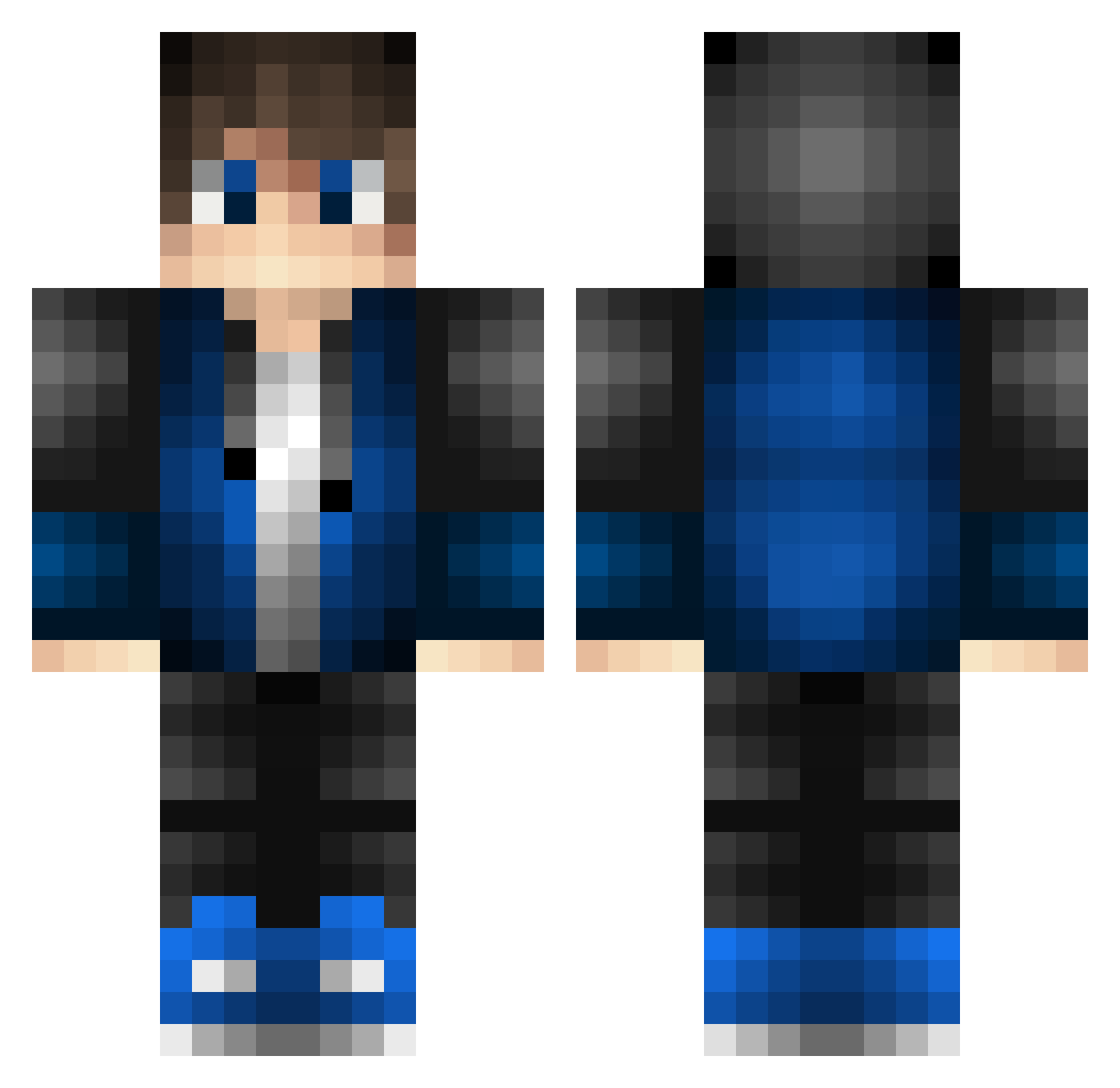
Current Minecraft skin of the player Smoker1501, loaded from the official Mojang API. Rotate the 3D model with your mouse or finger, then download the skin as a PNG file and use it in Minecraft: Bedrock Edition or Java Edition for free. When Smoker1501 changes their skin, this page updates automatically and the old skin stays in the history below.
Other players with this skin (529)
Smoker1501 was the 212th player we have seen with this skin, first spotted on 12.09.2026. The same skin was seen on these players. Open a nickname to see their current skin and skin history.
 bzxydf Parm9119 Nishasinparis JoJo259 zianlee MrWizardlyLoaf TheHMan daimon2322 ArvinSONG Berenda lair9527 Dabrai Ghost_1032 Damuan_HD FastZinFut SwordBlaze221 GamerPablo142 CARMINEALVIGGI04 shinji_2 JoskoSK micpowerplay CHawk466 Gamers78 Invinxiblee CreativeCay bingo_d EFUdayo hoho2224 DJEEMIE9991 Chrra al3xmxy Ayslias thom621234 resurre Gabryx_1012 Akipabo dudekogarniasz Gaminggenius_1 KaRuShiOAO Lox2855 percytroll pichonario1 unlonelyOo mastAk88 ramsoldaat1488 jeremy_Pascal904 MaxenceLH GamerKing2911 FWolfs Cyrus0609
 ener1108 KenetixPH Night_35 EDYMANreiz _Semm_ Kingwersen paprotek8000 lceMark God1314520 GuilermeXP
How to install the Smoker1501 skin
- Press the Download button above to save the skin as a PNG file.
- Minecraft: Bedrock Edition (PE): open the Dressing Room from the main menu (or tap your character → Edit Character), go to Classic Skins → Owned, press the + (new skin) button, choose the downloaded PNG and pick the Classic (Steve) model. Works on PC and mobile; consoles cannot import custom skins.
- Minecraft: Java Edition: open the Minecraft Launcher, go to the Skins tab, click New Skin, load the PNG, pick the Classic (Steve) model and press Save & Use. You can also upload it at minecraft.net → Profile → Change Skin.
The skin does not show up after import - what should I do?
Restart Minecraft and open the Dressing Room again - imported skins sometimes appear only after a restart. Also make sure you selected the imported skin and picked the Classic (Steve) model.
Which model should I choose, Classic or Slim?
This skin is designed for the Classic (Steve) model. If you pick the wrong model, the arms of the skin will look stretched or squeezed.
Is the skin of Smoker1501 free to download?
Yes. Press Download, save the PNG file and use it in Minecraft: Bedrock Edition or Java Edition - no payment or registration needed. The skin also works on multiplayer servers and Realms.
More skins
Looking for more? Go back to all Minecraft skins and check the top skins of the week, month and all time, or find any player's skin by nickname.