
Smase - Minecraft Skins & Skin History
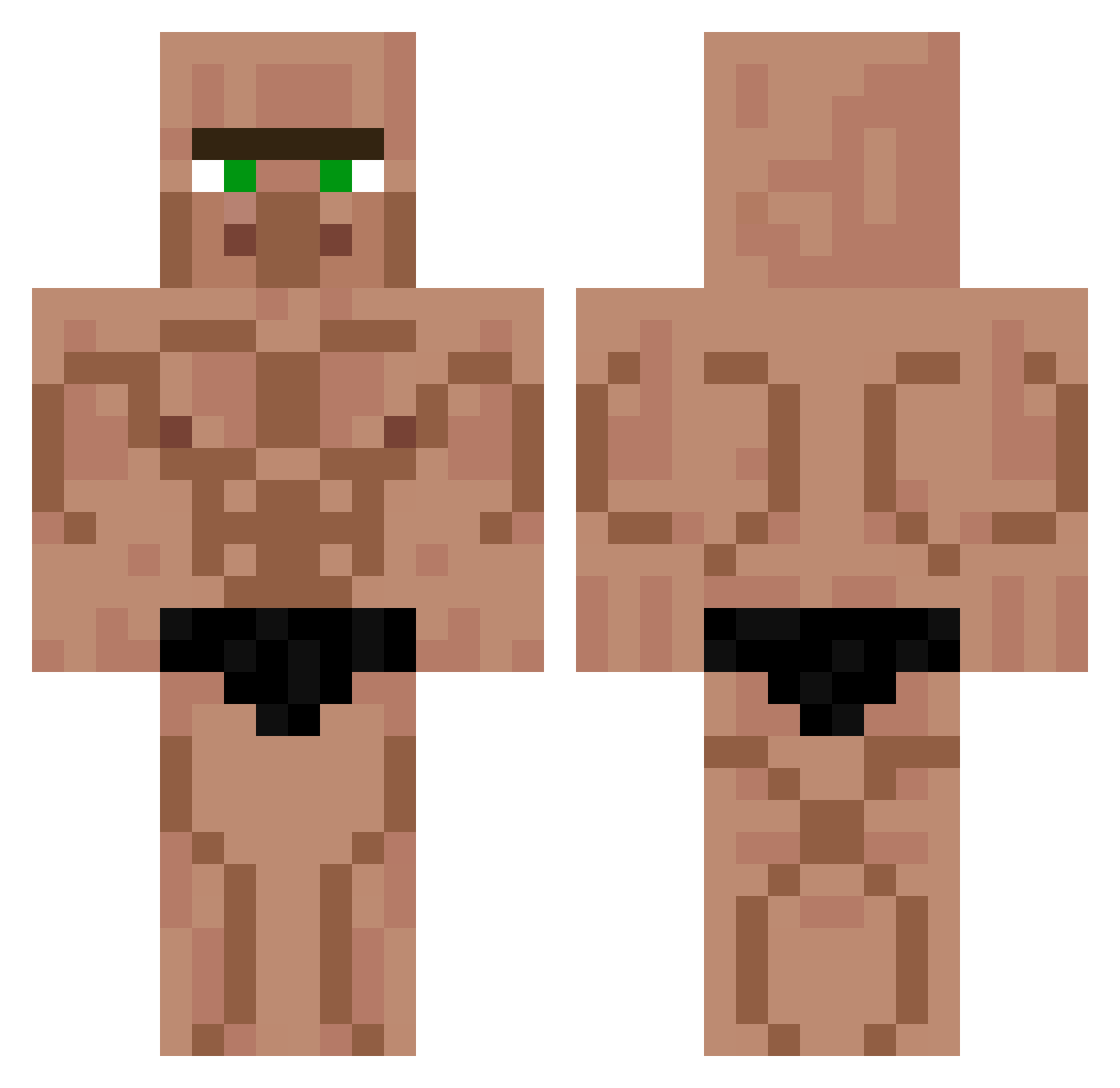
Current Minecraft skin of the player Smase, loaded from the official Mojang API. Rotate the 3D model with your mouse or finger, then download the skin as a PNG file and use it in Minecraft: Bedrock Edition or Java Edition for free. When Smase changes their skin, this page updates automatically and the old skin stays in the history below.
Other players with this skin (426)
Smase was the 150th player we have seen with this skin, first spotted on 28.08.2026. The same skin was seen on these players. Open a nickname to see their current skin and skin history.
 madenciumut Frankox trnl melwin2828 GrillsyNa CarlosCC06 Amadeyo Pepino_Torto Thur_lopes
 ittaM258 Lopko SnowXis7 emmapilou Wilson6614 LeFrenchTricycle Judge2_1 SamBrows pl4ces MedVe_D Winchester233 Saofly_ KACPERIX_999 elbuffon Dem8s BigBossHugo13 ethaneus JasperDM yo_lvis ralsos Jurja Pitiushka BlueReed YUYUTE grivo555 marimo1265 Hefest Bakkym Stichyman AvEArteX Hiroshinho123 Dabson Dripwizard69 BrianRojass __wou__ nahueorigins LubieGrzyby123 Unaiker7 Eragon1903 Undug WavyKryptex Scarface23 0SMk anton_homo TICTACKK swba LeLIL serowykrulIII Cingurs Sinjey Bannanaking235
More Muscle Minecraft skins
How to install the Smase skin
- Press the Download button above to save the skin as a PNG file.
- Minecraft: Bedrock Edition (PE): open the Dressing Room from the main menu (or tap your character → Edit Character), go to Classic Skins → Owned, press the + (new skin) button, choose the downloaded PNG and pick the Classic (Steve) model. Works on PC and mobile; consoles cannot import custom skins.
- Minecraft: Java Edition: open the Minecraft Launcher, go to the Skins tab, click New Skin, load the PNG, pick the Classic (Steve) model and press Save & Use. You can also upload it at minecraft.net → Profile → Change Skin.
The skin does not show up after import - what should I do?
Restart Minecraft and open the Dressing Room again - imported skins sometimes appear only after a restart. Also make sure you selected the imported skin and picked the Classic (Steve) model.
Which model should I choose, Classic or Slim?
This skin is designed for the Classic (Steve) model. If you pick the wrong model, the arms of the skin will look stretched or squeezed.
Is the skin of Smase free to download?
Yes. Press Download, save the PNG file and use it in Minecraft: Bedrock Edition or Java Edition - no payment or registration needed. The skin also works on multiplayer servers and Realms.
More skins
Looking for more? Go back to all Minecraft skins and check the top skins of the week, month and all time, or find any player's skin by nickname.