
SmallDuck_ - Minecraft Skins & Skin History
Current Minecraft skin of the player SmallDuck_, loaded from the official Mojang API. Rotate the 3D model with your mouse or finger, then download the skin as a PNG file and use it in Minecraft: Bedrock Edition or Java Edition for free. When SmallDuck_ changes their skin, this page updates automatically and the old skin stays in the history below.
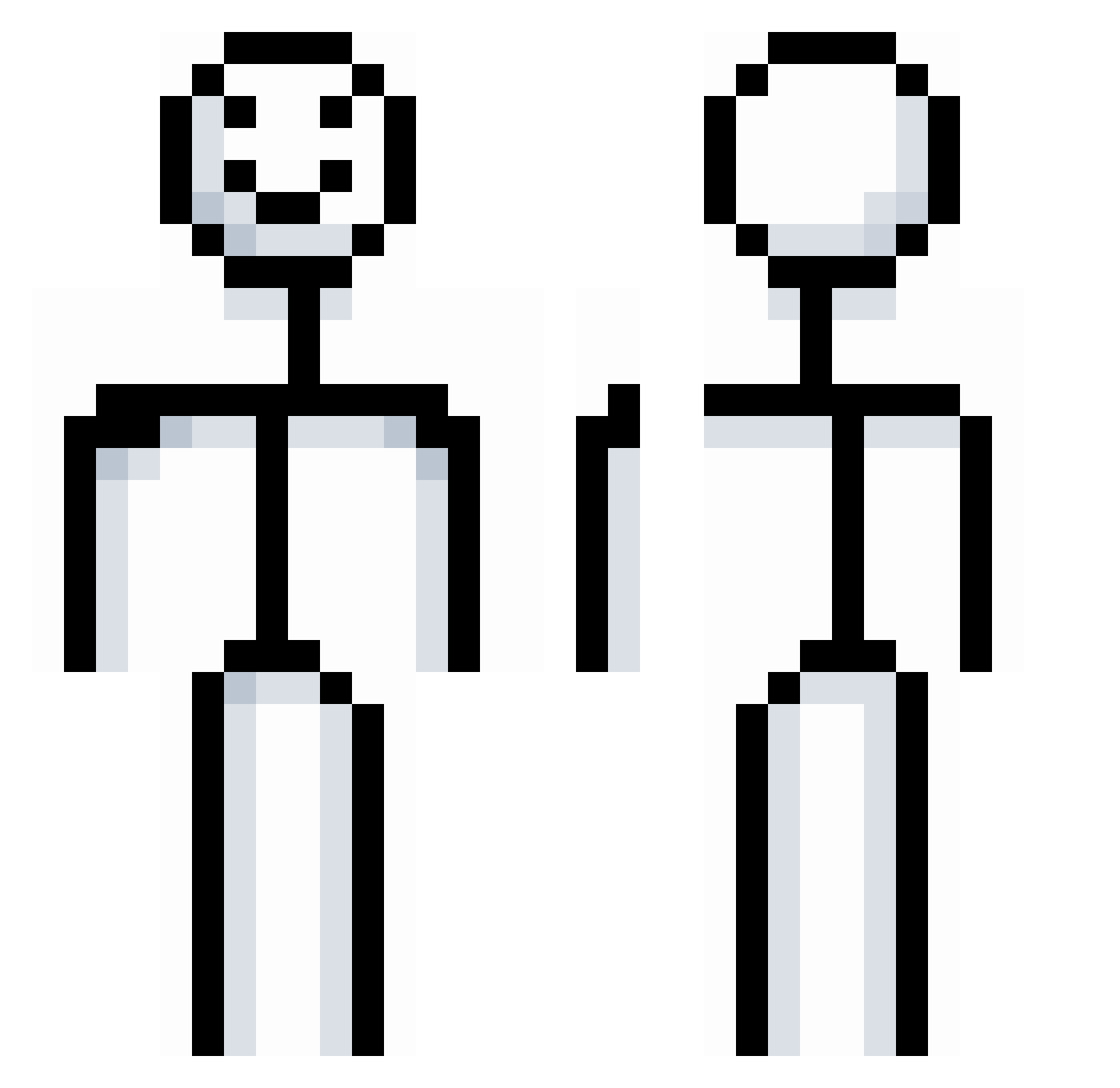
Other players with this skin (994)
SmallDuck_ was the 955th player we have seen with this skin, first spotted on 14.11.2026. The same skin was seen on these players. Open a nickname to see their current skin and skin history.
 Dilly1monster Akiko_34 AlbinoMnkey Jonmama LaConsole YourAverageSpy preute2k3 Puck202 Swagger18769 zykwoh panmojadooo xZ33r0x NiANz__ Hqzeh MunchPepper Mitgoodboi Voltelectro aZaa777 __e4sy__ awaawa_CN GuYan03 Jolt943 Bantiii DaggerDuck xarivel IRRuby HH97_ C3PMOW20 MaliShum donalpi BleachHam7856 Deivid231 ironinthatdiet YuviRayzz Klifers Boowing Grauty xIsaac1 nihaorange gOOfingtOnn hyunjoonjun Ljfarnes ZIMEGFW brunomtns elrenah Julux22150 Minty_Fresh14 pivazh Bllyball Zen1xz kamague gatocumeador777 VonDoof tyeJD fubu0592 Seaton05 theminerMC Beans920 PEASACKER7 THECOOLEST2009
More Stickman Minecraft skins
How to install the SmallDuck_ skin
- Press the Download button above to save the skin as a PNG file.
- Minecraft: Bedrock Edition (PE): open the Dressing Room from the main menu (or tap your character → Edit Character), go to Classic Skins → Owned, press the + (new skin) button, choose the downloaded PNG and pick the Classic (Steve) model. Works on PC and mobile; consoles cannot import custom skins.
- Minecraft: Java Edition: open the Minecraft Launcher, go to the Skins tab, click New Skin, load the PNG, pick the Classic (Steve) model and press Save & Use. You can also upload it at minecraft.net → Profile → Change Skin.
The skin does not show up after import - what should I do?
Restart Minecraft and open the Dressing Room again - imported skins sometimes appear only after a restart. Also make sure you selected the imported skin and picked the Classic (Steve) model.
Which model should I choose, Classic or Slim?
This skin is designed for the Classic (Steve) model. If you pick the wrong model, the arms of the skin will look stretched or squeezed.
Is the skin of SmallDuck_ free to download?
Yes. Press Download, save the PNG file and use it in Minecraft: Bedrock Edition or Java Edition - no payment or registration needed. The skin also works on multiplayer servers and Realms.
More skins
Looking for more? Go back to all Minecraft skins and check the top skins of the week, month and all time, or find any player's skin by nickname.