
SmackySmack - Minecraft Skins & Skin History
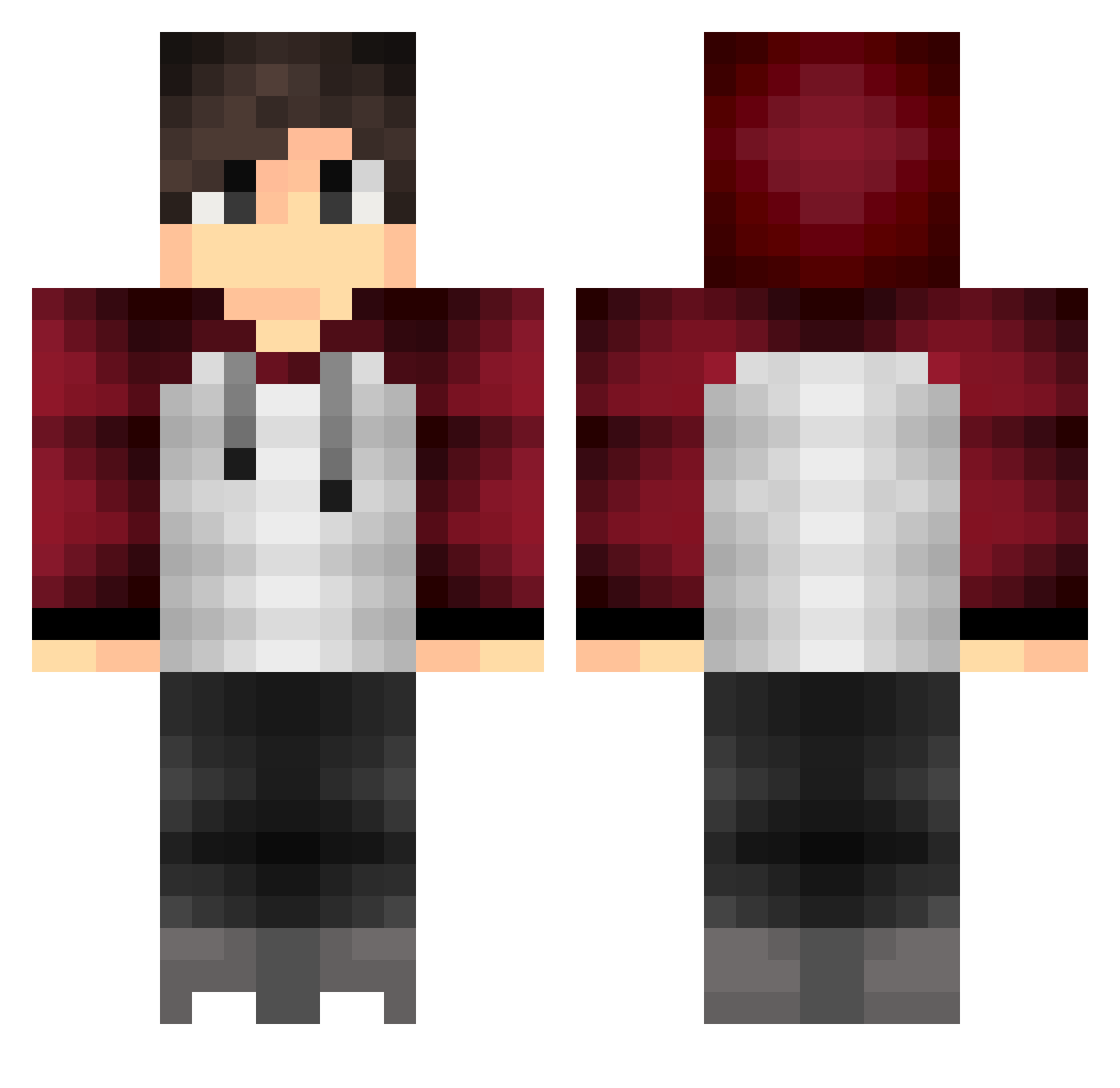
Current Minecraft skin of the player SmackySmack, loaded from the official Mojang API. Rotate the 3D model with your mouse or finger, then download the skin as a PNG file and use it in Minecraft: Bedrock Edition or Java Edition for free. When SmackySmack changes their skin, this page updates automatically and the old skin stays in the history below.
Other players with this skin (424)
SmackySmack was the 406th player we have seen with this skin, first spotted on 06.11.2026. The same skin was seen on these players. Open a nickname to see their current skin and skin history.
 Brian102662 KayX23 AikanaroOronra Ringqan Creeper_Overload Murkyz Alex_Pi bluebird22 Pibia RiverRat1970 Kumoomoo LikeAaron Joshi10 xXW33B_SL4Y3RXx KCBlocks Tmarq22 Mads420blezit iPrOiMoS OrangeJuice69 DarkADN kunvuthe leanSo lavacreeper0322 ev3biz maiketv Joker07 SuchArctic the_great12 tntguy619 SpookyBeast elkarl therznhellen maufis Auxzito crabish loke1535 DrewSRT Tulle_Rusken nightraven_fx offthatdanax OWeed AcePaki Eren026 Matt212007 OGSwifty Shamolius inzain97 lanarhodesFacial miloking Sean_Reid AnissFvs_ yannou0 Ea5YKUn Ben_Hardy11 10brand ZPowerOfOne stuckaduck GrimChip07 younam942 vPatience
How to install the SmackySmack skin
- Press the Download button above to save the skin as a PNG file.
- Minecraft: Bedrock Edition (PE): open the Dressing Room from the main menu (or tap your character → Edit Character), go to Classic Skins → Owned, press the + (new skin) button, choose the downloaded PNG and pick the Classic (Steve) model. Works on PC and mobile; consoles cannot import custom skins.
- Minecraft: Java Edition: open the Minecraft Launcher, go to the Skins tab, click New Skin, load the PNG, pick the Classic (Steve) model and press Save & Use. You can also upload it at minecraft.net → Profile → Change Skin.
The skin does not show up after import - what should I do?
Restart Minecraft and open the Dressing Room again - imported skins sometimes appear only after a restart. Also make sure you selected the imported skin and picked the Classic (Steve) model.
Which model should I choose, Classic or Slim?
This skin is designed for the Classic (Steve) model. If you pick the wrong model, the arms of the skin will look stretched or squeezed.
Is the skin of SmackySmack free to download?
Yes. Press Download, save the PNG file and use it in Minecraft: Bedrock Edition or Java Edition - no payment or registration needed. The skin also works on multiplayer servers and Realms.
More skins
Looking for more? Go back to all Minecraft skins and check the top skins of the week, month and all time, or find any player's skin by nickname.