
Sly1n3 - Minecraft Skins & Skin History
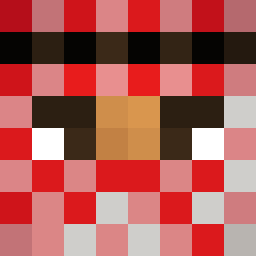
Current Minecraft skin of the player Sly1n3, loaded from the official Mojang API. Rotate the 3D model with your mouse or finger, then download the skin as a PNG file and use it in Minecraft: Bedrock Edition or Java Edition for free. When Sly1n3 changes their skin, this page updates automatically and the old skin stays in the history below.

Other players with this skin (11605)
Sly1n3 was the 2663rd player we have seen with this skin, first spotted on 16.08.2026. The same skin was seen on these players. Open a nickname to see their current skin and skin history.
 Pan_Maselko3000 OfficerTomato34 Brettice KamalBujal Nowkie_ kjdsfhailfi
 HaraldNyborg eltincito _JUAMPILLO_ daroybaba
 GatoMantequilla viniciupo_br EnzoSea rejigger Onside Mazonov Ozkzza spont456 MacKaoz Z1tX Primoka bannedbymaceo L88R dosaninho Tongsung ciganyvok juni120419 Yultide
 Godgamermove123 _XxELITEXx_ EletroGhosylt Fledzec_GG macay50 Moeratz UltraCake21
 4lexRex Mipad5 Wasabi_nori
 Tokito_ts IcedCawfee SiMa_5
 _9sa Muhbiib LuukH Busta_Cucumber OliMatthiasson zekewing _Rewain_ Bobinette558 Myrohc prandina
 Teschio166 zombieWILL2004 EntombedSatyr18 k13rr
 AliSamerAliAbdul Fataleagle Demigrate MelontheHoneydew Devata
How to install the Sly1n3 skin
- Press the Download button above to save the skin as a PNG file.
- Minecraft: Bedrock Edition (PE): open the Dressing Room from the main menu (or tap your character → Edit Character), go to Classic Skins → Owned, press the + (new skin) button, choose the downloaded PNG and pick the Classic (Steve) model. Works on PC and mobile; consoles cannot import custom skins.
- Minecraft: Java Edition: open the Minecraft Launcher, go to the Skins tab, click New Skin, load the PNG, pick the Classic (Steve) model and press Save & Use. You can also upload it at minecraft.net → Profile → Change Skin.
The skin does not show up after import - what should I do?
Restart Minecraft and open the Dressing Room again - imported skins sometimes appear only after a restart. Also make sure you selected the imported skin and picked the Classic (Steve) model.
Which model should I choose, Classic or Slim?
This skin is designed for the Classic (Steve) model. If you pick the wrong model, the arms of the skin will look stretched or squeezed.
Is the skin of Sly1n3 free to download?
Yes. Press Download, save the PNG file and use it in Minecraft: Bedrock Edition or Java Edition - no payment or registration needed. The skin also works on multiplayer servers and Realms.
More skins
Looking for more? Go back to all Minecraft skins and check the top skins of the week, month and all time, or find any player's skin by nickname.