
SlimJmm - Minecraft Skins & Skin History
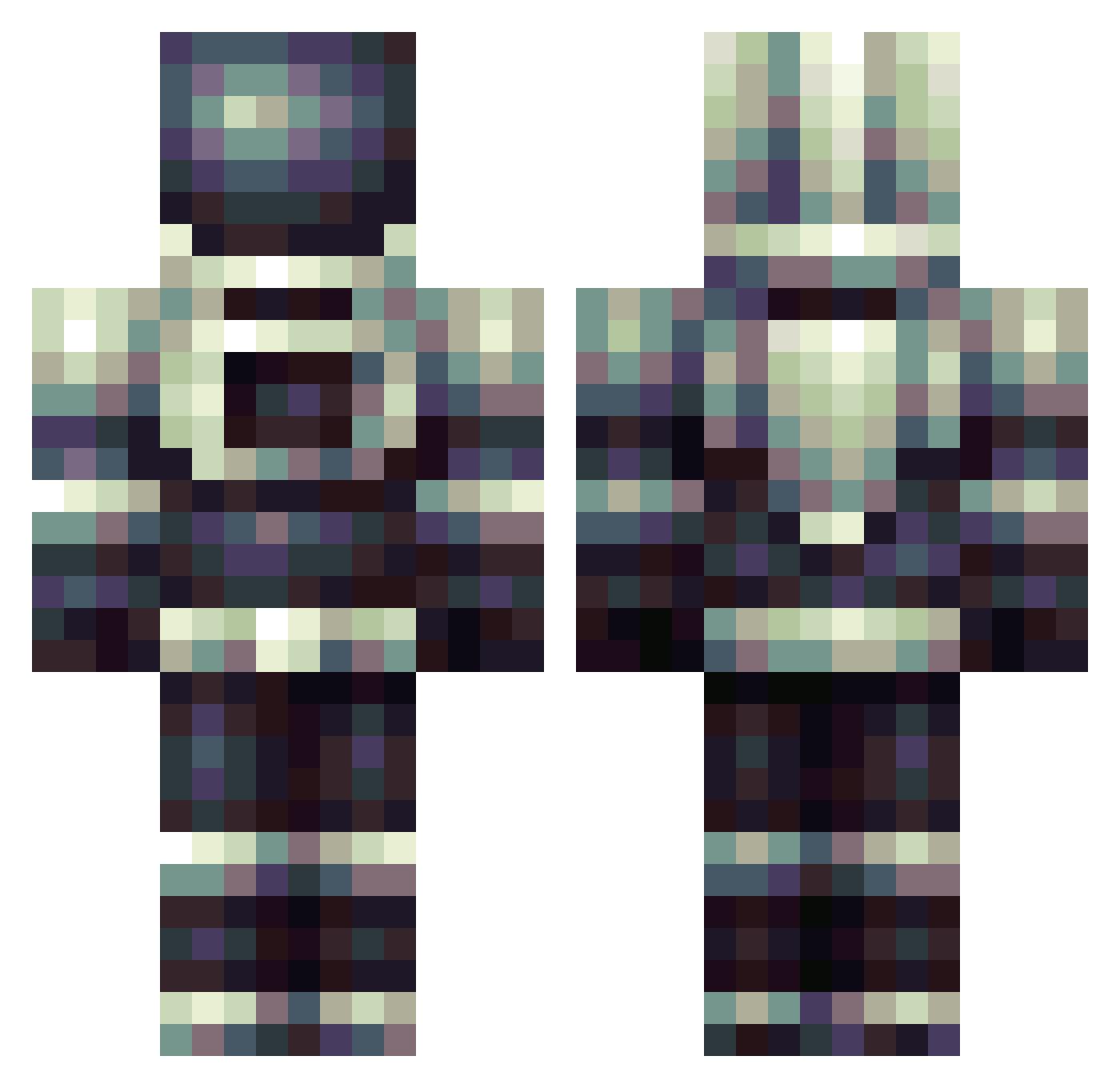
Current Minecraft skin of the player SlimJmm, loaded from the official Mojang API. Rotate the 3D model with your mouse or finger, then download the skin as a PNG file and use it in Minecraft: Bedrock Edition or Java Edition for free. When SlimJmm changes their skin, this page updates automatically and the old skin stays in the history below.
Other players with this skin (179)
SlimJmm was the 56th player we have seen with this skin, first spotted on 20.08.2026. The same skin was seen on these players. Open a nickname to see their current skin and skin history.
 dwerdltwas77 lilnug TheAeroz Tmislover Crows_KING Ikenna rockboy8 gerb350 aloe_s TATUMCEF mickey244 Legend_Killer23 Zero5809 Russo555 hobosdeath2 sarah59000 Frans_Patatje KDragonM2 https_ NicolayMC99 TOKUMACODE cafe_disco Xidioss ArimaKR CocoPebs StrawberryFloyd ninjacop9 kronickoffee sadwhitepanda Bzico Adamantine_Akamu Gvbi OhArtemis morganc01 crepusculot tegeek ElMaloLoco dudman8 pyreflyy MVDL44 JoeM723 RugFern PPPLL TheExplodingTNT9 BastilleBadsteel AlgerinoG Bafooon BioJosh Cosmonout Bluelemondrop iamthejosh MeleeSpam __wasp nbtsnake Glad_Lad JontyPlays18 Nafqa Gdella21 MuffDestroyer200 CosmicCraftr
More Spacesuit Minecraft skins
How to install the SlimJmm skin
- Press the Download button above to save the skin as a PNG file.
- Minecraft: Bedrock Edition (PE): open the Dressing Room from the main menu (or tap your character → Edit Character), go to Classic Skins → Owned, press the + (new skin) button, choose the downloaded PNG and pick the Classic (Steve) model. Works on PC and mobile; consoles cannot import custom skins.
- Minecraft: Java Edition: open the Minecraft Launcher, go to the Skins tab, click New Skin, load the PNG, pick the Classic (Steve) model and press Save & Use. You can also upload it at minecraft.net → Profile → Change Skin.
The skin does not show up after import - what should I do?
Restart Minecraft and open the Dressing Room again - imported skins sometimes appear only after a restart. Also make sure you selected the imported skin and picked the Classic (Steve) model.
Which model should I choose, Classic or Slim?
This skin is designed for the Classic (Steve) model. If you pick the wrong model, the arms of the skin will look stretched or squeezed.
Is the skin of SlimJmm free to download?
Yes. Press Download, save the PNG file and use it in Minecraft: Bedrock Edition or Java Edition - no payment or registration needed. The skin also works on multiplayer servers and Realms.
More skins
Looking for more? Go back to all Minecraft skins and check the top skins of the week, month and all time, or find any player's skin by nickname.