
Sleepy_Turtle_ - Minecraft Skins & Skin History
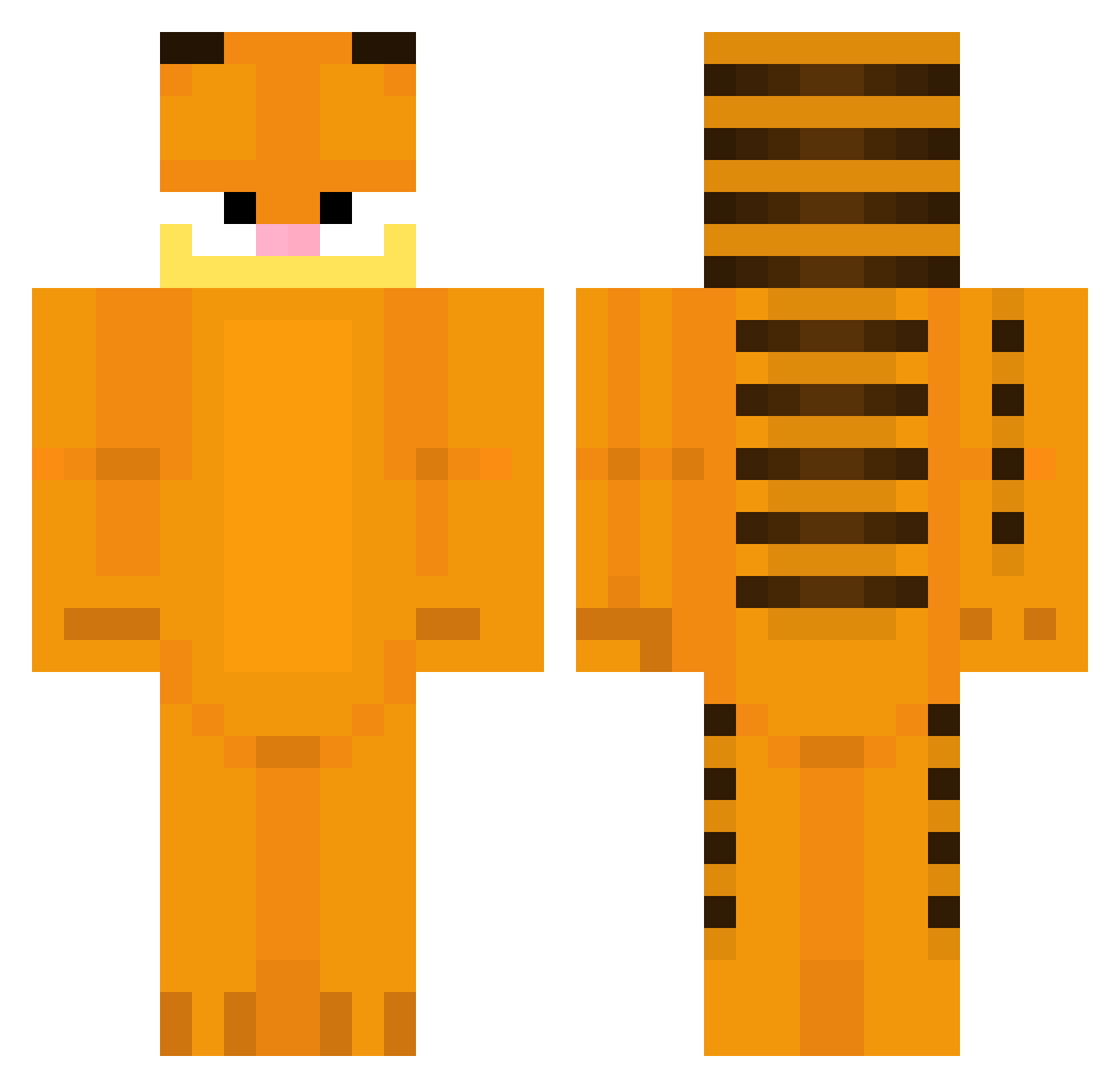
Current Minecraft skin of the player Sleepy_Turtle_, loaded from the official Mojang API. Rotate the 3D model with your mouse or finger, then download the skin as a PNG file and use it in Minecraft: Bedrock Edition or Java Edition for free. When Sleepy_Turtle_ changes their skin, this page updates automatically and the old skin stays in the history below.
Other players with this skin (52)
Sleepy_Turtle_ was the 23rd player we have seen with this skin, first spotted on 10.09.2026. The same skin was seen on these players. Open a nickname to see their current skin and skin history.
 sausagePizza900 AsgerMinecraft hlit Pieczarek72 shawbs katt76 sadlennon vexzar_ LazyChicken01 poopydookiebooty mrkehee LMX_0 Skurrnandoo MkkUltra_ Njny AbackoRIP laigebao404 lena_stle vhscharlie nosoulnate8 WetBurrito78 EDKE0810 Kale098098 M3Z05 catoperator2 ScavengerBoy DontaiAkiu Leigheaux rapheldoust StickyBa11z9 shaigoat P0PSOCK rodrigogh07 BongoWong0 honda_eleman magician_jordan _ItzMeDontCry_ adrielles clappedbeamer DrLongWood PeachyTrash6189 Adix12a Marco9614 WhatACreeper666 pewpew_gun jessieisshort stinkbug73 AteSoap Pieman200789 Pupozaur QueerFactor Checker13
More Garfield Minecraft skins
How to install the Sleepy_Turtle_ skin
- Press the Download button above to save the skin as a PNG file.
- Minecraft: Bedrock Edition (PE): open the Dressing Room from the main menu (or tap your character → Edit Character), go to Classic Skins → Owned, press the + (new skin) button, choose the downloaded PNG and pick the Classic (Steve) model. Works on PC and mobile; consoles cannot import custom skins.
- Minecraft: Java Edition: open the Minecraft Launcher, go to the Skins tab, click New Skin, load the PNG, pick the Classic (Steve) model and press Save & Use. You can also upload it at minecraft.net → Profile → Change Skin.
The skin does not show up after import - what should I do?
Restart Minecraft and open the Dressing Room again - imported skins sometimes appear only after a restart. Also make sure you selected the imported skin and picked the Classic (Steve) model.
Which model should I choose, Classic or Slim?
This skin is designed for the Classic (Steve) model. If you pick the wrong model, the arms of the skin will look stretched or squeezed.
Is the skin of Sleepy_Turtle_ free to download?
Yes. Press Download, save the PNG file and use it in Minecraft: Bedrock Edition or Java Edition - no payment or registration needed. The skin also works on multiplayer servers and Realms.
More skins
Looking for more? Go back to all Minecraft skins and check the top skins of the week, month and all time, or find any player's skin by nickname.