
SlappyBag2002 - Minecraft Skins & Skin History
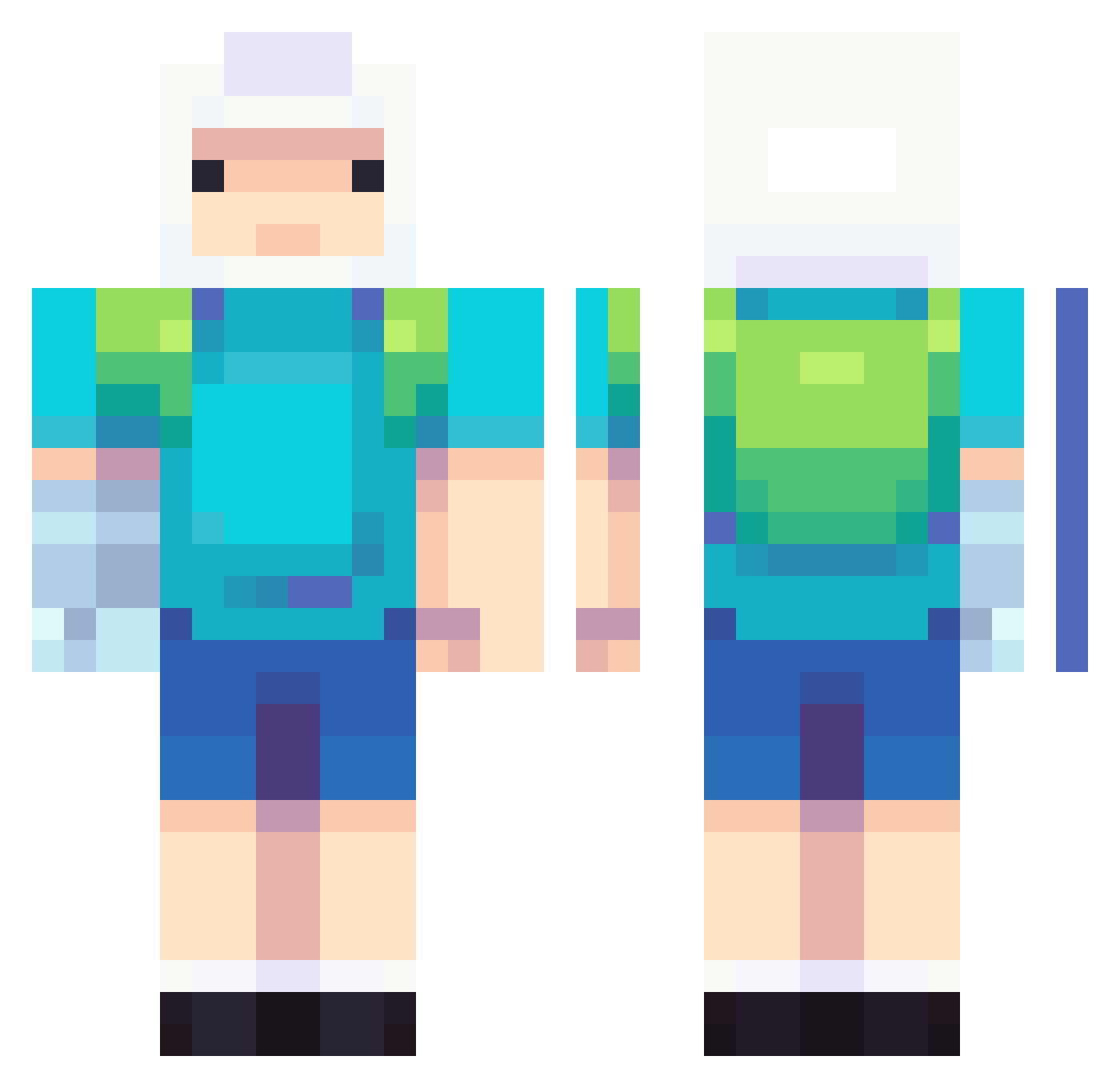
Current Minecraft skin of the player SlappyBag2002, loaded from the official Mojang API. Rotate the 3D model with your mouse or finger, then download the skin as a PNG file and use it in Minecraft: Bedrock Edition or Java Edition for free. When SlappyBag2002 changes their skin, this page updates automatically and the old skin stays in the history below.
Other players with this skin (737)
SlappyBag2002 was the 453rd player we have seen with this skin, first spotted on 30.09.2026. The same skin was seen on these players. Open a nickname to see their current skin and skin history.
 smolpot _JimmyChanga eueesuarez9995 mlody_S DaanTheHarmacist exelbrunn ZoPEk Xels21 Mavikurtt pmarr ludalx vilho_gamer09 Wolfuser538 tsuwoah DripBacon1 KRLEESAM rakunnn SestherBound BigTubbyBoy Iloveweasels why13145 Mescaule lucia24324 fairyjaemin ElRey0 TRY2BEAT A_Asada_A Dot_tm leysuth jamnjelly36 ben3134 Yoda430 ManNyag eehduq Fantezyy olejek43 dnjswns0314 B_Boom creepsty PaulistaKkj GigoDude EatSkechers Eastbound81 OniiChhan Vl4d2003 NotGuigui Shompert Sydicle Awesome_lokoguy1 whooshyurrr KamAtaHan makomme Furai75 Butters1324 1_dingus DumbImmigrant MalekMC Fueten iTubo the_Terfinator
More Finn The Human Minecraft skins
See all 445 Finn The Human skins
How to install the SlappyBag2002 skin
- Press the Download button above to save the skin as a PNG file.
- Minecraft: Bedrock Edition (PE): open the Dressing Room from the main menu (or tap your character → Edit Character), go to Classic Skins → Owned, press the + (new skin) button, choose the downloaded PNG and pick the Classic (Steve) model. Works on PC and mobile; consoles cannot import custom skins.
- Minecraft: Java Edition: open the Minecraft Launcher, go to the Skins tab, click New Skin, load the PNG, pick the Classic (Steve) model and press Save & Use. You can also upload it at minecraft.net → Profile → Change Skin.
The skin does not show up after import - what should I do?
Restart Minecraft and open the Dressing Room again - imported skins sometimes appear only after a restart. Also make sure you selected the imported skin and picked the Classic (Steve) model.
Which model should I choose, Classic or Slim?
This skin is designed for the Classic (Steve) model. If you pick the wrong model, the arms of the skin will look stretched or squeezed.
Is the skin of SlappyBag2002 free to download?
Yes. Press Download, save the PNG file and use it in Minecraft: Bedrock Edition or Java Edition - no payment or registration needed. The skin also works on multiplayer servers and Realms.
More skins
Looking for more? Go back to all Minecraft skins and check the top skins of the week, month and all time, or find any player's skin by nickname.