
Slaanash - Minecraft Skins & Skin History
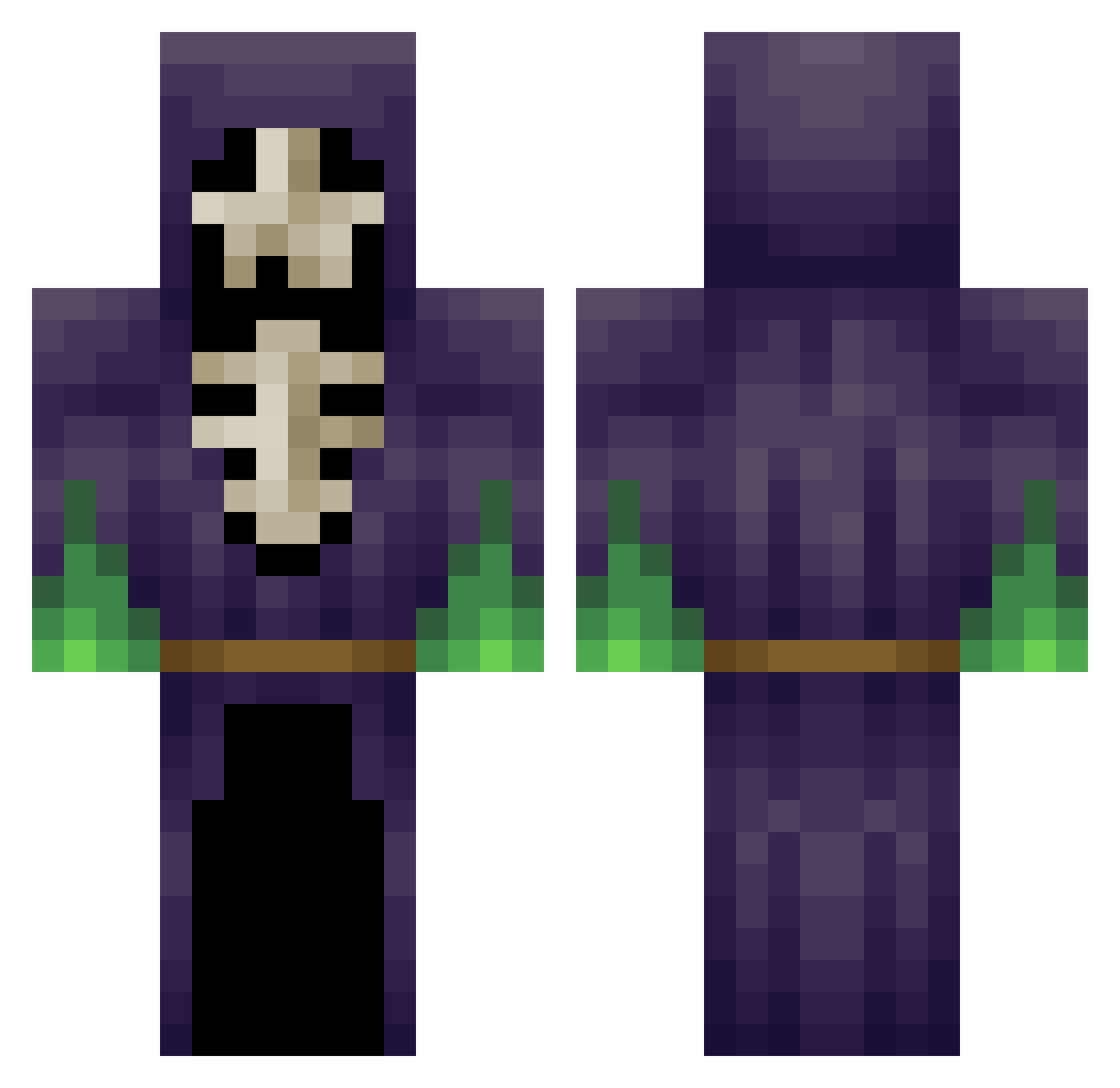
Current Minecraft skin of the player Slaanash, loaded from the official Mojang API. Rotate the 3D model with your mouse or finger, then download the skin as a PNG file and use it in Minecraft: Bedrock Edition or Java Edition for free. When Slaanash changes their skin, this page updates automatically and the old skin stays in the history below.
Other players with this skin (348)
Slaanash was the 197th player we have seen with this skin, first spotted on 22.09.2026. The same skin was seen on these players. Open a nickname to see their current skin and skin history.
 ErikdeJong TastyFisch Giant_X Superior111 xDerzaydler TastyPigeon backboneblood wom902 A_Spaceman Fjuntte GlaiveJester FierroKompa ZethosG nervarna PlayDead94 Alakandor witchystump Kouldrek k4r4n Simtah dhbl666 gamebot28 5k3l370n leonscape Pfanner23 Gaij69 Hxadecimal xTheAnimuS Echidna joestar32 Oner4Fun Weizenfieber alexlikander Flap_jack28 sk1ll0rz NuclearKitten4 BlueWings7 iamwalcott tntmasterjake Waves123 bob_allcroft st0rm4g3dd0n Deschia Yooyeee Xortex05 Chambri Lexxiilou alekseyjimenez Mysticmuzz MrFarce RejectThruster Kris1004 Jack2368 tanemum _OptiCraft_ Thelonlykid Dav320K ZockerOhneSkill Groeft Lurzen
More Necromancer Minecraft skins
How to install the Slaanash skin
- Press the Download button above to save the skin as a PNG file.
- Minecraft: Bedrock Edition (PE): open the Dressing Room from the main menu (or tap your character → Edit Character), go to Classic Skins → Owned, press the + (new skin) button, choose the downloaded PNG and pick the Classic (Steve) model. Works on PC and mobile; consoles cannot import custom skins.
- Minecraft: Java Edition: open the Minecraft Launcher, go to the Skins tab, click New Skin, load the PNG, pick the Classic (Steve) model and press Save & Use. You can also upload it at minecraft.net → Profile → Change Skin.
The skin does not show up after import - what should I do?
Restart Minecraft and open the Dressing Room again - imported skins sometimes appear only after a restart. Also make sure you selected the imported skin and picked the Classic (Steve) model.
Which model should I choose, Classic or Slim?
This skin is designed for the Classic (Steve) model. If you pick the wrong model, the arms of the skin will look stretched or squeezed.
Is the skin of Slaanash free to download?
Yes. Press Download, save the PNG file and use it in Minecraft: Bedrock Edition or Java Edition - no payment or registration needed. The skin also works on multiplayer servers and Realms.
More skins
Looking for more? Go back to all Minecraft skins and check the top skins of the week, month and all time, or find any player's skin by nickname.