
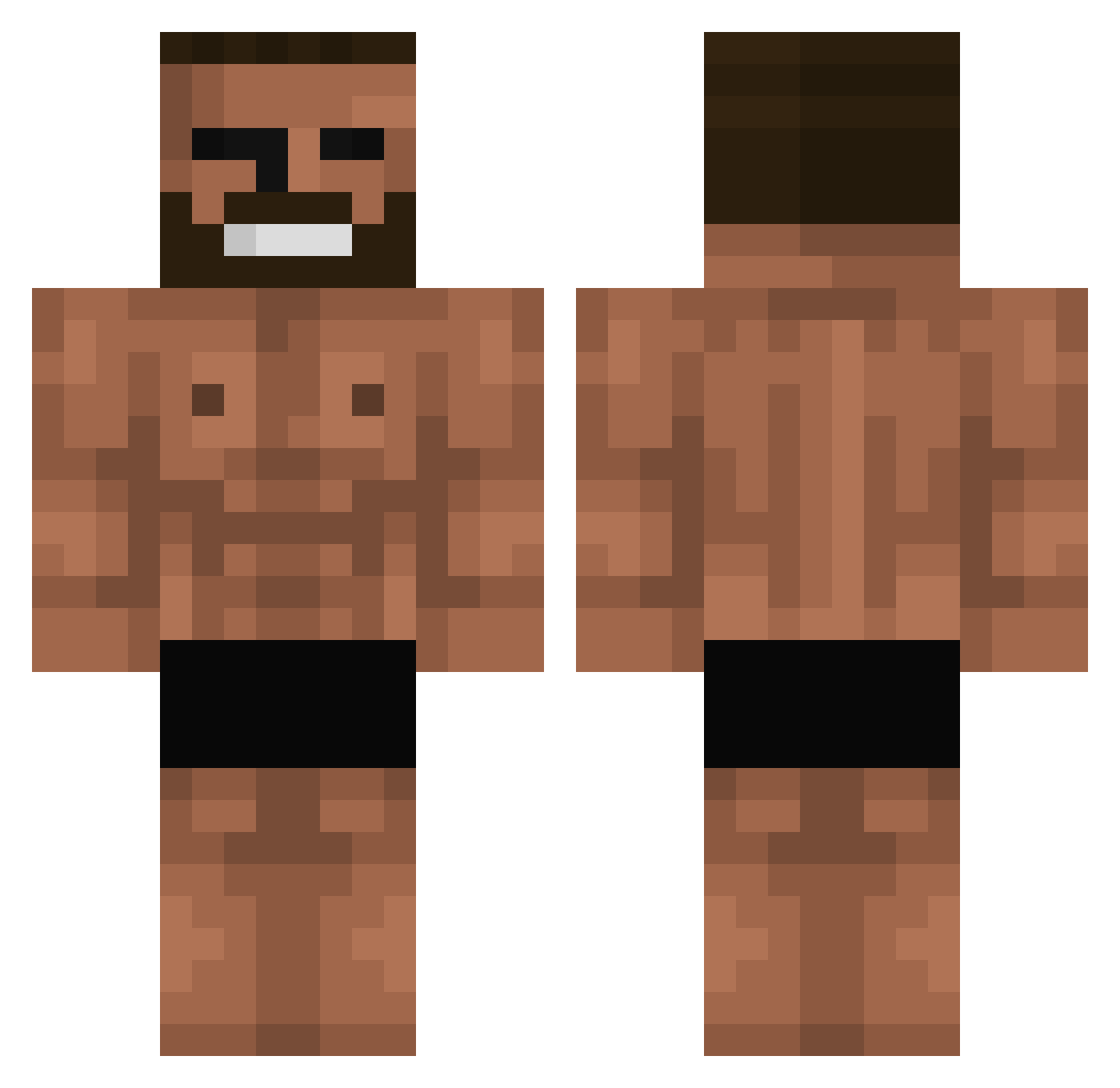
Current Minecraft skin of the player SkywriterTy, loaded from the official Mojang API. Rotate the 3D model with your mouse or finger, then download the skin as a PNG file and use it in Minecraft: Bedrock Edition or Java Edition for free. When SkywriterTy changes their skin, this page updates automatically and the old skin stays in the history below.
Other players with this skin (590)
SkywriterTy was the 270th player we have seen with this skin, first spotted on 03.09.2026. The same skin was seen on these players. Open a nickname to see their current skin and skin history.
 leonrensch andreybtt K00rn3l Voidal_Scythe Midniteseeker CHEBIIIIIII JoOJ5784 JollyVomit urfavvhassan McMaui_ SeriusAUG NecroManzerr SywalkerOG9305 mvvrtin25 Bercike11 zatwardzenie45 MrWasaaa og_tema Unidenations Ideaaaa Sp2ctic BobtheCop11 untiti09 OMARRRRR Bisaka01 Wasterek SapoTriquisGF AlexTDB Eltro_ GiftedWolf1234 Dundo_Crusk Artix04 Babbatundeh Erdin17 Floriano974 Etemm1907 Agustinsinho Larry_Steel Jook5110 Mertcan88 SnoopyAD KotKlakier Mattyanoob Keneeee Realjn0 bettre_ ZetkGaming D4TB farmerslove1234 pink_skies_77 JoeJaiNotHappy G_Ramasami I_am_Starving T0NE5 GiovanniGiorgio9 Paral_1182 newnewnene goldb207 666shad Zhepar
More Gigachad Minecraft skins
How to install the SkywriterTy skin
- Press the Download button above to save the skin as a PNG file.
- Minecraft: Bedrock Edition (PE): open the Dressing Room from the main menu (or tap your character → Edit Character), go to Classic Skins → Owned, press the + (new skin) button, choose the downloaded PNG and pick the Classic (Steve) model. Works on PC and mobile; consoles cannot import custom skins.
- Minecraft: Java Edition: open the Minecraft Launcher, go to the Skins tab, click New Skin, load the PNG, pick the Classic (Steve) model and press Save & Use. You can also upload it at minecraft.net → Profile → Change Skin.
The skin does not show up after import - what should I do?
Restart Minecraft and open the Dressing Room again - imported skins sometimes appear only after a restart. Also make sure you selected the imported skin and picked the Classic (Steve) model.
Which model should I choose, Classic or Slim?
This skin is designed for the Classic (Steve) model. If you pick the wrong model, the arms of the skin will look stretched or squeezed.
Is the skin of SkywriterTy free to download?
Yes. Press Download, save the PNG file and use it in Minecraft: Bedrock Edition or Java Edition - no payment or registration needed. The skin also works on multiplayer servers and Realms.
More skins
Looking for more? Go back to all Minecraft skins and check the top skins of the week, month and all time, or find any player's skin by nickname.