
SkyZapper - Minecraft Skins & Skin History
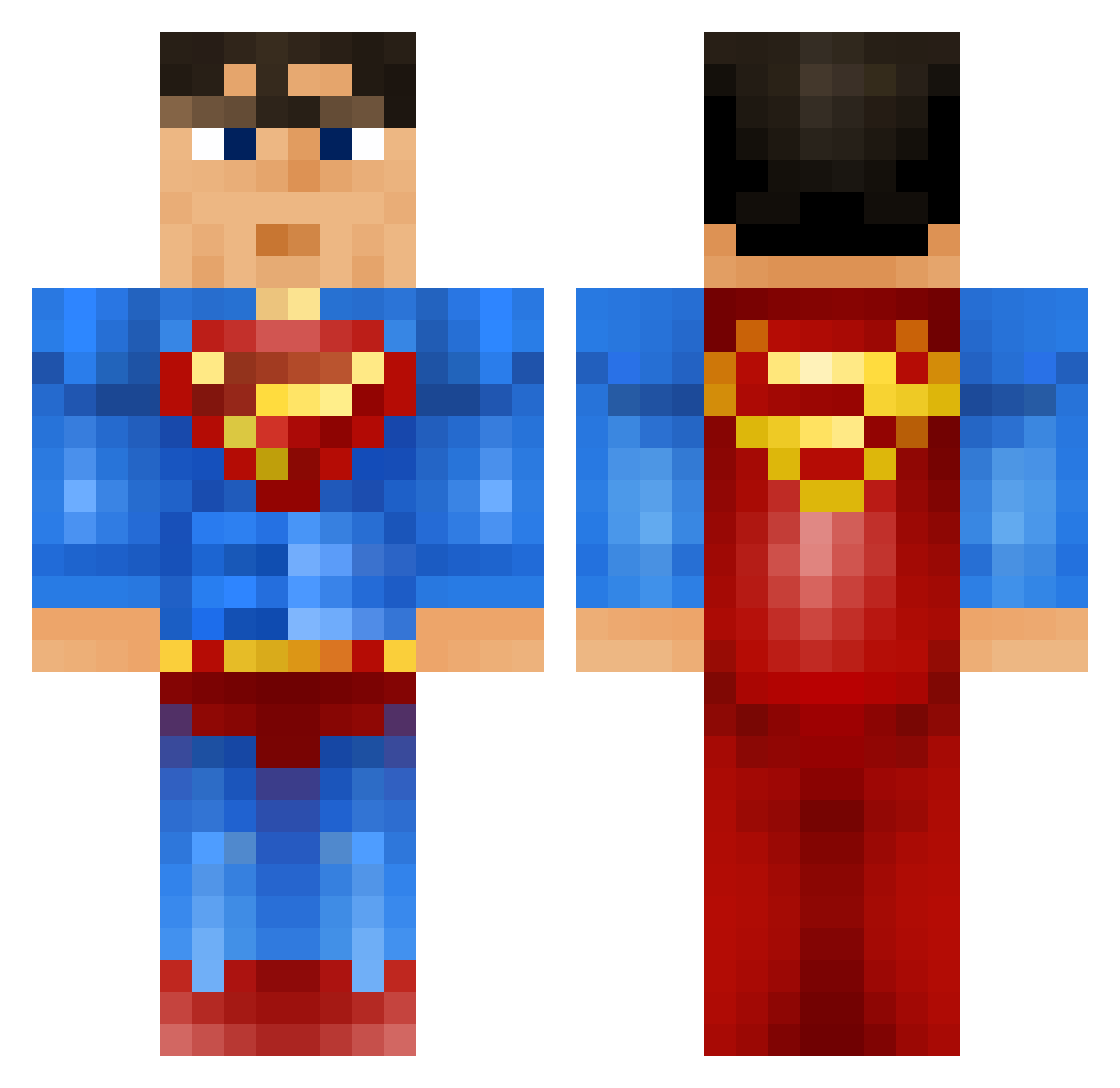
Current Minecraft skin of the player SkyZapper, loaded from the official Mojang API. Rotate the 3D model with your mouse or finger, then download the skin as a PNG file and use it in Minecraft: Bedrock Edition or Java Edition for free. When SkyZapper changes their skin, this page updates automatically and the old skin stays in the history below.
Other players with this skin (918)
SkyZapper was the 269th player we have seen with this skin, first spotted on 27.08.2026. The same skin was seen on these players. Open a nickname to see their current skin and skin history.
 zjosh5 EzKoning Frilansmongo Happyspiders123 D_love_J KongIsSoGay melvynio Mahulkp ghostcreeper_pro NoNo84600 Raul964 joman615 Zinner666 stein1206 StickyScorpion TheSorcererCode filiperafael Kul3Mickey VAAgina333 KylesTheBoss PJComer1 Arsonol ConstantRoaming ffrederik123 AymanB Hertkorn Frederiks10 warhead_x josh_conn5 MorokaHD nosw4dy krazeeminer lauvaasen177 risuguru ulrikhole supermig2000 bracefacematt Hadenize Superman34238 bluesensei Floundercat M4NOFSTEEL dodike _Ethanos_ norrit12354 altenmuenster xlxSUPERMANxlx louisminecraft42 ShinyEevee2011 slurcher MrAlberta killer_raulillo littledude001 Fantaculamaie callywally1307 gustavjoost TigerLilly71 Annihilator20 Jaquolini Raze_ATOMIC
More Superman Minecraft skins
How to install the SkyZapper skin
- Press the Download button above to save the skin as a PNG file.
- Minecraft: Bedrock Edition (PE): open the Dressing Room from the main menu (or tap your character → Edit Character), go to Classic Skins → Owned, press the + (new skin) button, choose the downloaded PNG and pick the Classic (Steve) model. Works on PC and mobile; consoles cannot import custom skins.
- Minecraft: Java Edition: open the Minecraft Launcher, go to the Skins tab, click New Skin, load the PNG, pick the Classic (Steve) model and press Save & Use. You can also upload it at minecraft.net → Profile → Change Skin.
The skin does not show up after import - what should I do?
Restart Minecraft and open the Dressing Room again - imported skins sometimes appear only after a restart. Also make sure you selected the imported skin and picked the Classic (Steve) model.
Which model should I choose, Classic or Slim?
This skin is designed for the Classic (Steve) model. If you pick the wrong model, the arms of the skin will look stretched or squeezed.
Is the skin of SkyZapper free to download?
Yes. Press Download, save the PNG file and use it in Minecraft: Bedrock Edition or Java Edition - no payment or registration needed. The skin also works on multiplayer servers and Realms.
More skins
Looking for more? Go back to all Minecraft skins and check the top skins of the week, month and all time, or find any player's skin by nickname.