
SkillfulSquidge - Minecraft Skins & Skin History
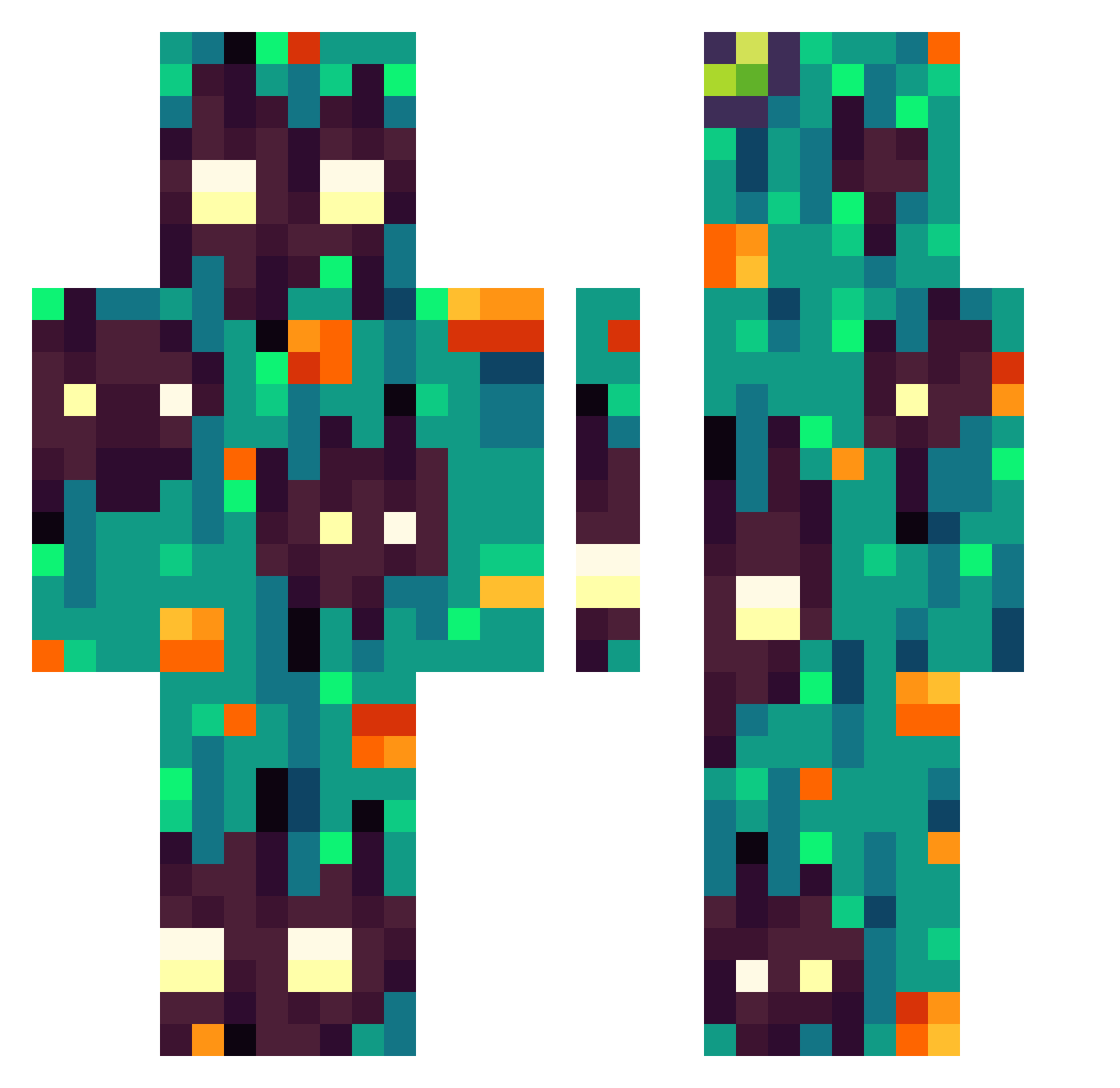
Current Minecraft skin of the player SkillfulSquidge, loaded from the official Mojang API. Rotate the 3D model with your mouse or finger, then download the skin as a PNG file and use it in Minecraft: Bedrock Edition or Java Edition for free. When SkillfulSquidge changes their skin, this page updates automatically and the old skin stays in the history below.
Other players with this skin (303)
SkillfulSquidge was the 10th player we have seen with this skin, first spotted on 24.07.2026. The same skin was seen on these players. Open a nickname to see their current skin and skin history.
 doojball Owen2022 DReinA08 FaticatZZ Buugug SixSquareFaces NOT_josh___ El_Skyze LittleTeaLeif Clarasaure straman1212 Spl3rge Lollo0630 Emilio_Antilao JackS1012 Cysto4k Chuchito14 Restab swordfire9012321 Dachille Benjvxminn karat61ru Lowityh APArmorer manuel1912 VaccBann Q115Q Vik_doing_things B4b3x idekwtd Enes5554 xxmaxim_ Kl4p thenewkiller
 bebus14 Alex83b GROOTSEED krlos25 adeahantargaryen Sungam005 xChabo Daxi10_20 CmDoggy DestinysHyper IANTENG12345 IBonkie GeorgieTlacuache Kusuu PericoGratis Werewolfnux1 TheHeadGay LightOfficial14 StitchEm PJNDZ FatedWolf12345 MindlessClamp36
 LadyPatar Tigerlilly2931 BloodyEthelVane TheAnn1ty
How to install the SkillfulSquidge skin
- Press the Download button above to save the skin as a PNG file.
- Minecraft: Bedrock Edition (PE): open the Dressing Room from the main menu (or tap your character → Edit Character), go to Classic Skins → Owned, press the + (new skin) button, choose the downloaded PNG and pick the Classic (Steve) model. Works on PC and mobile; consoles cannot import custom skins.
- Minecraft: Java Edition: open the Minecraft Launcher, go to the Skins tab, click New Skin, load the PNG, pick the Classic (Steve) model and press Save & Use. You can also upload it at minecraft.net → Profile → Change Skin.
The skin does not show up after import - what should I do?
Restart Minecraft and open the Dressing Room again - imported skins sometimes appear only after a restart. Also make sure you selected the imported skin and picked the Classic (Steve) model.
Which model should I choose, Classic or Slim?
This skin is designed for the Classic (Steve) model. If you pick the wrong model, the arms of the skin will look stretched or squeezed.
Is the skin of SkillfulSquidge free to download?
Yes. Press Download, save the PNG file and use it in Minecraft: Bedrock Edition or Java Edition - no payment or registration needed. The skin also works on multiplayer servers and Realms.
More skins
Looking for more? Go back to all Minecraft skins and check the top skins of the week, month and all time, or find any player's skin by nickname.