
Sivlock - Minecraft Skins & Skin History
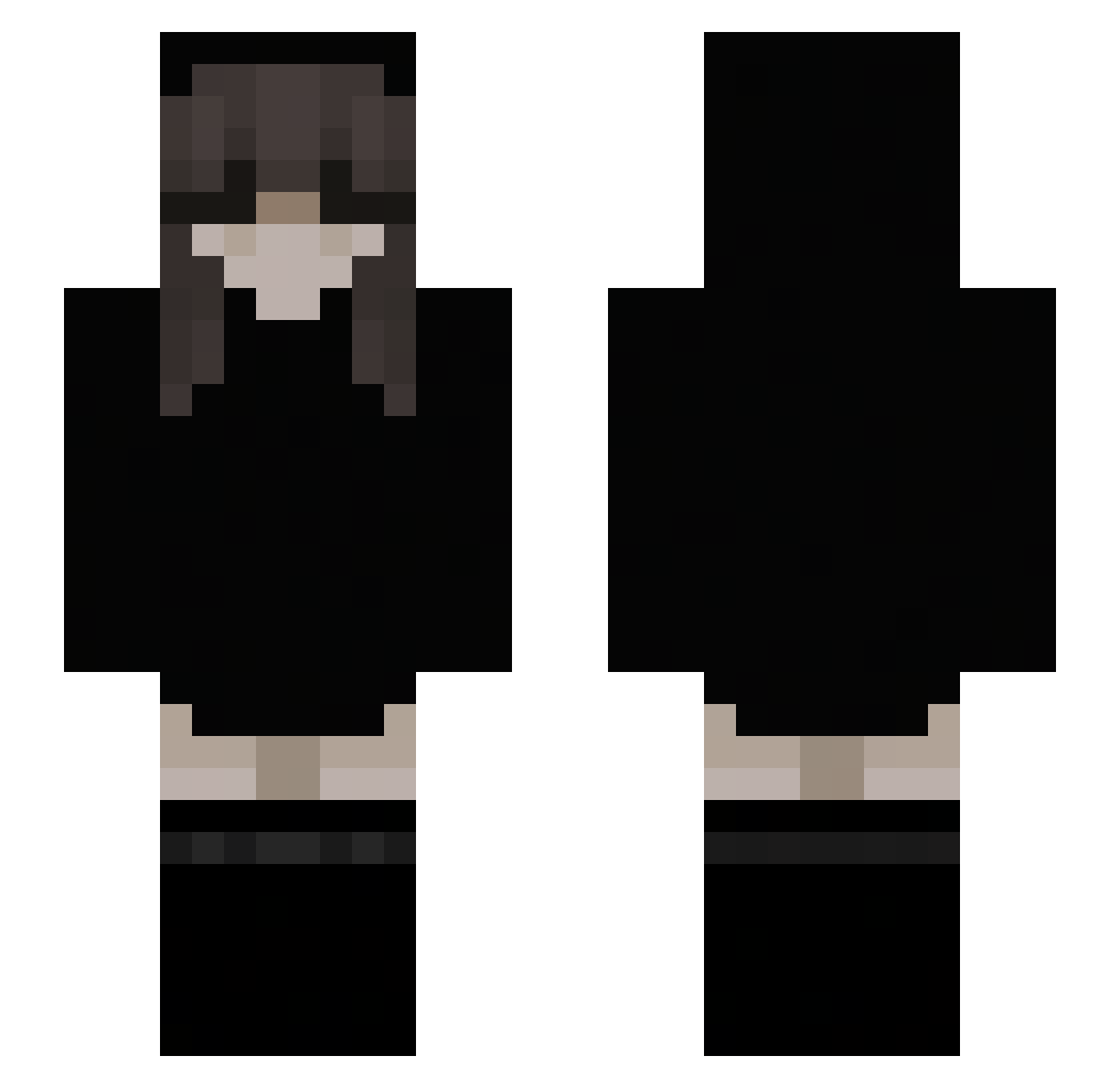
Current Minecraft skin of the player Sivlock, loaded from the official Mojang API. Rotate the 3D model with your mouse or finger, then download the skin as a PNG file and use it in Minecraft: Bedrock Edition or Java Edition for free. When Sivlock changes their skin, this page updates automatically and the old skin stays in the history below.
Other players with this skin (113)
Sivlock was the 84th player we have seen with this skin, first spotted on 08.10.2026. The same skin was seen on these players. Open a nickname to see their current skin and skin history.
 LONGLONLY anderpley2 KinziWinzy juanpa1241 SmaeHD YBN026 TharaKatie Schmerz1001 Cubanitho z9ogf jumka_PvP diablotin02 NeedlessMeerkat N_allen n1k0la7 BlatantErn ChenYuHao123 _Cindy_L Salvessia ExactlyEmi elllaaall AngelMoonx_ _notdee_ oberhaesslich kr1shal xD_IzGone carlssohn whitecatt_ ViolettaGaming Maymoon19 ItzRealGiang n1cxy Ashly17 Thanatos31 Psyh0fanka WillowWarmth LaskOoooo LanLian_ LittleQuidity fyroz77 olixchan LexiFarrow Hennah_011 Abusidin47 filipigm El_Chefee EtheraI xHepii KarenPage BloodDr1ft Kishatus 100HwaYang_ anotherpoco Sakio__ cubitito boy5467 KingAxorts Rybka_Ala kygiiii SkurkaOdOgurka
More Emo Minecraft skins
How to install the Sivlock skin
- Press the Download button above to save the skin as a PNG file.
- Minecraft: Bedrock Edition (PE): open the Dressing Room from the main menu (or tap your character → Edit Character), go to Classic Skins → Owned, press the + (new skin) button, choose the downloaded PNG and pick the Slim (Alex) model. Works on PC and mobile; consoles cannot import custom skins.
- Minecraft: Java Edition: open the Minecraft Launcher, go to the Skins tab, click New Skin, load the PNG, pick the Slim (Alex) model and press Save & Use. You can also upload it at minecraft.net → Profile → Change Skin.
The skin does not show up after import - what should I do?
Restart Minecraft and open the Dressing Room again - imported skins sometimes appear only after a restart. Also make sure you selected the imported skin and picked the Slim (Alex) model.
Which model should I choose, Classic or Slim?
This skin is designed for the Slim (Alex) model. If you pick the wrong model, the arms of the skin will look stretched or squeezed.
Is the skin of Sivlock free to download?
Yes. Press Download, save the PNG file and use it in Minecraft: Bedrock Edition or Java Edition - no payment or registration needed. The skin also works on multiplayer servers and Realms.
More skins
Looking for more? Go back to all Minecraft skins and check the top skins of the week, month and all time, or find any player's skin by nickname.