
Siuwon - Minecraft Skins & Skin History
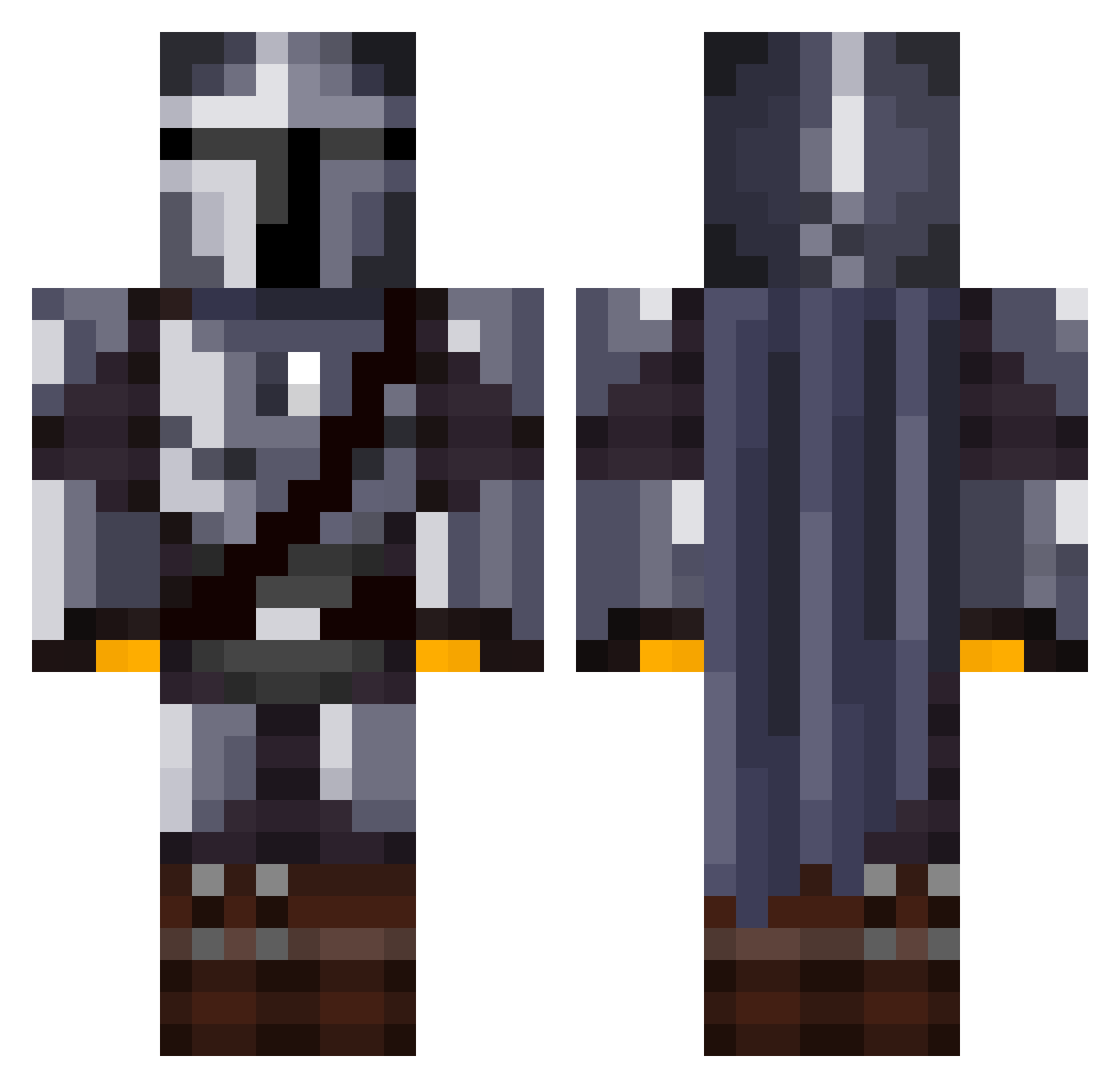
Current Minecraft skin of the player Siuwon, loaded from the official Mojang API. Rotate the 3D model with your mouse or finger, then download the skin as a PNG file and use it in Minecraft: Bedrock Edition or Java Edition for free. When Siuwon changes their skin, this page updates automatically and the old skin stays in the history below.
Other players with this skin (1372)
Siuwon was the 1320th player we have seen with this skin, first spotted on 06.11.2026. The same skin was seen on these players. Open a nickname to see their current skin and skin history.
 carlomit53 Epock10 AsgardCEO NetherHomie FG_Kimchi Mill_Fanta Enzo5245 TheGrid Proxvy CocoCrashers Dangit_Davis rinocerillo Algebrian 0biWanKen0by Itz_Trashuo AziHome Technoman27 LyzanderPlays Oxyth0tinn LeMouton777 TnDantay Sthoel RojoDojo Parazy Beans_Actual IceLion1 Jinjubei militaryman495 TheWindrunner22 Slacker126 Axade Jakebamford Floryyn1 graystar3 Manif0x Data36 Big_Iron23 Thalatos djundje Stinks428 b1ljer Techno_Raptor lx_ren FoulSpud Der_Gauner Salamancer77 Plodude_ Berndts0n Trekkivansjekkie alimen19 De_Meatball sufithedestroyer remouladeee John_1028 mrtwinkieman HughyBear_ Alucard932 djcolorscomics joelethal Richthor
More The Mandalorian Minecraft skins
See all 647 The Mandalorian skins
How to install the Siuwon skin
- Press the Download button above to save the skin as a PNG file.
- Minecraft: Bedrock Edition (PE): open the Dressing Room from the main menu (or tap your character → Edit Character), go to Classic Skins → Owned, press the + (new skin) button, choose the downloaded PNG and pick the Classic (Steve) model. Works on PC and mobile; consoles cannot import custom skins.
- Minecraft: Java Edition: open the Minecraft Launcher, go to the Skins tab, click New Skin, load the PNG, pick the Classic (Steve) model and press Save & Use. You can also upload it at minecraft.net → Profile → Change Skin.
The skin does not show up after import - what should I do?
Restart Minecraft and open the Dressing Room again - imported skins sometimes appear only after a restart. Also make sure you selected the imported skin and picked the Classic (Steve) model.
Which model should I choose, Classic or Slim?
This skin is designed for the Classic (Steve) model. If you pick the wrong model, the arms of the skin will look stretched or squeezed.
Is the skin of Siuwon free to download?
Yes. Press Download, save the PNG file and use it in Minecraft: Bedrock Edition or Java Edition - no payment or registration needed. The skin also works on multiplayer servers and Realms.
More skins
Looking for more? Go back to all Minecraft skins and check the top skins of the week, month and all time, or find any player's skin by nickname.