
Sirius92 - Minecraft Skins & Skin History
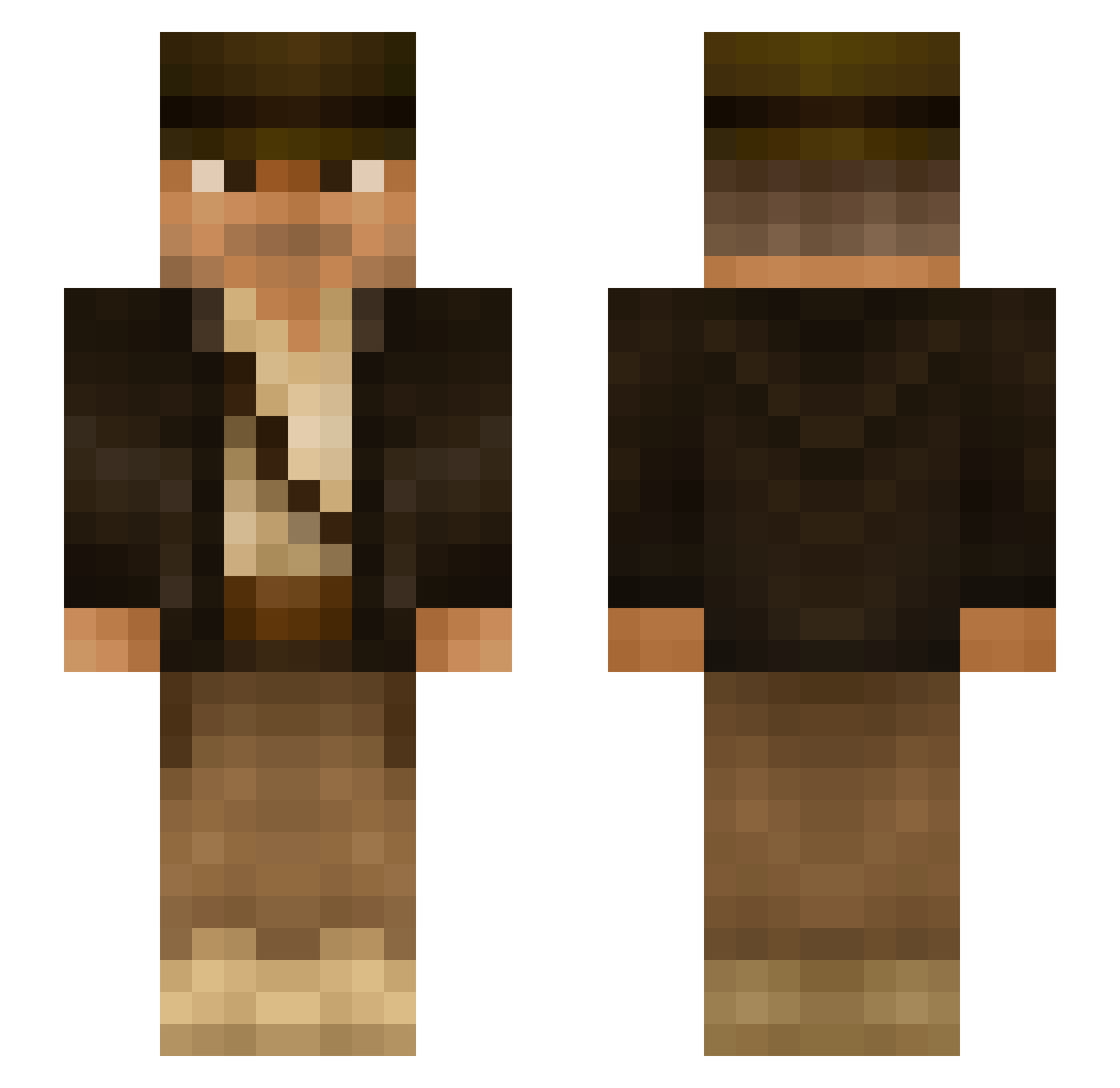
Current Minecraft skin of the player Sirius92, loaded from the official Mojang API. Rotate the 3D model with your mouse or finger, then download the skin as a PNG file and use it in Minecraft: Bedrock Edition or Java Edition for free. When Sirius92 changes their skin, this page updates automatically and the old skin stays in the history below.
Other players with this skin (291)
Sirius92 was the 232nd player we have seen with this skin, first spotted on 15.10.2026. The same skin was seen on these players. Open a nickname to see their current skin and skin history.
 yolooskar kingfeds CoChief mattfromeurope Charlyee Wilko1025 FlashTVR shelo66 lemwalker ViiLLaTRiiNii cucknadia TheHOUSEofPAIN VedgieMaaan liefbombard tcoco1 Exorious PLANETaXis llanowarelf77 jedemdo NightCrafterHD NIhzzz IntelXeon01 Bodenko LittleChewwy chestont R1CKY96 DelayLamer Rumple4skin78 Journeying Vyzriel GdeGabo SiPi05 WTM007 fsdecarli qibli18 CoachCoach _WadoVice_ pragotron uncompiled lgdmarcelo K4MyK_ NiblaBoy MorganDbeast06 eddiecraft111 Crashman37 Lonewolf2905 BeamReach supernurders Good__4U b4gu4l Milkbottle_ LAST9390 Brickleberry AlbinoBenito Markkus351 Hesj UltraGT_ OrionRaycraft DerSeppl Silent_Sentry
More Indiana Jones Minecraft skins
See all 80 Indiana Jones skins
How to install the Sirius92 skin
- Press the Download button above to save the skin as a PNG file.
- Minecraft: Bedrock Edition (PE): open the Dressing Room from the main menu (or tap your character → Edit Character), go to Classic Skins → Owned, press the + (new skin) button, choose the downloaded PNG and pick the Slim (Alex) model. Works on PC and mobile; consoles cannot import custom skins.
- Minecraft: Java Edition: open the Minecraft Launcher, go to the Skins tab, click New Skin, load the PNG, pick the Slim (Alex) model and press Save & Use. You can also upload it at minecraft.net → Profile → Change Skin.
The skin does not show up after import - what should I do?
Restart Minecraft and open the Dressing Room again - imported skins sometimes appear only after a restart. Also make sure you selected the imported skin and picked the Slim (Alex) model.
Which model should I choose, Classic or Slim?
This skin is designed for the Slim (Alex) model. If you pick the wrong model, the arms of the skin will look stretched or squeezed.
Is the skin of Sirius92 free to download?
Yes. Press Download, save the PNG file and use it in Minecraft: Bedrock Edition or Java Edition - no payment or registration needed. The skin also works on multiplayer servers and Realms.
More skins
Looking for more? Go back to all Minecraft skins and check the top skins of the week, month and all time, or find any player's skin by nickname.