
Sir_Bill_Downie - Minecraft Skins & Skin History
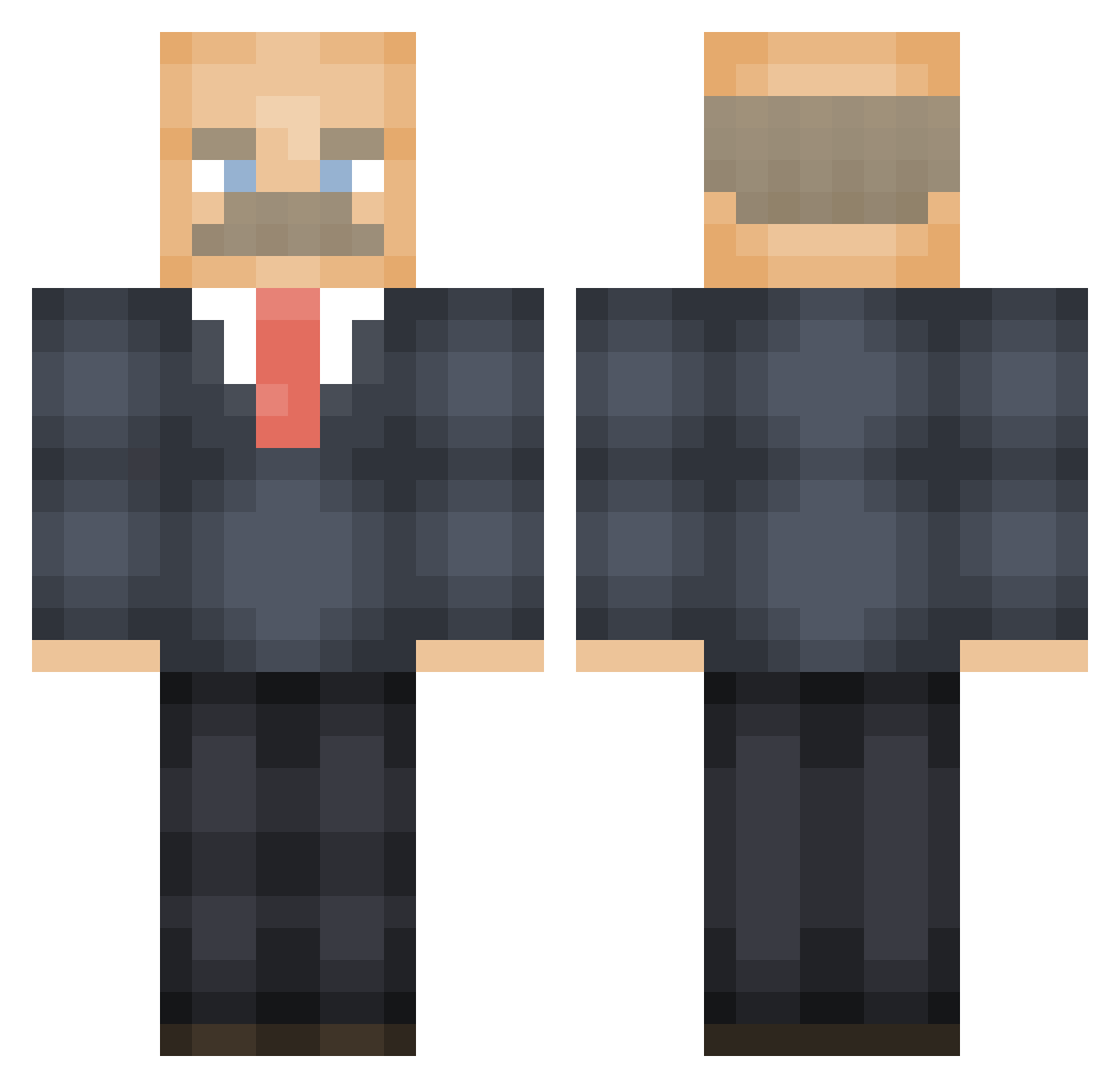
Current Minecraft skin of the player Sir_Bill_Downie, loaded from the official Mojang API. Rotate the 3D model with your mouse or finger, then download the skin as a PNG file and use it in Minecraft: Bedrock Edition or Java Edition for free. When Sir_Bill_Downie changes their skin, this page updates automatically and the old skin stays in the history below.
Other players with this skin (474)
Sir_Bill_Downie was the 428th player we have seen with this skin, first spotted on 20.10.2026. The same skin was seen on these players. Open a nickname to see their current skin and skin history.
 heemy1 Shlapppy DuelistsClaw Myla_Eats_Ass FreeSamplesMan robkoolaid2 MrRufflez ElonCrust23 chroliss clairebear240 PonosLord Blimcio 12Green_Giant12 T_u_e_s_d_a_y_s Matt_Saucy4real oOLil_BucketOo jjalsop Siblits Shooti25 Dr_Ian_Mantis Sjalana Manufactur1811 LeTito Shadyynasty Scuttlebuttle DrCones IanClark DrtyLittleSecret sacc_attacc LaBamiSchijf Jacob251997 RobbyRu D3vinci Im_DrPhil ROO_SSM gergandale Sofonos karaaii Konthommel freddster97 TigasNgUlo al3xZz02 Strangedanger81 Tussi_vedelik COLGATE_MAN_DAN retrobto Palladiosaur48 Lun0_ pupsaed Fulkewolfe gegenRadler69 Blacktrick24 quoipardon zvi13 Dismember1976 TheP00nSlayer69 K0nggg Drihten AndyLovesPistols Bingobean
More Vladimir Lenin Minecraft skins
See all 38 Vladimir Lenin skins
How to install the Sir_Bill_Downie skin
- Press the Download button above to save the skin as a PNG file.
- Minecraft: Bedrock Edition (PE): open the Dressing Room from the main menu (or tap your character → Edit Character), go to Classic Skins → Owned, press the + (new skin) button, choose the downloaded PNG and pick the Classic (Steve) model. Works on PC and mobile; consoles cannot import custom skins.
- Minecraft: Java Edition: open the Minecraft Launcher, go to the Skins tab, click New Skin, load the PNG, pick the Classic (Steve) model and press Save & Use. You can also upload it at minecraft.net → Profile → Change Skin.
The skin does not show up after import - what should I do?
Restart Minecraft and open the Dressing Room again - imported skins sometimes appear only after a restart. Also make sure you selected the imported skin and picked the Classic (Steve) model.
Which model should I choose, Classic or Slim?
This skin is designed for the Classic (Steve) model. If you pick the wrong model, the arms of the skin will look stretched or squeezed.
Is the skin of Sir_Bill_Downie free to download?
Yes. Press Download, save the PNG file and use it in Minecraft: Bedrock Edition or Java Edition - no payment or registration needed. The skin also works on multiplayer servers and Realms.
More skins
Looking for more? Go back to all Minecraft skins and check the top skins of the week, month and all time, or find any player's skin by nickname.