
SirIce11 - Minecraft Skins & Skin History
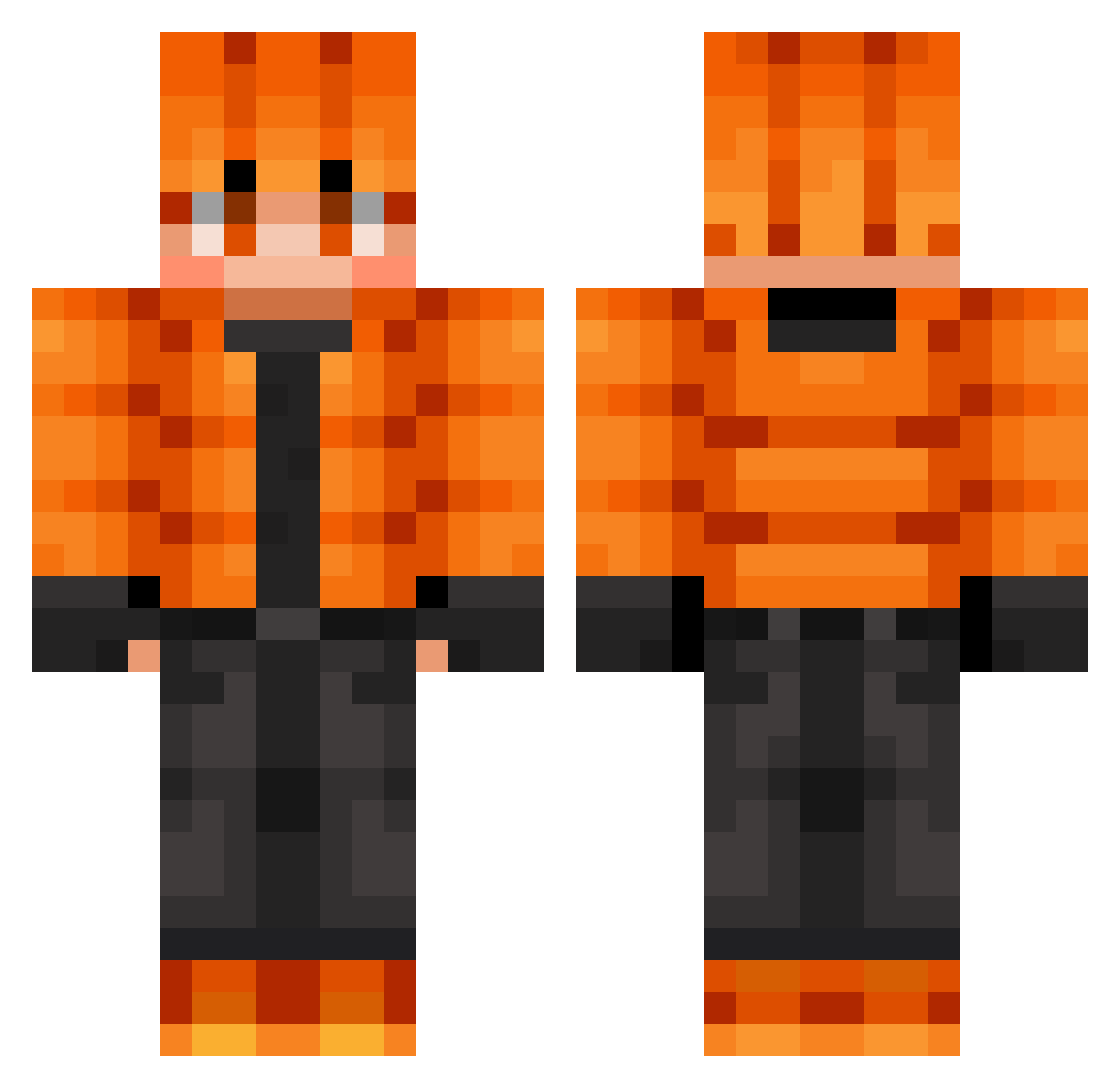
Current Minecraft skin of the player SirIce11, loaded from the official Mojang API. Rotate the 3D model with your mouse or finger, then download the skin as a PNG file and use it in Minecraft: Bedrock Edition or Java Edition for free. When SirIce11 changes their skin, this page updates automatically and the old skin stays in the history below.
Other players with this skin (722)
SirIce11 was the 192nd player we have seen with this skin, first spotted on 25.08.2026. The same skin was seen on these players. Open a nickname to see their current skin and skin history.
 leonardo75099
 NegroLynox SuperDonkey04 Calichekid Tadek369 LightningGod235 Kgpapa dreadmasterboa Spydragon14
 TEYANDEI Karannnnnn killercam08 Cale_salad06 Cserba99 unlightblue Benjamin1290 Zikreddin Frozne SinusAlarm78322 Jack_2704
 SdarkSoulS RedReaper101 adrians_all_that PizzaStiff RUKA0117 LilLunis Behrocha hacker20177 IrishFloyds gjnyrew IronDesai DuckSG truejoker7 SirMonkeySuit94 1uis07 mayonnaise1914 MikyDev bakerbaki JOePepp maxwell13211 ACEoe Dead_Man006 Koukun1202 patbube po9anka kante99 Tscheckercrecker C_Rager22
 bartbakyt SigmaXLink CherryYuki Baumeister_J
 Dirty_Person shvortex 3XXXXXSAWAIXXXXX ASM0D3USX CreativeWarrior5 Dunkin30 IFIR Evankirby34
How to install the SirIce11 skin
- Press the Download button above to save the skin as a PNG file.
- Minecraft: Bedrock Edition (PE): open the Dressing Room from the main menu (or tap your character → Edit Character), go to Classic Skins → Owned, press the + (new skin) button, choose the downloaded PNG and pick the Classic (Steve) model. Works on PC and mobile; consoles cannot import custom skins.
- Minecraft: Java Edition: open the Minecraft Launcher, go to the Skins tab, click New Skin, load the PNG, pick the Classic (Steve) model and press Save & Use. You can also upload it at minecraft.net → Profile → Change Skin.
The skin does not show up after import - what should I do?
Restart Minecraft and open the Dressing Room again - imported skins sometimes appear only after a restart. Also make sure you selected the imported skin and picked the Classic (Steve) model.
Which model should I choose, Classic or Slim?
This skin is designed for the Classic (Steve) model. If you pick the wrong model, the arms of the skin will look stretched or squeezed.
Is the skin of SirIce11 free to download?
Yes. Press Download, save the PNG file and use it in Minecraft: Bedrock Edition or Java Edition - no payment or registration needed. The skin also works on multiplayer servers and Realms.
More skins
Looking for more? Go back to all Minecraft skins and check the top skins of the week, month and all time, or find any player's skin by nickname.