
SirFlyz - Minecraft Skins & Skin History
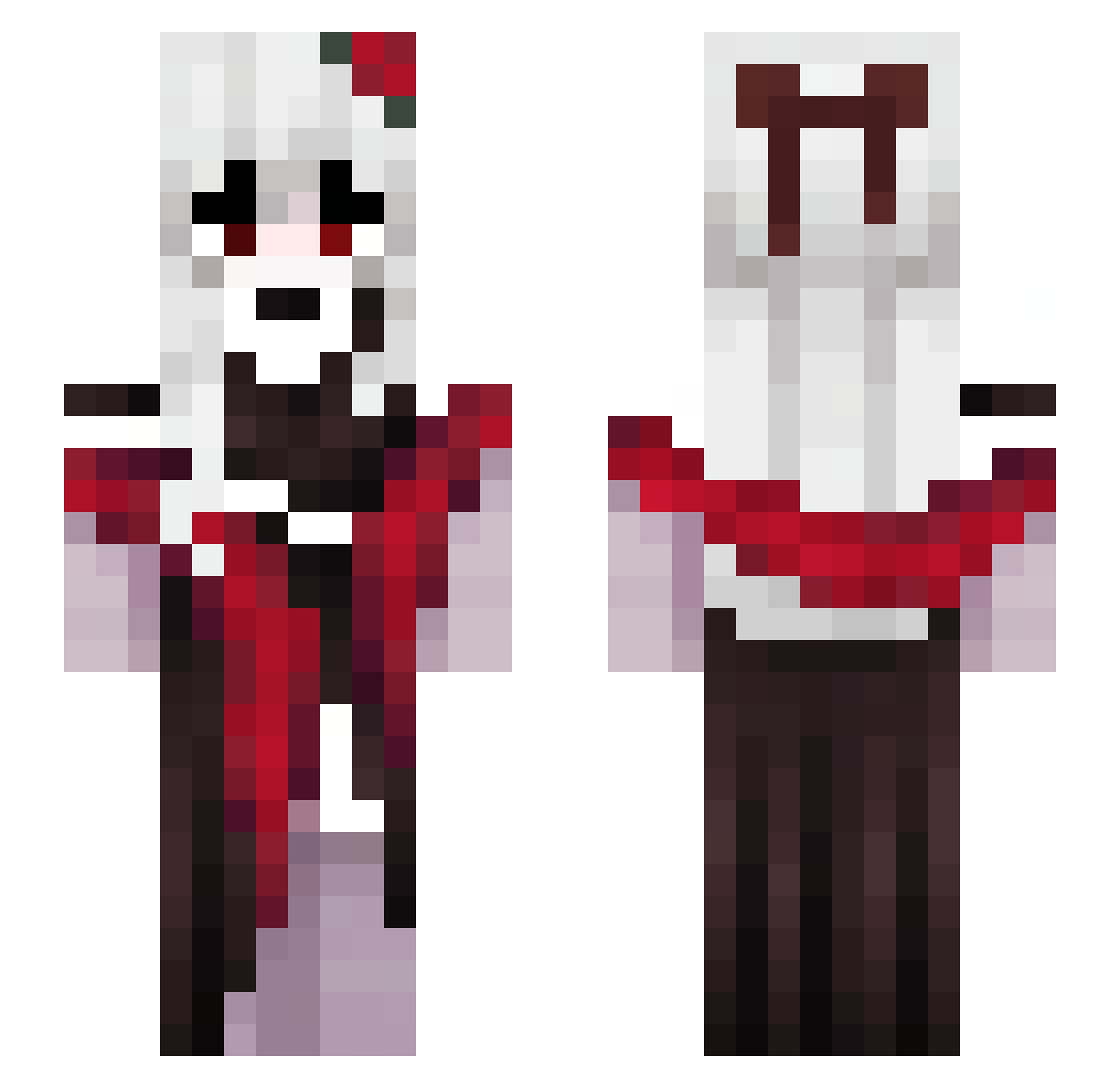
Current Minecraft skin of the player SirFlyz, loaded from the official Mojang API. Rotate the 3D model with your mouse or finger, then download the skin as a PNG file and use it in Minecraft: Bedrock Edition or Java Edition for free. When SirFlyz changes their skin, this page updates automatically and the old skin stays in the history below.
Other players with this skin (157)
SirFlyz was the 131st player we have seen with this skin, first spotted on 27.10.2026. The same skin was seen on these players. Open a nickname to see their current skin and skin history.
 Seneea Hexahlia Maougi LuckyKooK Theredorfin Neroo____ czokal Zensuko RavenTsukuyomi Y_ikL Azure1679 scarecrown0 Nope7127 Xiaojia721142 ssung_ee TiagoRichh Not_ClickBait69 Lello_NinHo SnaxG2 Sunitesaduf anaisfaex Daisy95100 SkyArchangel21 Vex230 lizzaxz ignorantia ganesuno ivyyyyyyyyyyyyyy desely Yuuki1k Papamobilexe Mao__R houkkai DemoniasMagnolia Kizucat interactA RikaTheMagpie Shyshashou kei2a CemAlperAga HaloReach252 tima_toma esfriou AliceHikaru iShirayuki GGCSN fuzzRabbit even128 arlequin33 Kayle_e odws BerDauPhong Aruna_lakeulasya SNstrike Sora_TW_ alivriada li9877 maramahg zhang_lingyu lightning38088
More Vampire Minecraft skins
How to install the SirFlyz skin
- Press the Download button above to save the skin as a PNG file.
- Minecraft: Bedrock Edition (PE): open the Dressing Room from the main menu (or tap your character → Edit Character), go to Classic Skins → Owned, press the + (new skin) button, choose the downloaded PNG and pick the Slim (Alex) model. Works on PC and mobile; consoles cannot import custom skins.
- Minecraft: Java Edition: open the Minecraft Launcher, go to the Skins tab, click New Skin, load the PNG, pick the Slim (Alex) model and press Save & Use. You can also upload it at minecraft.net → Profile → Change Skin.
The skin does not show up after import - what should I do?
Restart Minecraft and open the Dressing Room again - imported skins sometimes appear only after a restart. Also make sure you selected the imported skin and picked the Slim (Alex) model.
Which model should I choose, Classic or Slim?
This skin is designed for the Slim (Alex) model. If you pick the wrong model, the arms of the skin will look stretched or squeezed.
Is the skin of SirFlyz free to download?
Yes. Press Download, save the PNG file and use it in Minecraft: Bedrock Edition or Java Edition - no payment or registration needed. The skin also works on multiplayer servers and Realms.
More skins
Looking for more? Go back to all Minecraft skins and check the top skins of the week, month and all time, or find any player's skin by nickname.