
Sinergy10 - Minecraft Skins & Skin History
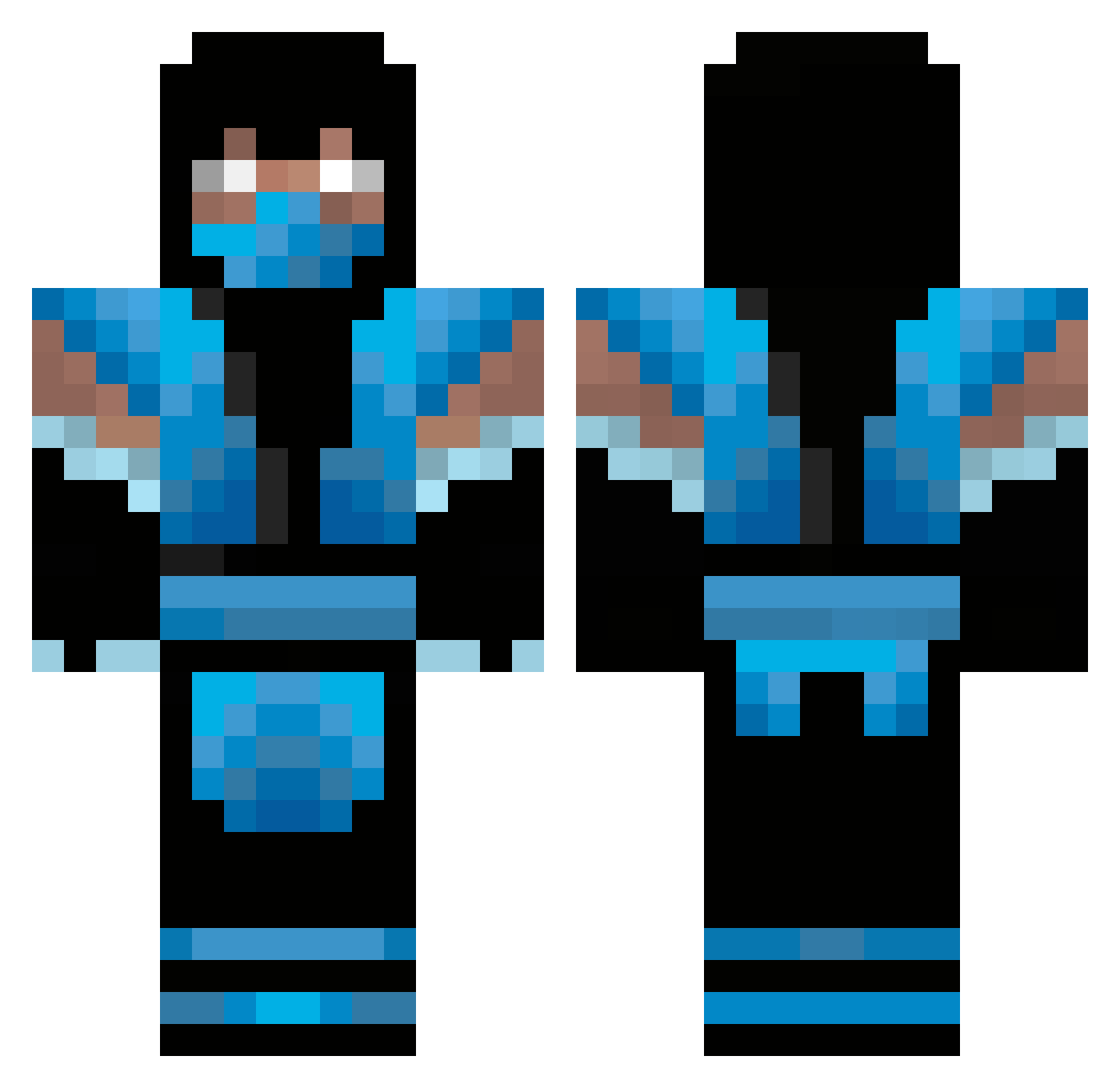
Current Minecraft skin of the player Sinergy10, loaded from the official Mojang API. Rotate the 3D model with your mouse or finger, then download the skin as a PNG file and use it in Minecraft: Bedrock Edition or Java Edition for free. When Sinergy10 changes their skin, this page updates automatically and the old skin stays in the history below.
Other players with this skin (477)
Sinergy10 was the 342nd player we have seen with this skin, first spotted on 19.10.2026. The same skin was seen on these players. Open a nickname to see their current skin and skin history.
 madmen421 Lawson22 Blazerdcs DJCruz671 MonstersAlt12 Xx_roddo_xX poketalker156 HitMeInMyFace hydro_15 SkZParis Asterior DarkSpartan0093 LMFAO_SCRUBS Gercik Heiko2004 AP_FadeZ BrutalPeter Cre8tivDude blinx454 Rikaru536 Bradc hair123 Re1easE_ Cruzieboy96 DyingSheep1213 TubbyTastic WayfaringRogue death2000 Xsteveo1 grupo204 Mrdbm cormackav12 bammix99 InsaneVizard PowerSimmy f16lucas _Snazza_ ugotlucky93 skrotor Professor_Chaos_ 301VLONETHUG zombie90999 ScreamingZombieZ dga4life brokenvengeance rheostat bustedknuckle Lethalz81 NonOfThat ziheng99 ninjademe gabekp06 PounceBounce Chamorro123 THChase kellett12 Franklin1634 peachfkntea Sagerch andrewv555
More Sub-Zero Minecraft skins
How to install the Sinergy10 skin
- Press the Download button above to save the skin as a PNG file.
- Minecraft: Bedrock Edition (PE): open the Dressing Room from the main menu (or tap your character → Edit Character), go to Classic Skins → Owned, press the + (new skin) button, choose the downloaded PNG and pick the Classic (Steve) model. Works on PC and mobile; consoles cannot import custom skins.
- Minecraft: Java Edition: open the Minecraft Launcher, go to the Skins tab, click New Skin, load the PNG, pick the Classic (Steve) model and press Save & Use. You can also upload it at minecraft.net → Profile → Change Skin.
The skin does not show up after import - what should I do?
Restart Minecraft and open the Dressing Room again - imported skins sometimes appear only after a restart. Also make sure you selected the imported skin and picked the Classic (Steve) model.
Which model should I choose, Classic or Slim?
This skin is designed for the Classic (Steve) model. If you pick the wrong model, the arms of the skin will look stretched or squeezed.
Is the skin of Sinergy10 free to download?
Yes. Press Download, save the PNG file and use it in Minecraft: Bedrock Edition or Java Edition - no payment or registration needed. The skin also works on multiplayer servers and Realms.
More skins
Looking for more? Go back to all Minecraft skins and check the top skins of the week, month and all time, or find any player's skin by nickname.