
Simjukier2 - Minecraft Skins & Skin History
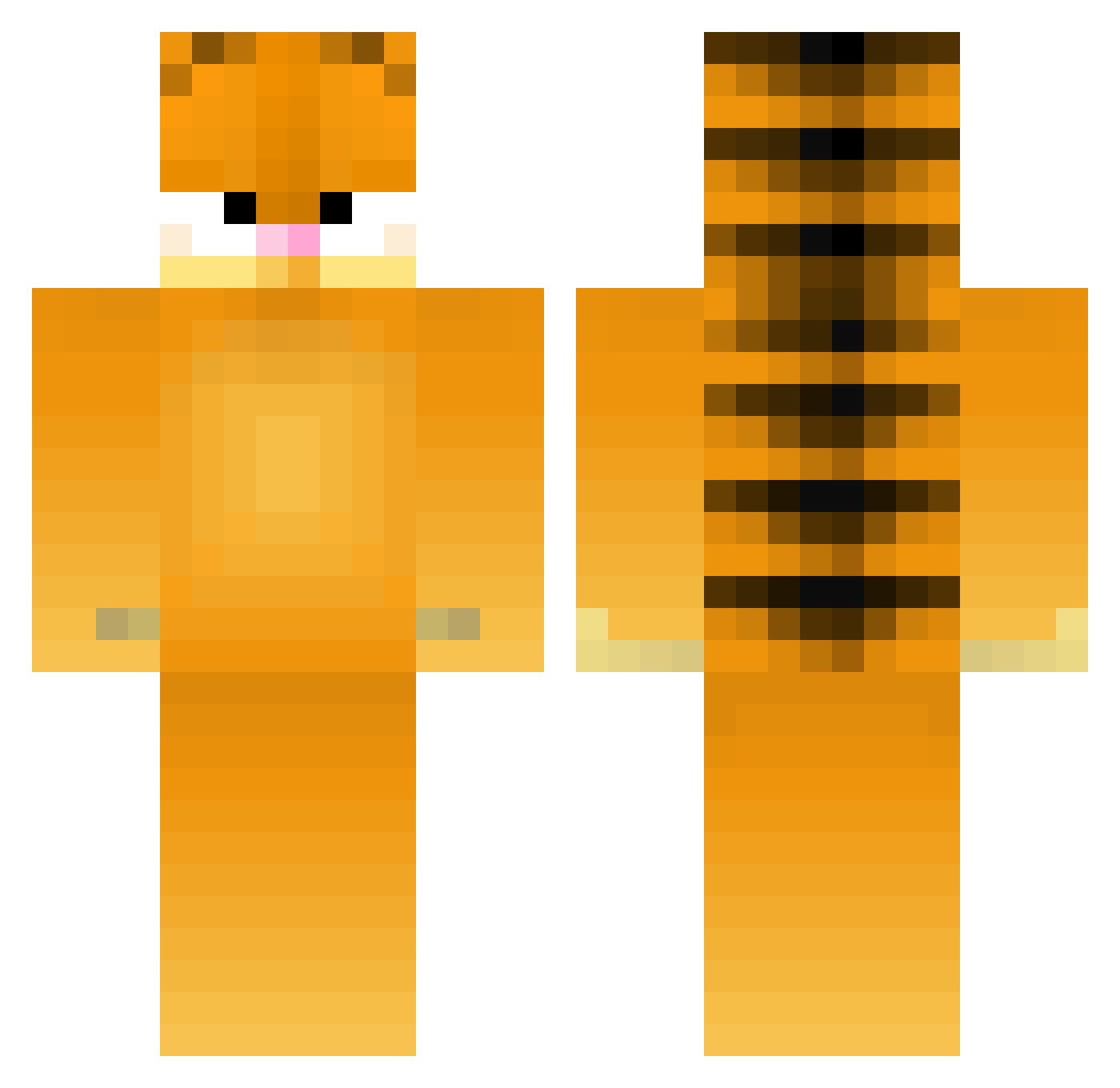
Current Minecraft skin of the player Simjukier2, loaded from the official Mojang API. Rotate the 3D model with your mouse or finger, then download the skin as a PNG file and use it in Minecraft: Bedrock Edition or Java Edition for free. When Simjukier2 changes their skin, this page updates automatically and the old skin stays in the history below.
Other players with this skin (372)
Simjukier2 was the 248th player we have seen with this skin, first spotted on 02.10.2026. The same skin was seen on these players. Open a nickname to see their current skin and skin history.
 kellykol3 HeartofBeast northstar3505 Blathers2749 DEADPIG235 EHLDEE Gainser LivMcNa Kaitakatt Coady06 Garfield8476 ElConio76 rucui ACE0SAURUS Cryptiiic maverik29 Tiger_Esports Gamblorino Pixxel08 Debrar 42unc SalutationsX3 gubbins5 milzaaa boogercheese hyliday XeDes cheesywot5it5 annak04 needatictac Melody5_ LadyDH emsgolden killur27 m0nkey_sl4yer RedLavaLamp miraculously charpvin TolerableRobert amselindistress beelovesgarf Zzzzzss KoolDaniel ThePanther180394 KendoSlice Ohrayal Chvz_ HoneyBagder2047 Grimeee bigdaddypansy hawr24 MrsMiami JJSthegamer Natty014 Kompressa Garfieldlasagn4 awesome2400 N64ounce JaymannJay frogya
More Garfield Minecraft skins
How to install the Simjukier2 skin
- Press the Download button above to save the skin as a PNG file.
- Minecraft: Bedrock Edition (PE): open the Dressing Room from the main menu (or tap your character → Edit Character), go to Classic Skins → Owned, press the + (new skin) button, choose the downloaded PNG and pick the Classic (Steve) model. Works on PC and mobile; consoles cannot import custom skins.
- Minecraft: Java Edition: open the Minecraft Launcher, go to the Skins tab, click New Skin, load the PNG, pick the Classic (Steve) model and press Save & Use. You can also upload it at minecraft.net → Profile → Change Skin.
The skin does not show up after import - what should I do?
Restart Minecraft and open the Dressing Room again - imported skins sometimes appear only after a restart. Also make sure you selected the imported skin and picked the Classic (Steve) model.
Which model should I choose, Classic or Slim?
This skin is designed for the Classic (Steve) model. If you pick the wrong model, the arms of the skin will look stretched or squeezed.
Is the skin of Simjukier2 free to download?
Yes. Press Download, save the PNG file and use it in Minecraft: Bedrock Edition or Java Edition - no payment or registration needed. The skin also works on multiplayer servers and Realms.
More skins
Looking for more? Go back to all Minecraft skins and check the top skins of the week, month and all time, or find any player's skin by nickname.