
Sillyman5566 - Minecraft Skins & Skin History
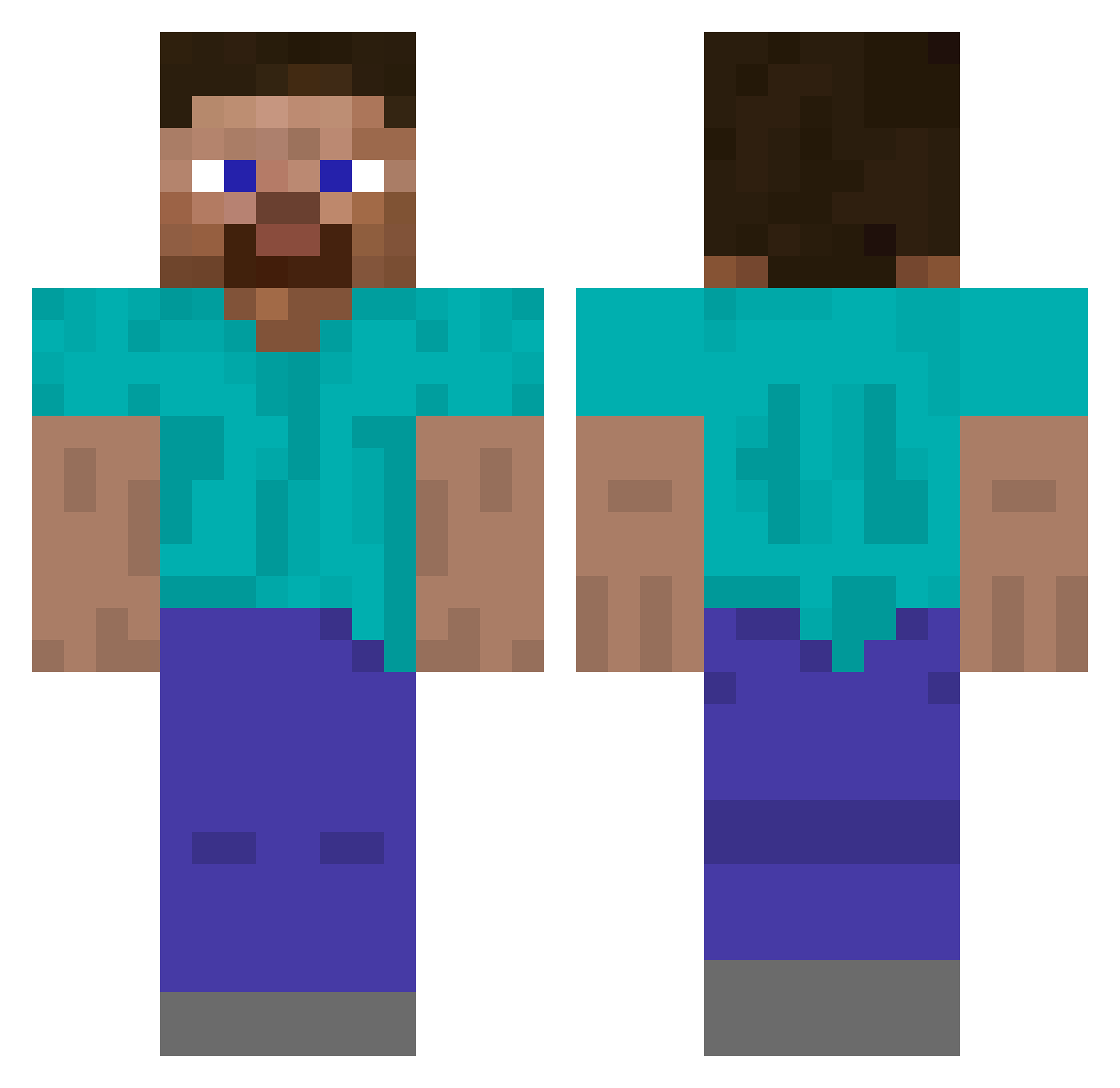
Current Minecraft skin of the player Sillyman5566, loaded from the official Mojang API. Rotate the 3D model with your mouse or finger, then download the skin as a PNG file and use it in Minecraft: Bedrock Edition or Java Edition for free. When Sillyman5566 changes their skin, this page updates automatically and the old skin stays in the history below.
Other players with this skin (488)
Sillyman5566 was the 368th player we have seen with this skin, first spotted on 11.10.2026. The same skin was seen on these players. Open a nickname to see their current skin and skin history.
 IsaTKM __malloc CallMeFortex Willyweb0 67brandon HAMSTERCHIEF101 lywu26 ernesto713 theEli5000 flathead_gaming Overload855 Thoi epoqv pozzitiv4eg deogichiraq Kerekgyarto_2011 Anomoless HerbalInfusion 22playtime Yeoboseyoo Oliwwer Minh69 Iskabokavich DogeBoi3544 Oqla 123book jaquaviontavi0n EnvyWTH ConmanConman4567 okiewaka Maniac23 bluescorpion10 SolarSolSoul luggi_luggo LDSnotLSD FeatherBroom lofi_account 4ai_ cloudzinhah MR__MANGO__XD Kiltinaction ChequerRed Thats_tough_lma0 mebessea Guinbang BTfroese vissers24 DefensiveDogeee Ceedea Zhangtu Armandin12 saidburger GeoNavi Obstbecher mattize14 LumaHoosk XAdlendy0 Ghetaris Senzable WesMan0224
How to install the Sillyman5566 skin
- Press the Download button above to save the skin as a PNG file.
- Minecraft: Bedrock Edition (PE): open the Dressing Room from the main menu (or tap your character → Edit Character), go to Classic Skins → Owned, press the + (new skin) button, choose the downloaded PNG and pick the Classic (Steve) model. Works on PC and mobile; consoles cannot import custom skins.
- Minecraft: Java Edition: open the Minecraft Launcher, go to the Skins tab, click New Skin, load the PNG, pick the Classic (Steve) model and press Save & Use. You can also upload it at minecraft.net → Profile → Change Skin.
The skin does not show up after import - what should I do?
Restart Minecraft and open the Dressing Room again - imported skins sometimes appear only after a restart. Also make sure you selected the imported skin and picked the Classic (Steve) model.
Which model should I choose, Classic or Slim?
This skin is designed for the Classic (Steve) model. If you pick the wrong model, the arms of the skin will look stretched or squeezed.
Is the skin of Sillyman5566 free to download?
Yes. Press Download, save the PNG file and use it in Minecraft: Bedrock Edition or Java Edition - no payment or registration needed. The skin also works on multiplayer servers and Realms.
More skins
Looking for more? Go back to all Minecraft skins and check the top skins of the week, month and all time, or find any player's skin by nickname.