
Silberbesteck - Minecraft Skins & Skin History
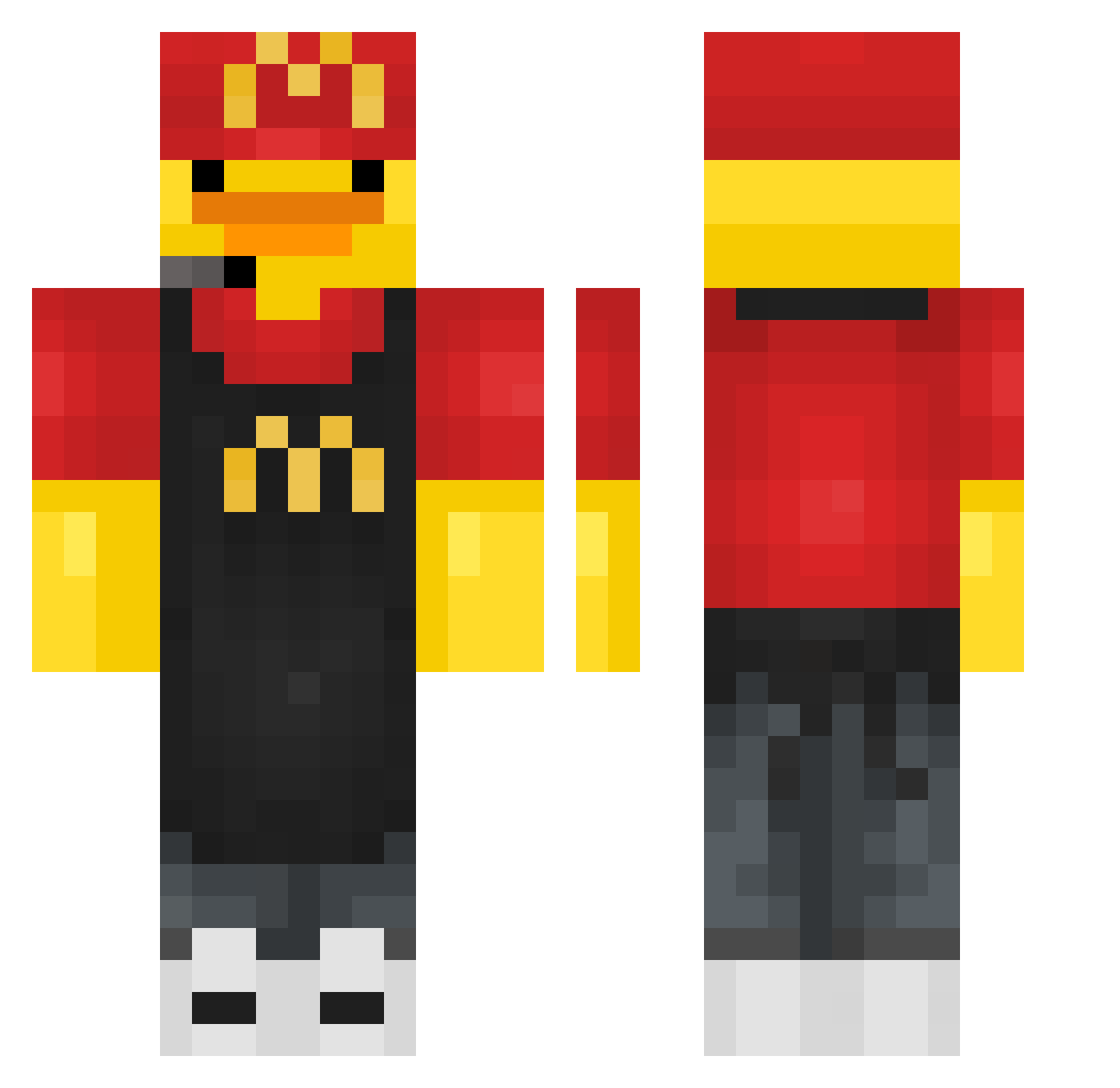
Current Minecraft skin of the player Silberbesteck, loaded from the official Mojang API. Rotate the 3D model with your mouse or finger, then download the skin as a PNG file and use it in Minecraft: Bedrock Edition or Java Edition for free. When Silberbesteck changes their skin, this page updates automatically and the old skin stays in the history below.
Other players with this skin (432)
Silberbesteck was the 369th player we have seen with this skin, first spotted on 21.10.2026. The same skin was seen on these players. Open a nickname to see their current skin and skin history.
 Deepsaury_ gr8toknow Sazkun kamson2023 Pro_ish LedayTK Zecto12 Luciferr_95 Scamplay xzryxn zhangjiajie49 TheMiricard yeeyeesoo hyungiee daniedabomsch White_Chocolat33 TotallyNotErin Simon_2020 rhinocake rbxs Benthor258 svmmxr Papaocchi MikoWy14 CAI822 sipielcrack xikelaile Andy_is_1000IQ SamirSpider maxi220106 isabella_0008 ichzucrazy14 darkshark031212 Kixd2345 PICADYO Chocolate_Droppa Gio45678 Orangeziscool KeepingTable438 imachudboy ppman360420 Y1gro annuus123 Warden68 chuy1988 brayan213 AlbaniaDuck Gajfn KvngShoSho 228468 Deszczon googledockey jaJn_ DongHyeon17 Entker maatftw augusnini kaelpiggypro DuckBoy0623 Pan__Kaczka
More Fast Food Worker Minecraft skins
See all 389 Fast Food Worker skins
How to install the Silberbesteck skin
- Press the Download button above to save the skin as a PNG file.
- Minecraft: Bedrock Edition (PE): open the Dressing Room from the main menu (or tap your character → Edit Character), go to Classic Skins → Owned, press the + (new skin) button, choose the downloaded PNG and pick the Classic (Steve) model. Works on PC and mobile; consoles cannot import custom skins.
- Minecraft: Java Edition: open the Minecraft Launcher, go to the Skins tab, click New Skin, load the PNG, pick the Classic (Steve) model and press Save & Use. You can also upload it at minecraft.net → Profile → Change Skin.
The skin does not show up after import - what should I do?
Restart Minecraft and open the Dressing Room again - imported skins sometimes appear only after a restart. Also make sure you selected the imported skin and picked the Classic (Steve) model.
Which model should I choose, Classic or Slim?
This skin is designed for the Classic (Steve) model. If you pick the wrong model, the arms of the skin will look stretched or squeezed.
Is the skin of Silberbesteck free to download?
Yes. Press Download, save the PNG file and use it in Minecraft: Bedrock Edition or Java Edition - no payment or registration needed. The skin also works on multiplayer servers and Realms.
More skins
Looking for more? Go back to all Minecraft skins and check the top skins of the week, month and all time, or find any player's skin by nickname.