
Sikikuro_X - Minecraft Skins & Skin History
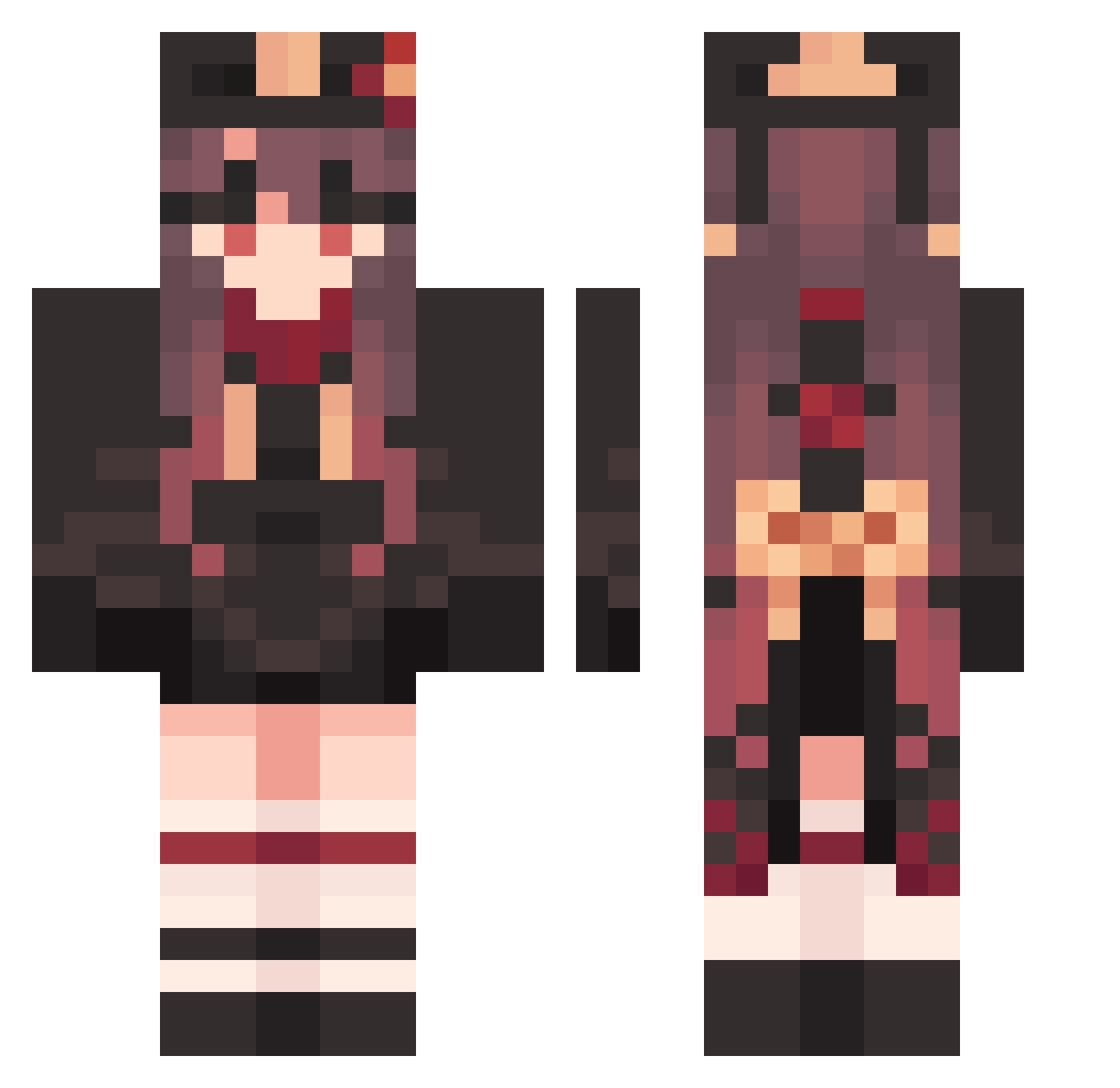
Current Minecraft skin of the player Sikikuro_X, loaded from the official Mojang API. Rotate the 3D model with your mouse or finger, then download the skin as a PNG file and use it in Minecraft: Bedrock Edition or Java Edition for free. When Sikikuro_X changes their skin, this page updates automatically and the old skin stays in the history below.
Other players with this skin (1585)
Sikikuro_X was the 1256th player we have seen with this skin, first spotted on 18.10.2026. The same skin was seen on these players. Open a nickname to see their current skin and skin history.
 tomorrow_2004 Hutao_rtHgPPL739 Yupi77B FullFortunate570 WeakLuxuriant125 gamayu PlasticGreedy807 Hutao_NnMjRVL360 GuardedSordid164 PrettyHapless947 TroubledScary492 Toolie9 EVFEMI Hutao_DbLpxYK345 Son0124 skyte759 SneakyFreezing16 VenomousRitzy724 NormalNear69 PlausibleWild391 lucas178sg Lazy_Umbrella saintzcami Emilia2317 Mining_Illusionz laura123U Hutao_BFOXEjy827 LIAO521 90899776 Hutao_ydQJvmn555 RightAccurate573 xiaoxie__ amandeline Hutao_OygSQmI496 wACNTkjmuLGxD566 SpecialGreen12 Limiaodong RareEnchanted801 BarbarousSuper33 Ujc03 HardDisturbed840 GloriousNasty836 Hutao_zjQFqZl273 Zagrase yRp324 GratisNaughty844 TangibleEager865 Xiaomeng000 SimpleDynamic446 Hutao_xWvgECB881 HutaoQUN0715 HeavenlyVague371 Cosmenok Hutao_DrFykiG397 StellaLiu StaleInnocent548 Lunaliy hu0758 Shelseay LightInnocent752
More Hu Tao Minecraft skins
How to install the Sikikuro_X skin
- Press the Download button above to save the skin as a PNG file.
- Minecraft: Bedrock Edition (PE): open the Dressing Room from the main menu (or tap your character → Edit Character), go to Classic Skins → Owned, press the + (new skin) button, choose the downloaded PNG and pick the Classic (Steve) model. Works on PC and mobile; consoles cannot import custom skins.
- Minecraft: Java Edition: open the Minecraft Launcher, go to the Skins tab, click New Skin, load the PNG, pick the Classic (Steve) model and press Save & Use. You can also upload it at minecraft.net → Profile → Change Skin.
The skin does not show up after import - what should I do?
Restart Minecraft and open the Dressing Room again - imported skins sometimes appear only after a restart. Also make sure you selected the imported skin and picked the Classic (Steve) model.
Which model should I choose, Classic or Slim?
This skin is designed for the Classic (Steve) model. If you pick the wrong model, the arms of the skin will look stretched or squeezed.
Is the skin of Sikikuro_X free to download?
Yes. Press Download, save the PNG file and use it in Minecraft: Bedrock Edition or Java Edition - no payment or registration needed. The skin also works on multiplayer servers and Realms.
More skins
Looking for more? Go back to all Minecraft skins and check the top skins of the week, month and all time, or find any player's skin by nickname.