
Sikely - Minecraft Skins & Skin History
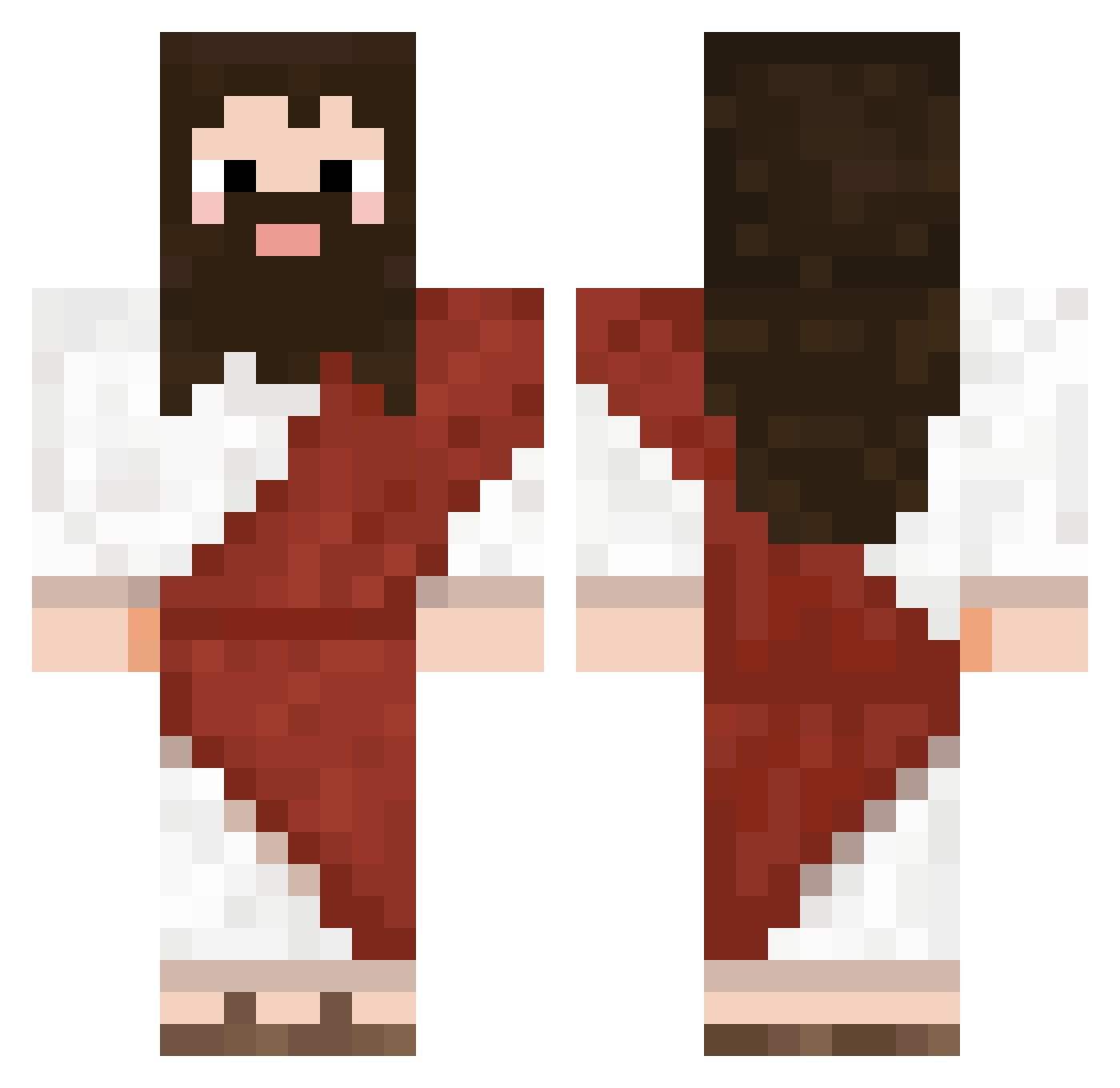
Current Minecraft skin of the player Sikely, loaded from the official Mojang API. Rotate the 3D model with your mouse or finger, then download the skin as a PNG file and use it in Minecraft: Bedrock Edition or Java Edition for free. When Sikely changes their skin, this page updates automatically and the old skin stays in the history below.
Other players with this skin (722)
Sikely was the 602nd player we have seen with this skin, first spotted on 21.10.2026. The same skin was seen on these players. Open a nickname to see their current skin and skin history.
 Adibabug ch0ta41 ToxicSweetT JustFakeJesus CUCKASHI YuKxmi Bingus1029 keokid69 iGlitchez potatoespeople epitomester2016 Jien_000 jsm456 Pedalcito Edw44rd wltjd1213 n0dia0 LegendXFrog QUITTERRR99 SirDacp Rawo6969 SquidIsLame Brimbrin Coralsoot Samuhhhhh Devlin_01 junhyuk2300 DrGamerLee imyheking aleleatoriokk Gaultear sheng0207 FrostedFlakez_ Cainx77 Zarwik CookiezQu gombos69 Scaux Kianxz LinenYaSan Mangohope futuredu0 Iwan_lol Jager0411 Majimusyy MojangSupport2 EK_3 Yuahmon TrNw13 ArcWasntHere ThugHunter85 Spromit bananamen3 PsychoSyrius peradak GiEffPi xaen14 HypoTypo marvin2504 ryuch0304
More Biblical Minecraft skins
How to install the Sikely skin
- Press the Download button above to save the skin as a PNG file.
- Minecraft: Bedrock Edition (PE): open the Dressing Room from the main menu (or tap your character → Edit Character), go to Classic Skins → Owned, press the + (new skin) button, choose the downloaded PNG and pick the Classic (Steve) model. Works on PC and mobile; consoles cannot import custom skins.
- Minecraft: Java Edition: open the Minecraft Launcher, go to the Skins tab, click New Skin, load the PNG, pick the Classic (Steve) model and press Save & Use. You can also upload it at minecraft.net → Profile → Change Skin.
The skin does not show up after import - what should I do?
Restart Minecraft and open the Dressing Room again - imported skins sometimes appear only after a restart. Also make sure you selected the imported skin and picked the Classic (Steve) model.
Which model should I choose, Classic or Slim?
This skin is designed for the Classic (Steve) model. If you pick the wrong model, the arms of the skin will look stretched or squeezed.
Is the skin of Sikely free to download?
Yes. Press Download, save the PNG file and use it in Minecraft: Bedrock Edition or Java Edition - no payment or registration needed. The skin also works on multiplayer servers and Realms.
More skins
Looking for more? Go back to all Minecraft skins and check the top skins of the week, month and all time, or find any player's skin by nickname.